4. User Journey
4 User Journey
Access Registration Form
Customers visit the WooCommerce My Account page to find the registration form. Here, they can seamlessly start their registration process as fields are tailored to capture essential information efficiently.
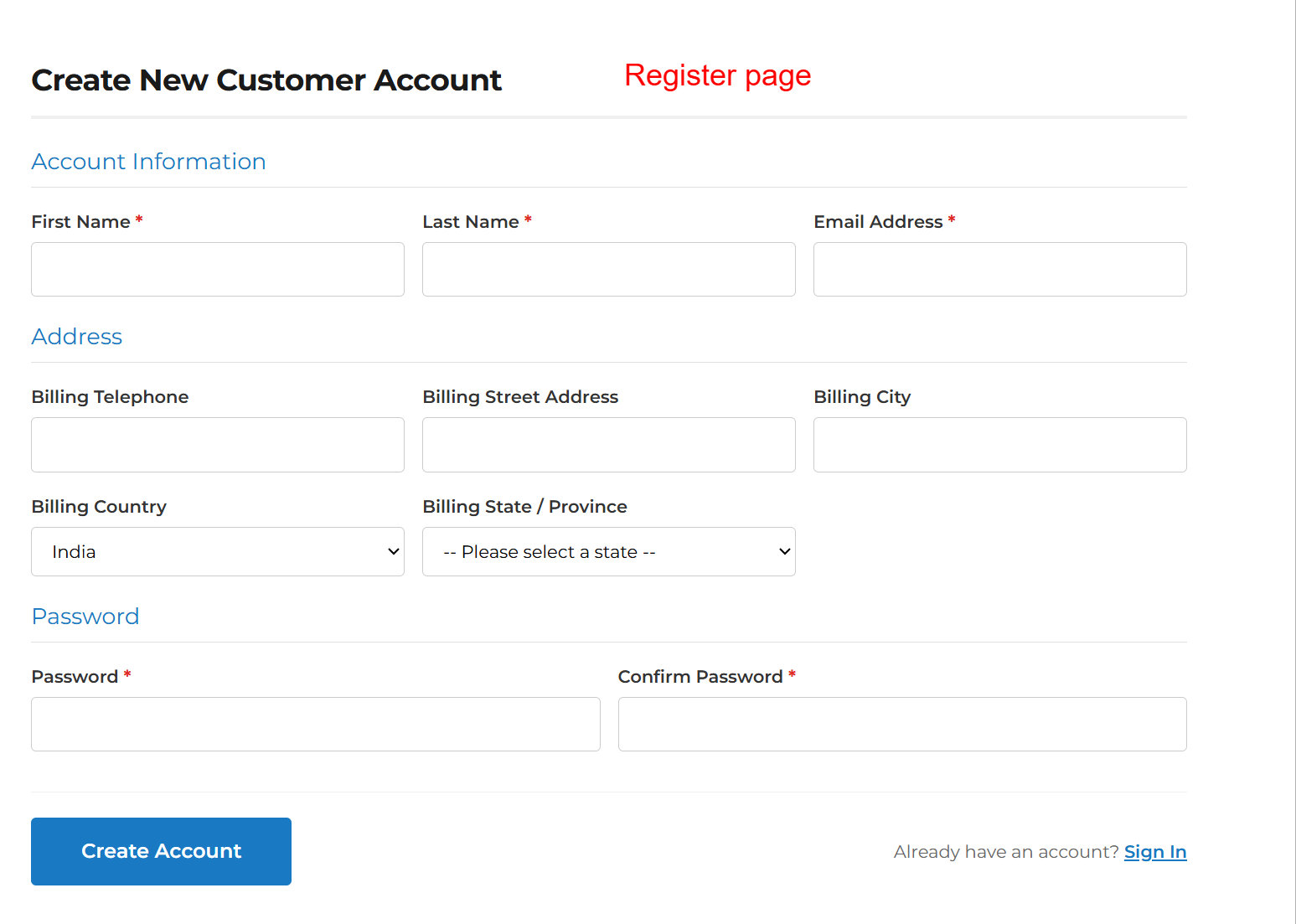
This is how the registration page appears to visitors. It captures essential information through the customized fields set up in the admin area. Providing a user-friendly registration process, it encourages account creation and enhances user engagement.
Complete Registration
Users fill out the mandatory and optional fields in the registration form, confirmed with client-side validation to ensure data accuracy and completeness.
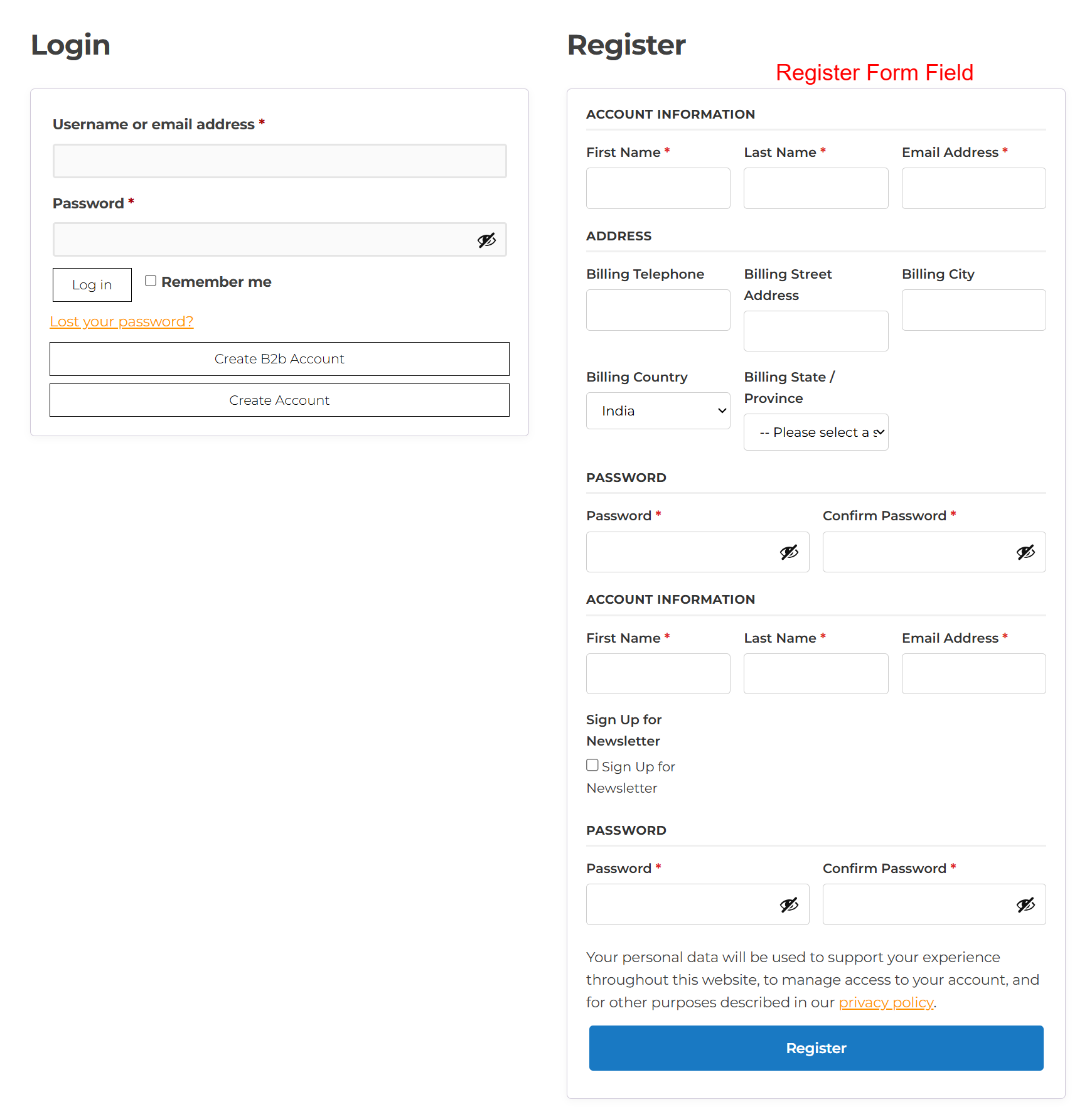
This page is pivotal for new users who want to register for an account and existing users logging in. The registration form extends default WooCommerce fields by enabling fields for personal and billing information. Users can create an account or log in with ease, making this screen essential for user onboarding.
User Dashboard Access
Upon successful registration, users gain access to the dashboard where they manage personal settings, view orders, and edit account info, underscoring their control over the shopping journey.
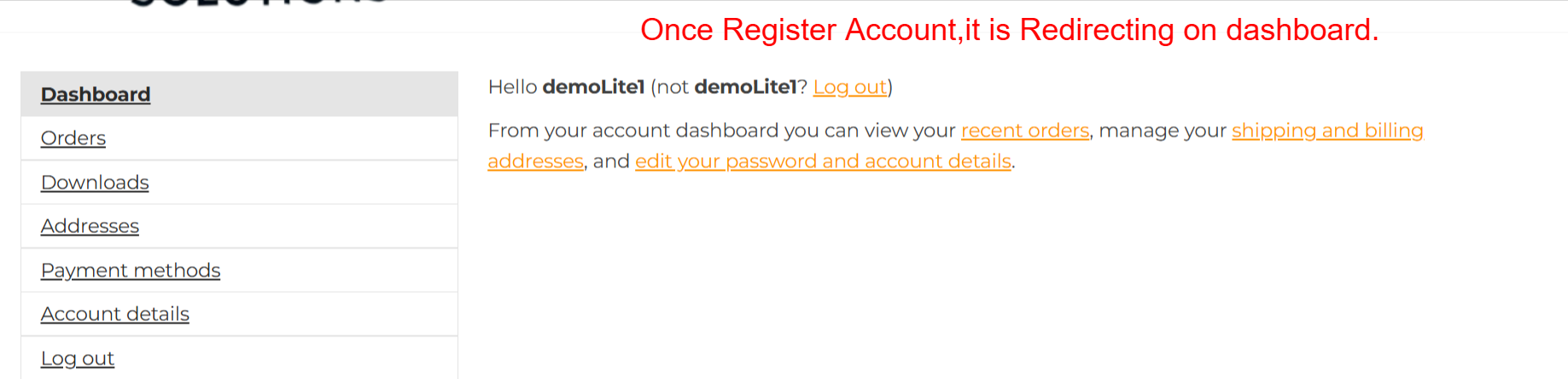
Upon successful registration, users are redirected to the dashboard where they can manage various account details such as viewing orders, managing addresses, and editing account settings. This centralized hub empowers users to have greater control over their shopping experience.
Manage Billing Information
Users can easily update their billing information by navigating to the Billing Address section. The changes reflect immediately, ensuring online transactions proceed smoothly.

This section of the user dashboard shows the current billing address with an option to edit it. Providing users with easy access to update their billing information helps ensure transactions are smooth and addresses remain accurate.
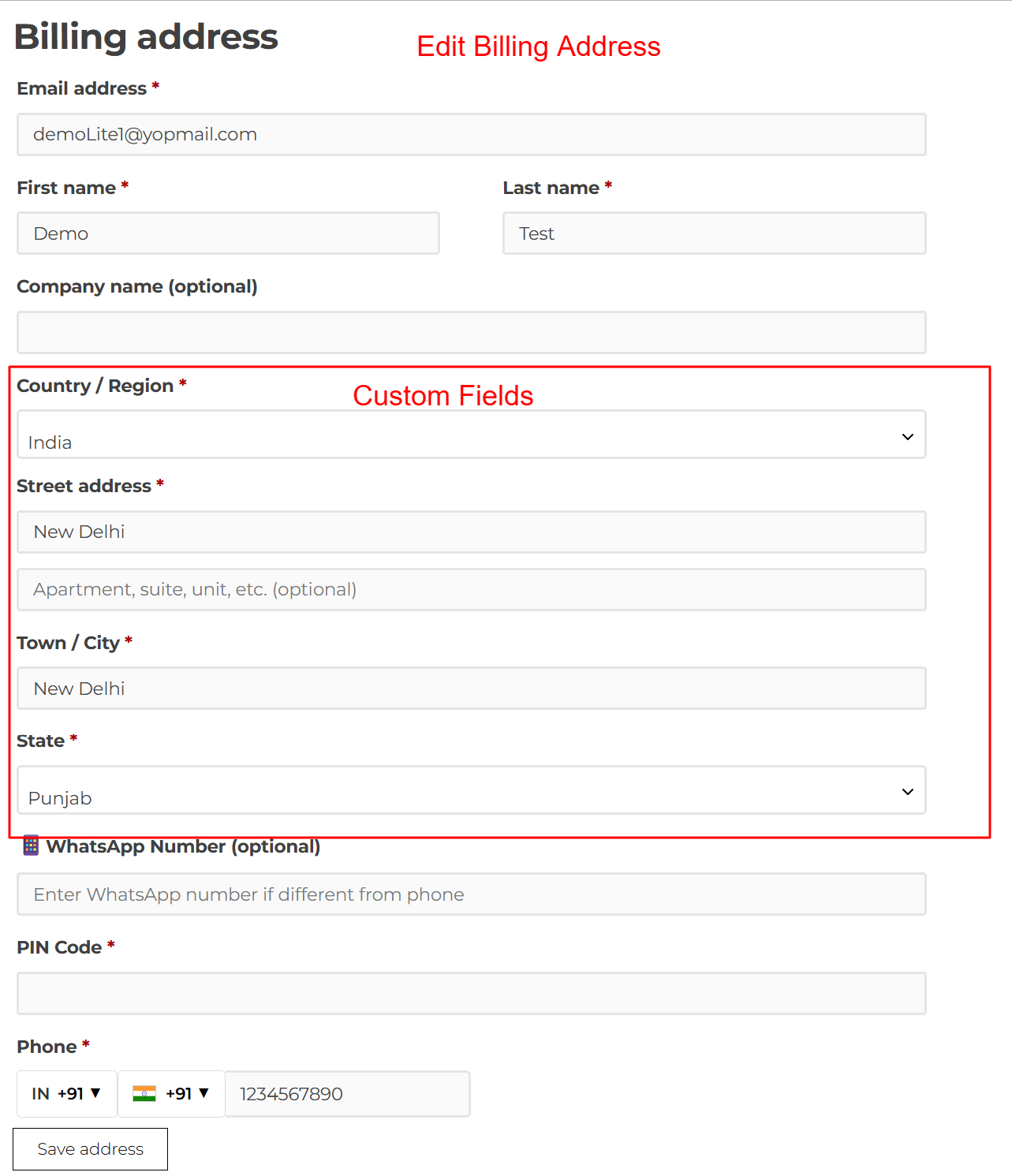
On this screen, users can update their billing address by filling in the relevant fields. This interface makes it straightforward to alter personal information, ensuring the user can quickly adapt their details to suit any changes in status or location.