Form Customization
Form Customization
Easily tailor your registration forms using intuitive tools.
- Drag-and-drop form arrangement
- Custom section labels
- Grid layout options (1-6 columns)
- Multiple field types: Text, Checkbox, etc.
- User meta data storage
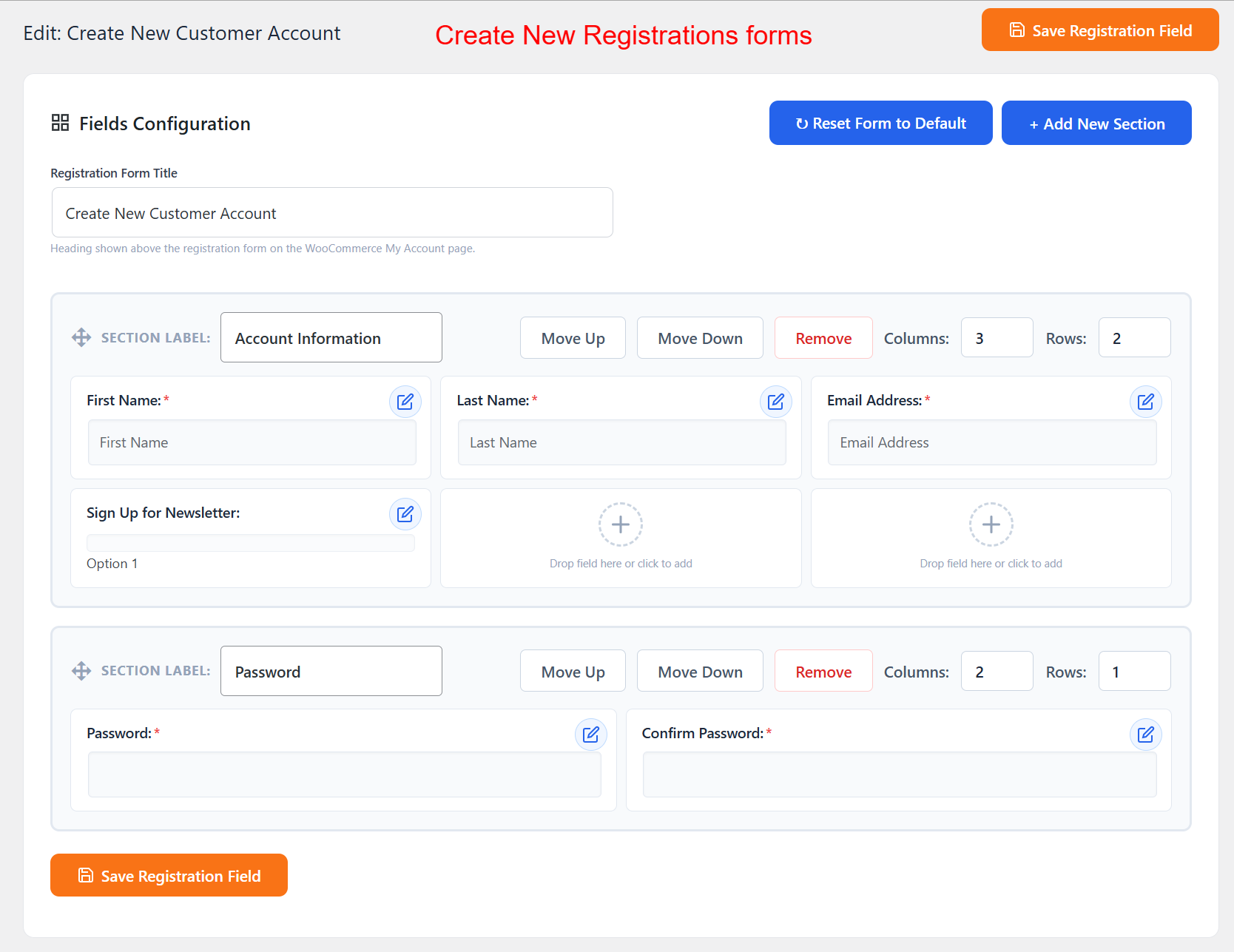
This screen is where you can design and customize the registration forms for your WooCommerce store. You can add new fields, arrange them in sections, and define how they display to users on the registration page, making it easier to collect necessary customer information.
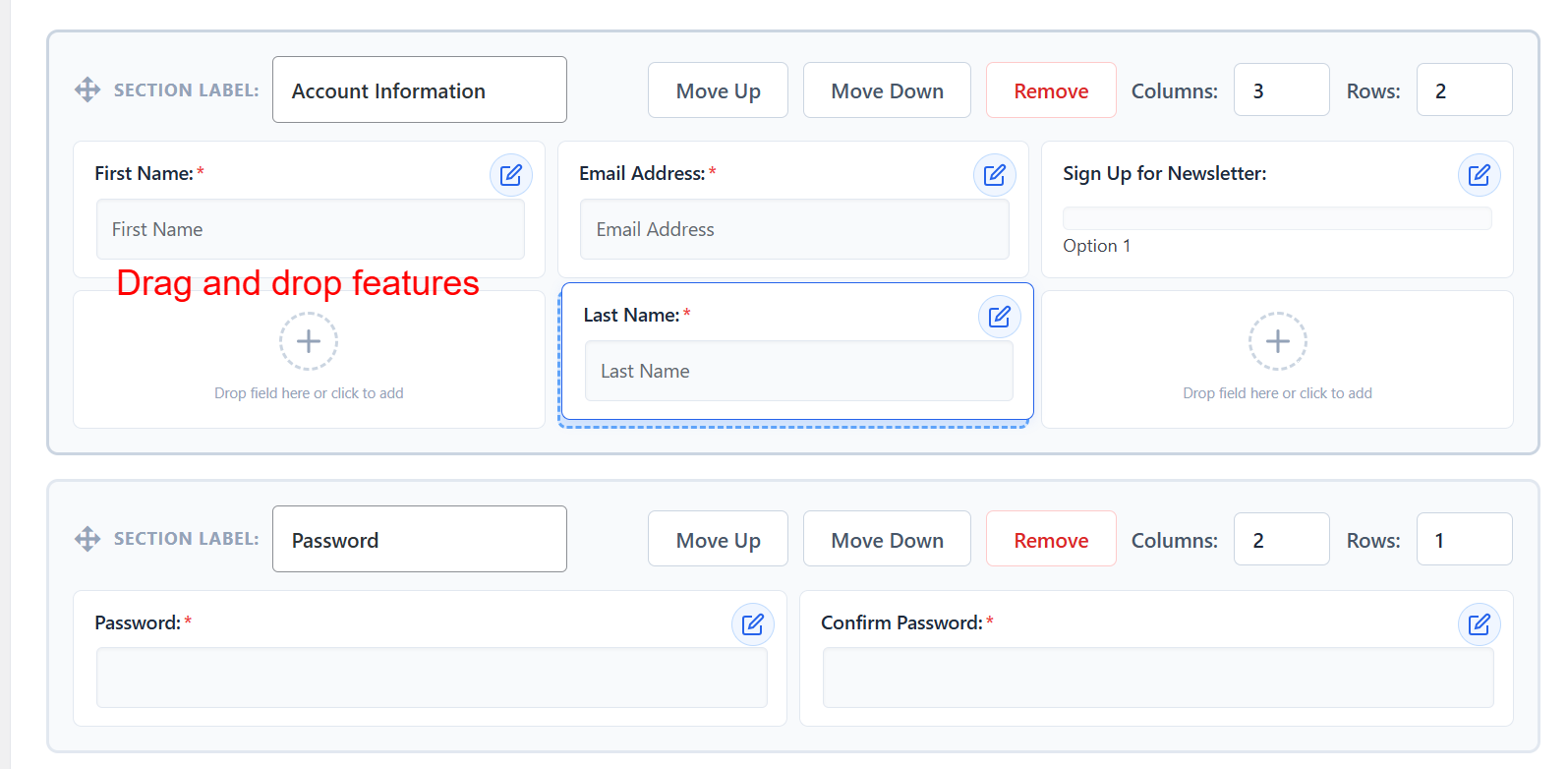
In this configuration screen, you can customize the WooCommerce registration form by dragging and dropping fields within sections. Each section features controls to move or delete fields, making it easy to tailor the form to your specific needs.