Configuration and Administration
Configuration and Administration
Manage and configure your registration form setup efficiently.
- Single form focus for ease
- Settings for enabling/disabling fields
- Confirmation on saved changes
- User list management
- Admin dashboard adjustments
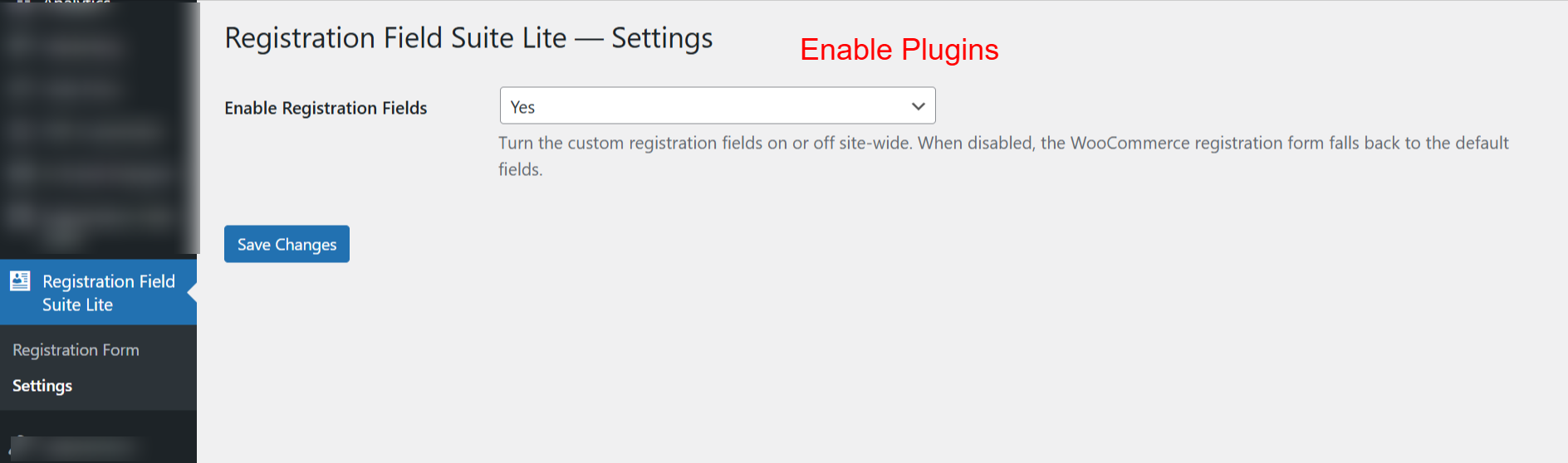
This settings page allows you to enable or disable the Registration Field Suite Lite plugin’s custom fields across your site. Choosing ‘Yes’ ensures that the custom fields are visible and functional on your WooCommerce registration forms.
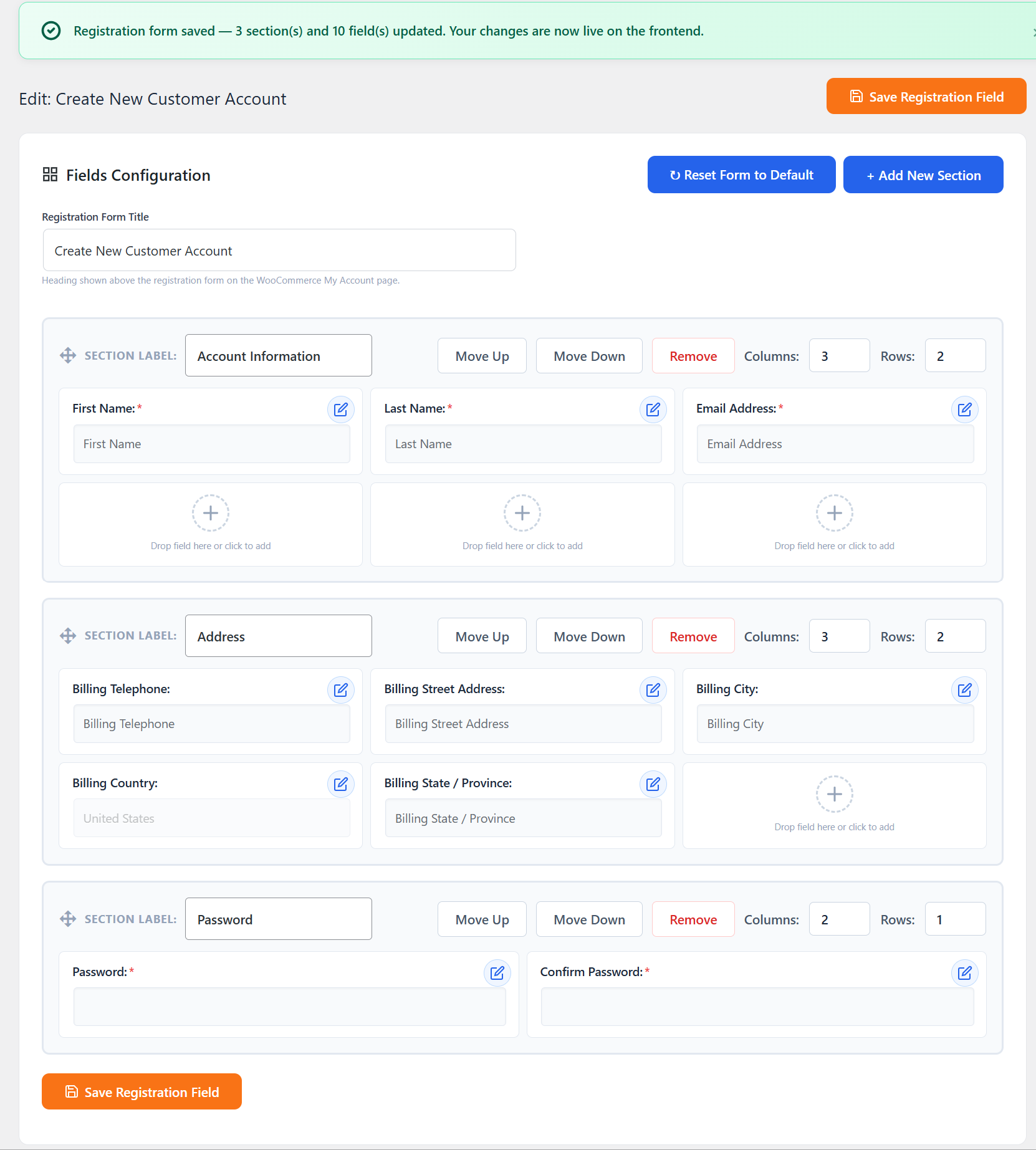
This screen confirms that the changes made to the registration form have been saved and are live on the frontend. It shows the entire form structure, including newly added sections and edited fields, ensuring users have full control over the form’s layout.
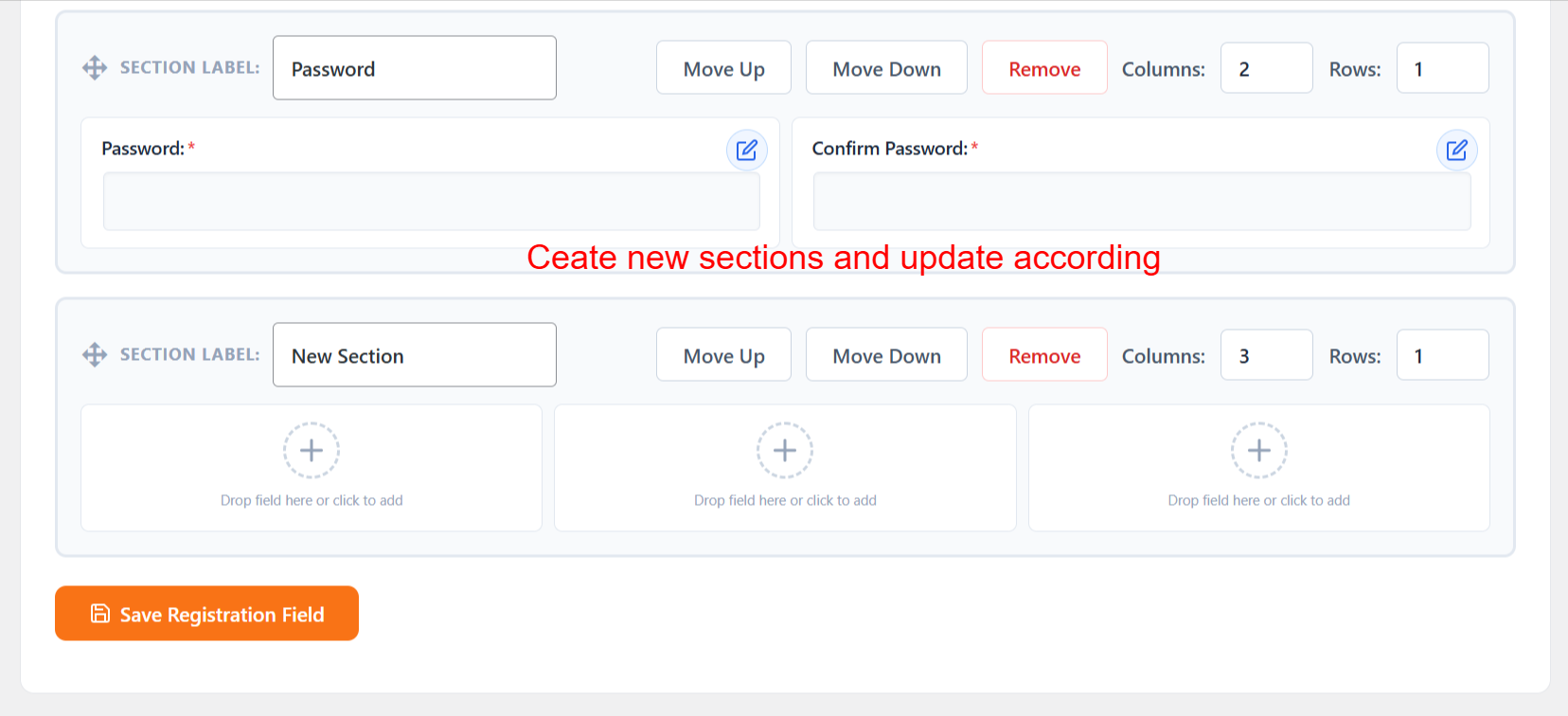
Here, users can add new sections to the registration form, allowing further customization. The interface supports moving sections, adding new fields, and deleting unwanted sections, creating a flexible registration form tailored to varying user requirements.
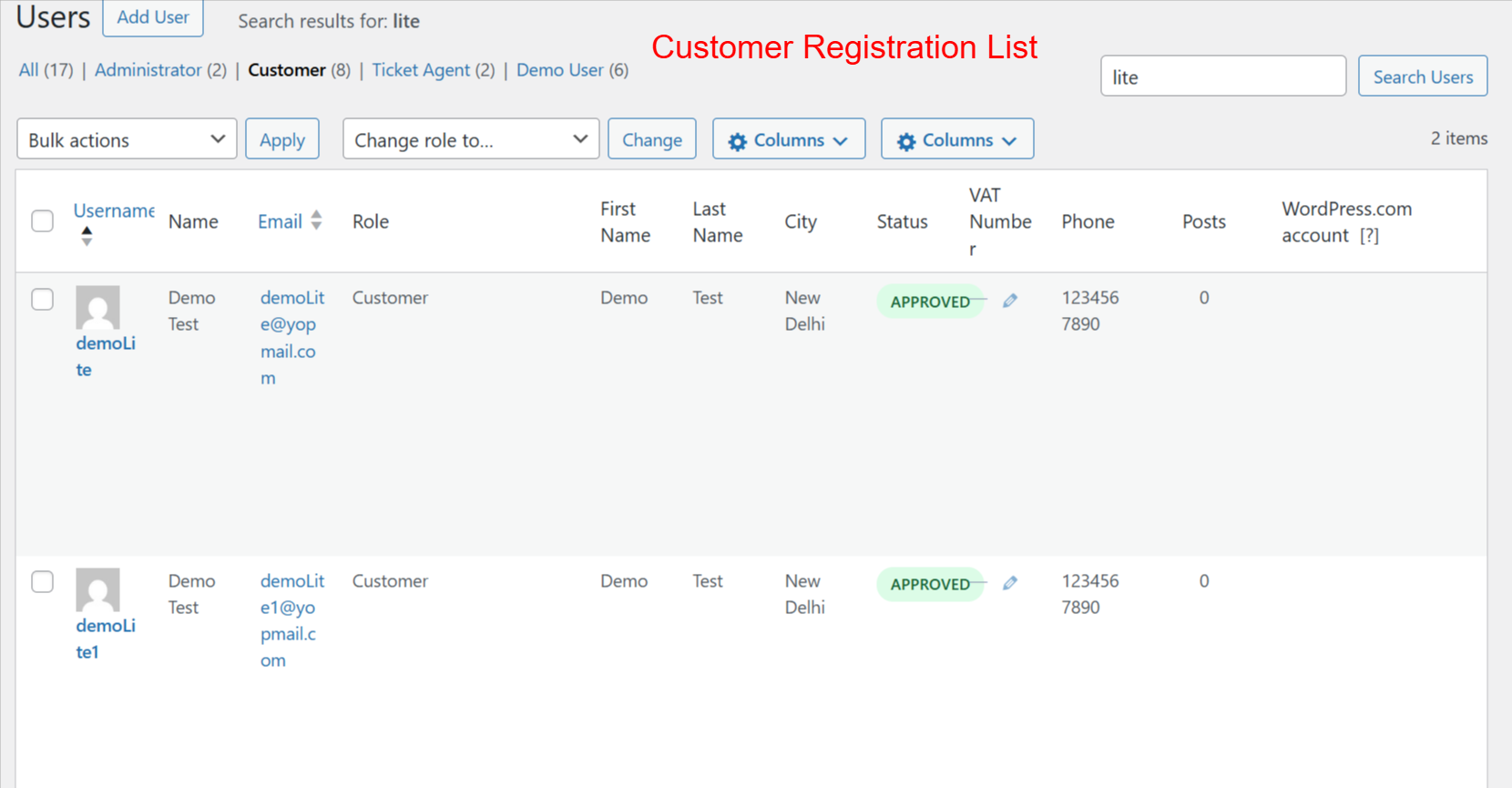
Admins use this screen to manage user accounts effectively. It provides insights into user roles, status, and personal details, enabling quick edits and status updates. This functionality is crucial for maintaining a clean and organized user database, especially in a WooCommerce environment.