Advanced Field Options
Advanced Field Options
Enhance data collection with versatile field configurations.
- Extensive field types selection
- Per-field mandatory settings
- Custom validation rules
- Predefined values and default settings
- Field arrangements and styling
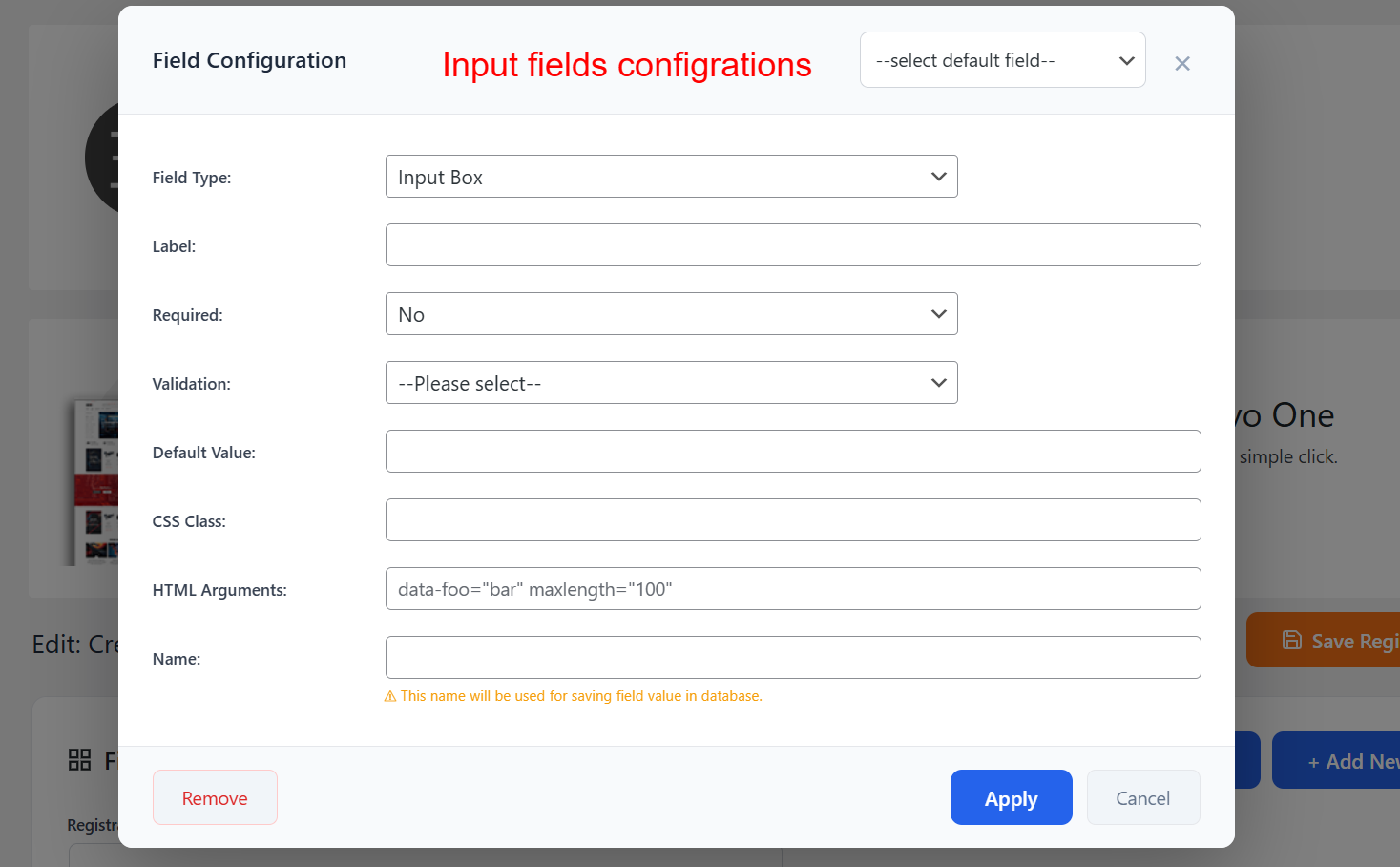
Within the field configuration modal, you can fine-tune the details of each custom field you add to your registration form. Define whether a field is mandatory, its input type, validation rules, and additional HTML for enhanced design and functionality.
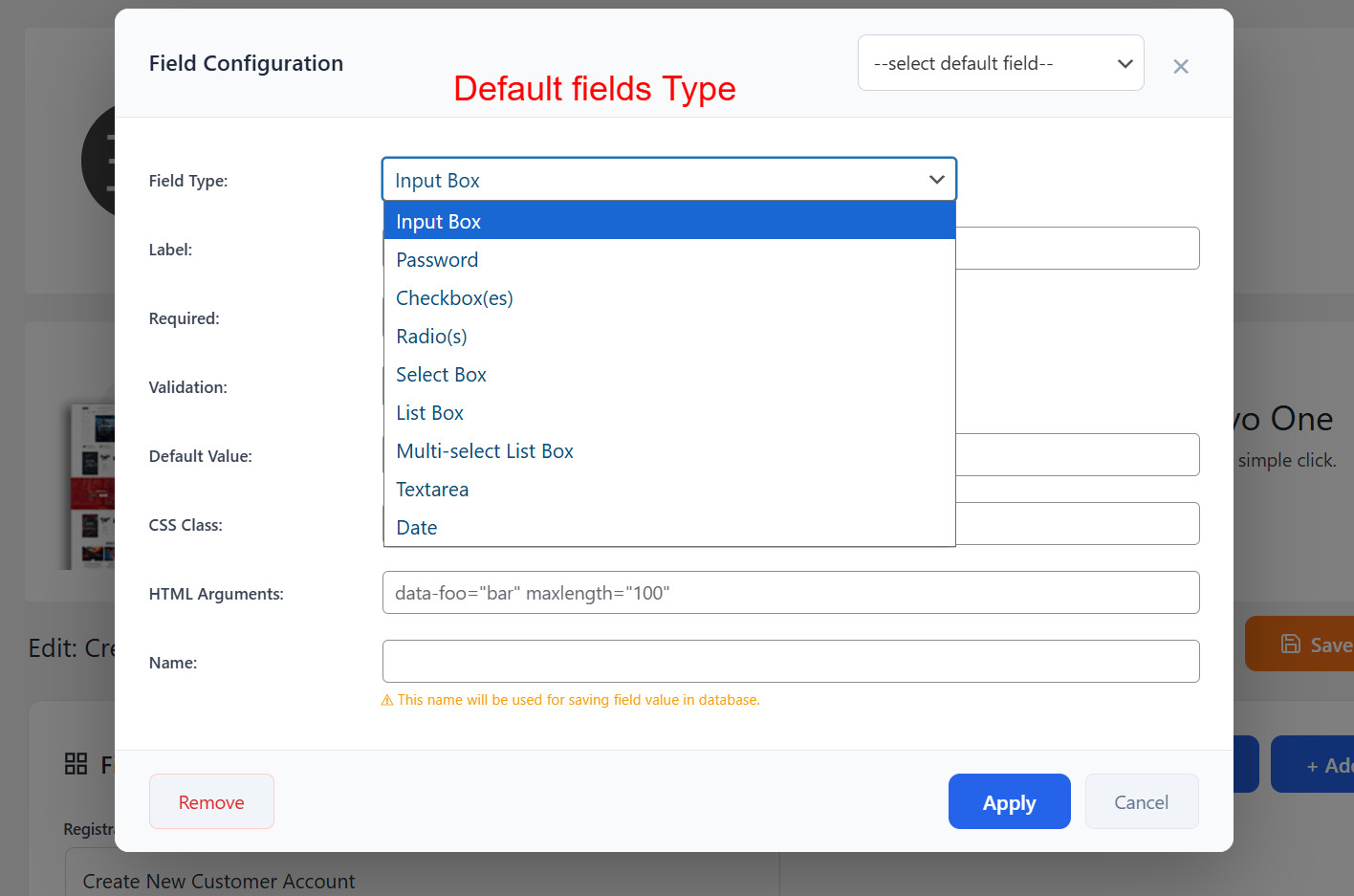
On this screen, select the type of input field you want to add to your registration form. Options include input boxes, checkboxes, radio buttons, and more, allowing you to gather specific data types from registrants.
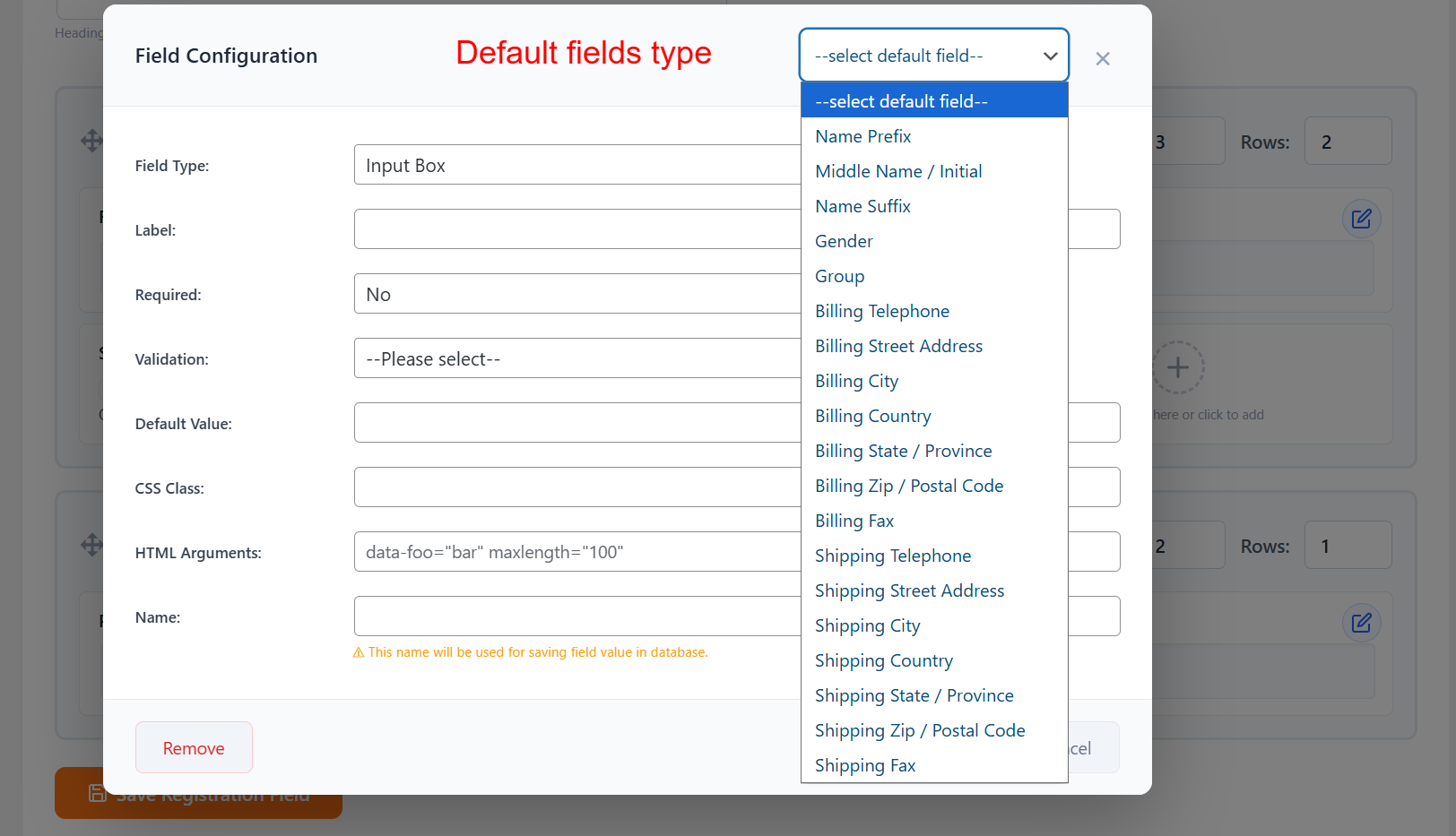
Here, choose from a list of default fields related to customer details, such as Name Prefix or Billing Information. This makes setting up comprehensive registration forms quick and straightforward.
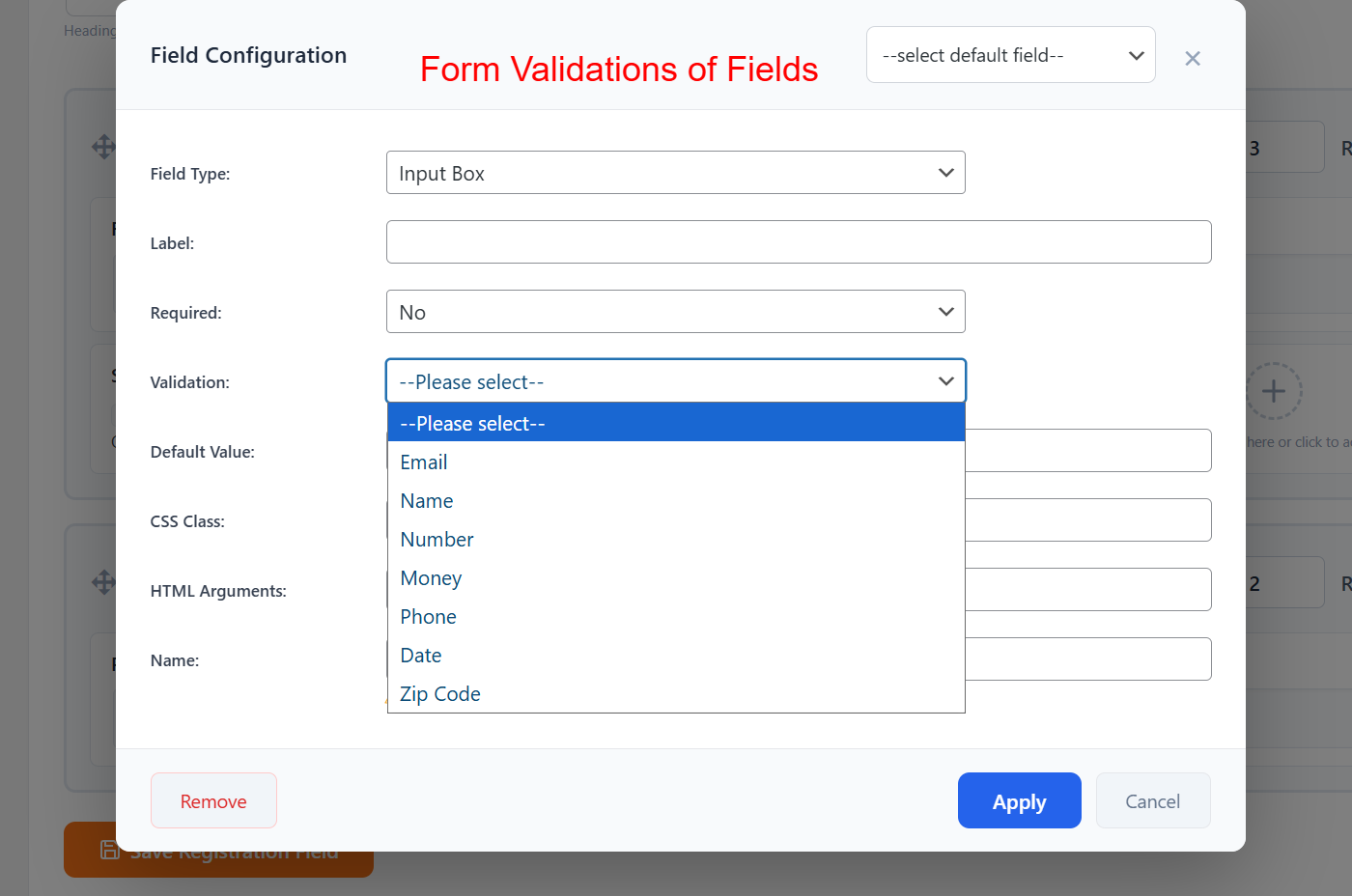
This part of the configuration allows you to apply validation rules to your form fields, ensuring that the data entered by users complies with specific criteria, such as format or type, enhancing form reliability and data accuracy.