User Journey
4 User Journey
Managing Advanced Rules
Access Advanced Rules in the admin panel to create or edit rules that dictate when and how prices are hidden. Define specific conditions to tailor visibility based on product or category characteristics, ensuring your pricing strategy aligns with business objectives.
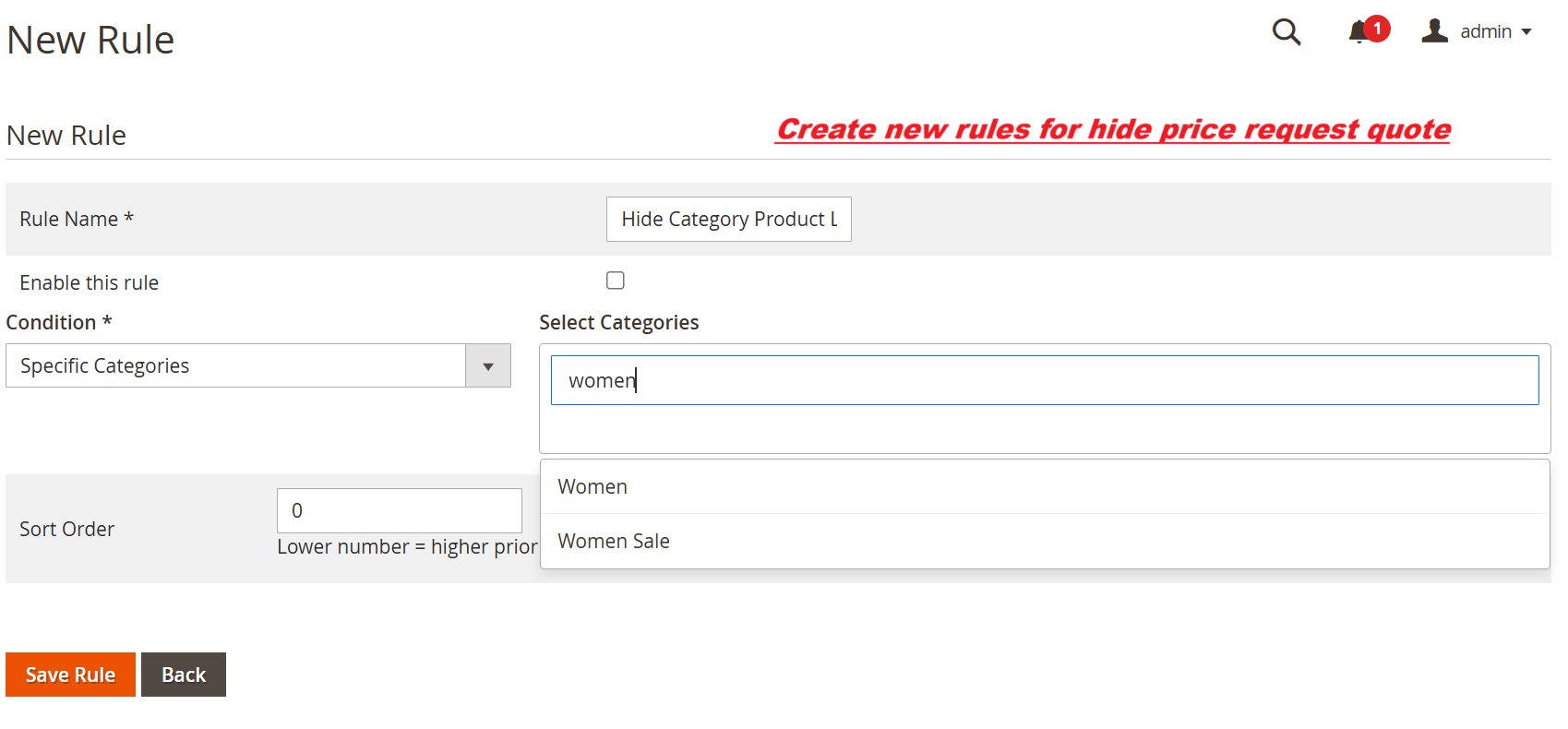
On this interface, admins create new rules to manage price visibility. By defining rule conditions, such as specific categories, this feature allows businesses to leverage tailored pricing tactics, ensuring that visibility settings are aligned with marketing strategies.
Handling Price Inquiries
Utilize the Price Inquiries list to track and manage customer requests about hidden prices. Update inquiry statuses as they progress using the dropdown menu, ensuring transparency in customer communication and effective query management.
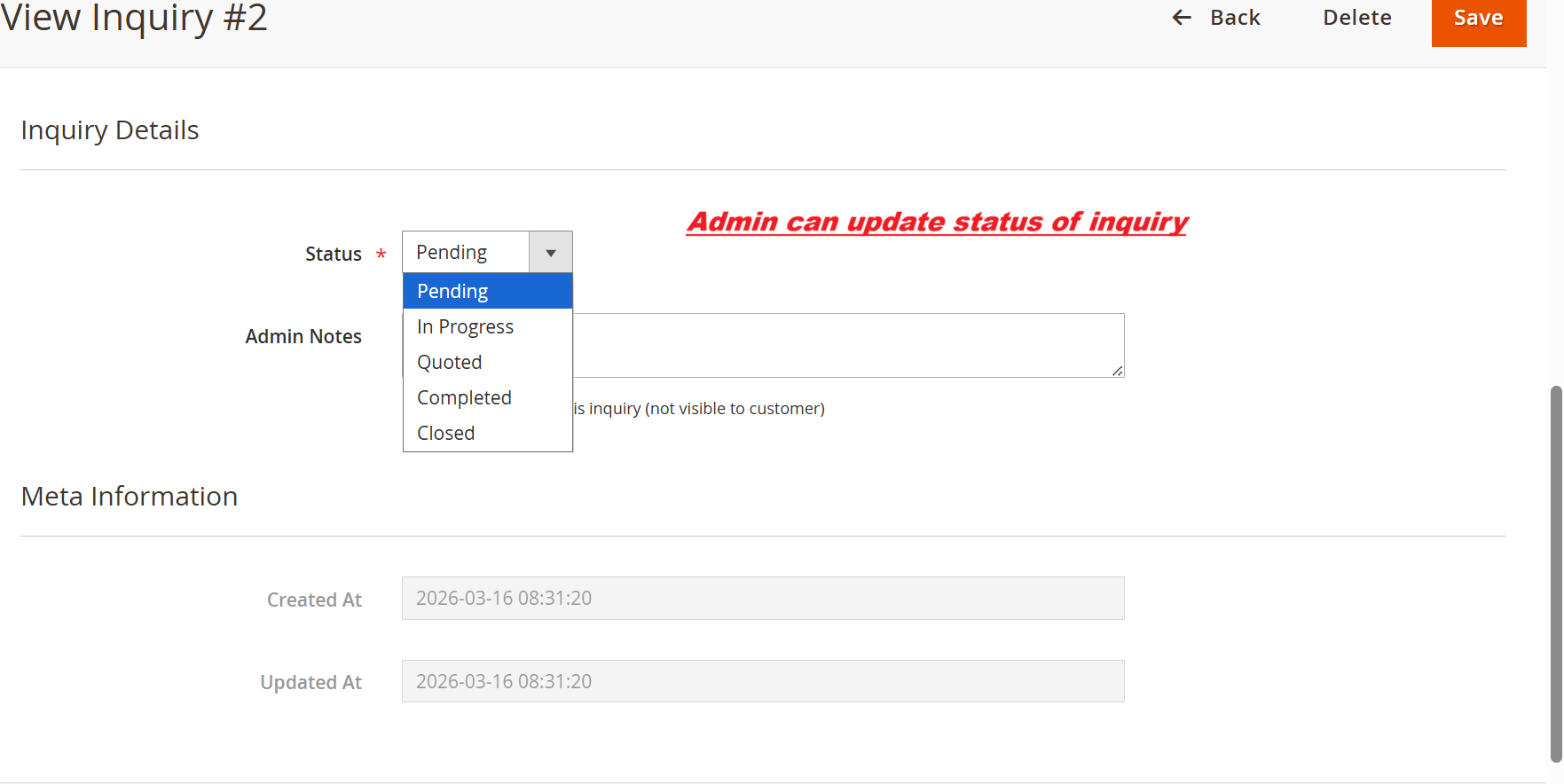
In this screen, the admin can update the status of a customer inquiry using the dropdown menu. This functionality is crucial for managing the request lifecycle and keeping customers informed about the progress of their inquiries. Admin can also add internal notes that aren’t visible to customers. This screen supports the primary function of tracking inquiries efficiently in the Ewebecommerce_HidePrice extension.
Responding to Inquiries
View details of customer inquiries and engage promptly using email or WhatsApp from the admin interface. This integrated approach ensures comprehensive response to customer queries, enhancing service quality and potentially increasing conversions from engagements.
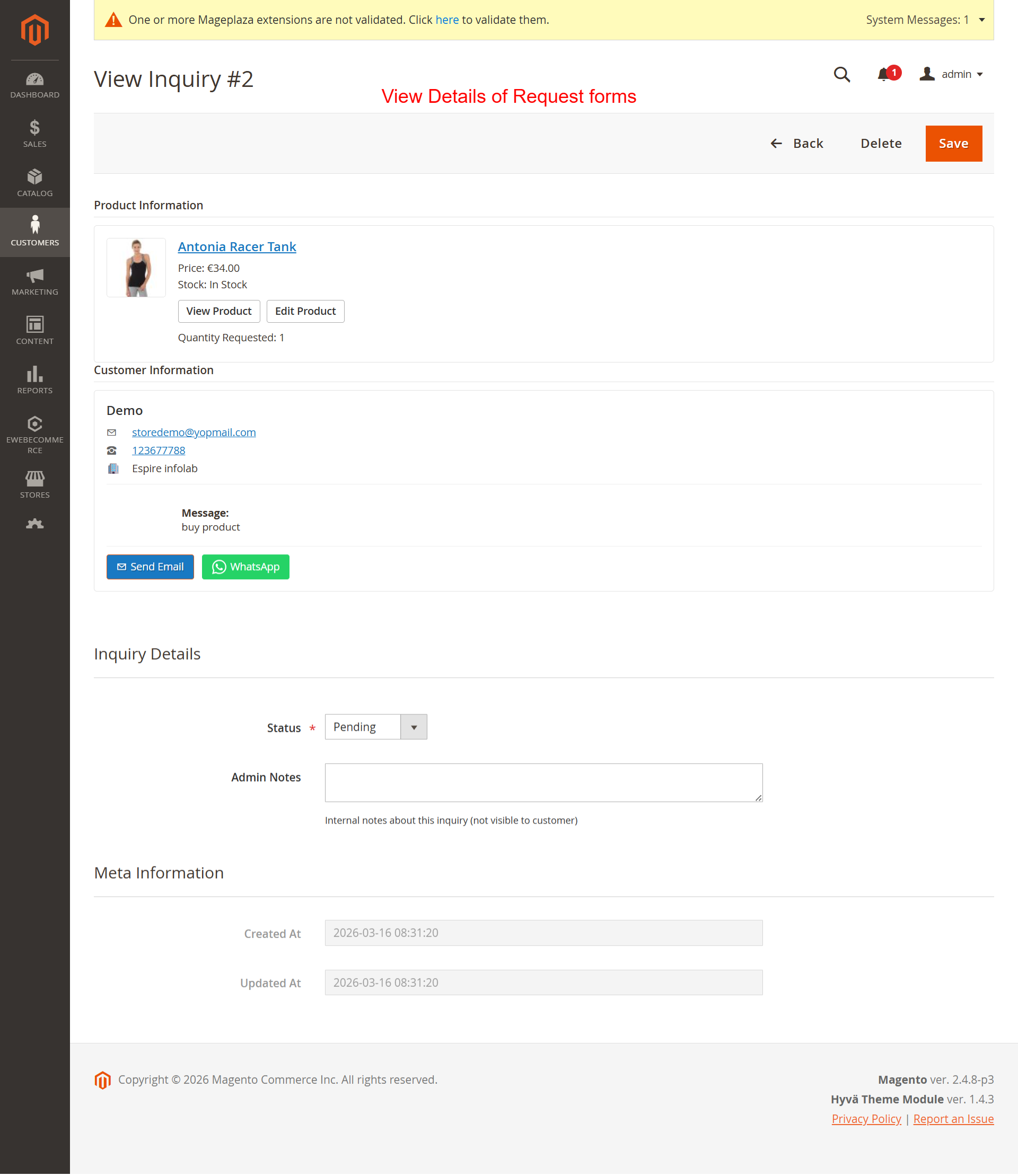
Here, the admin can see detailed information about a customer’s inquiry. It includes product details like the name and price, as well as customer information such as email and phone number. Admins can respond to inquiries via integrated email or WhatsApp options. This feature ensures that inquiries can be handled promptly and with comprehensive context, enhancing customer service in the Ewebecommerce_HidePrice module.
Customer Quote Form
Customers can fill out a Request for Quote form, noting specifics such as desired quantity and their contact details. This feature enables seamless inquiry submissions for personalized pricing engagement, streamlining the information collection process essential for detailed follow-up with potential leads.
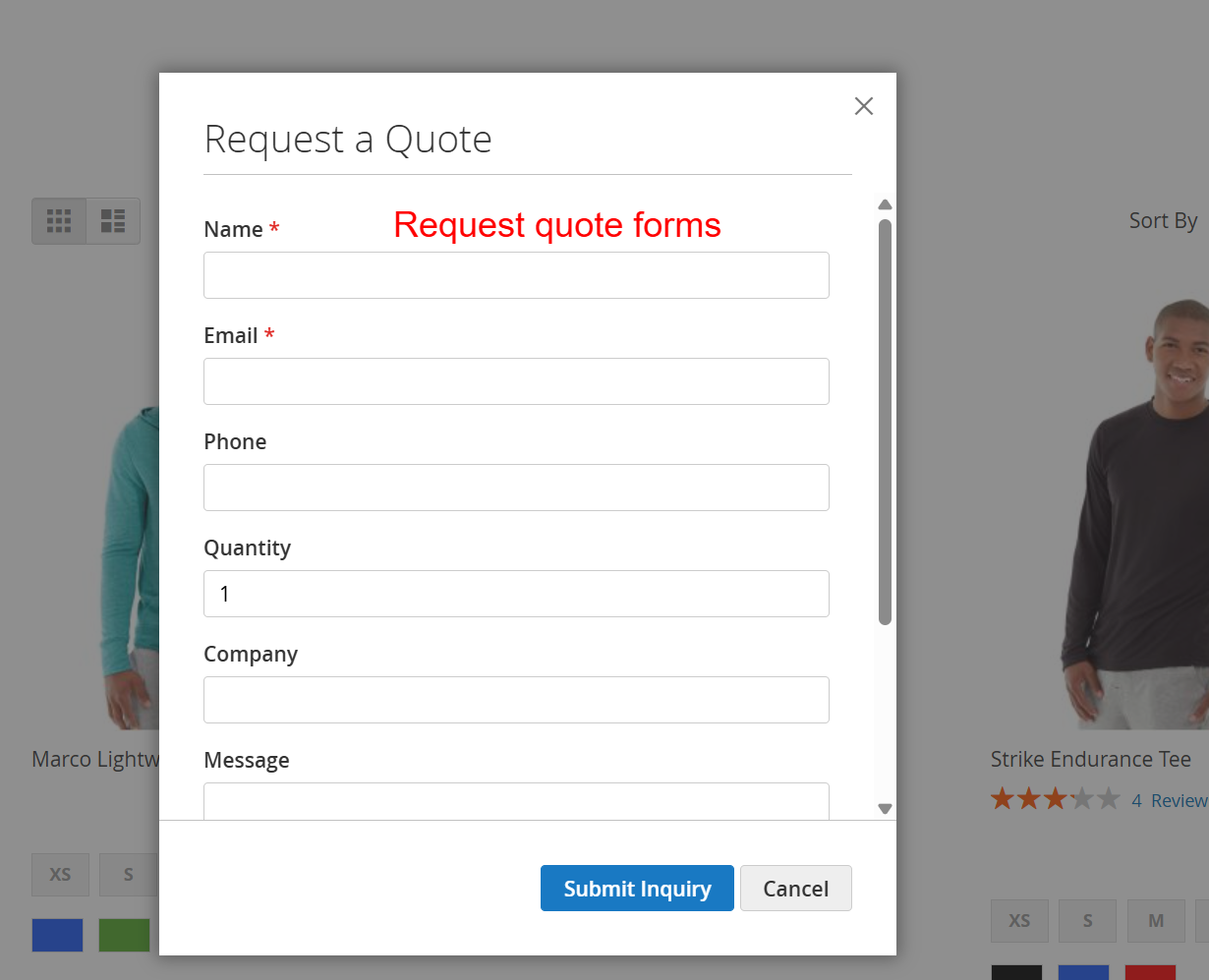
This quote request form allows customers to provide their details and inquiry specifications, sending a structured request to the admin. The form supports personalized engagement by gathering essential information that helps admin with the follow-through. This interaction supports the extension’s distinctive approach towards customer engagement through hidden prices and RFQ capabilities.
Inquire via WhatsApp
Integrating WhatsApp provides customers with a direct channel to inquire about prices or further product details. This feature simplifies the communication process, allowing potential customers to ask questions and receive immediate informational support, vital for nurturing customer relationships.
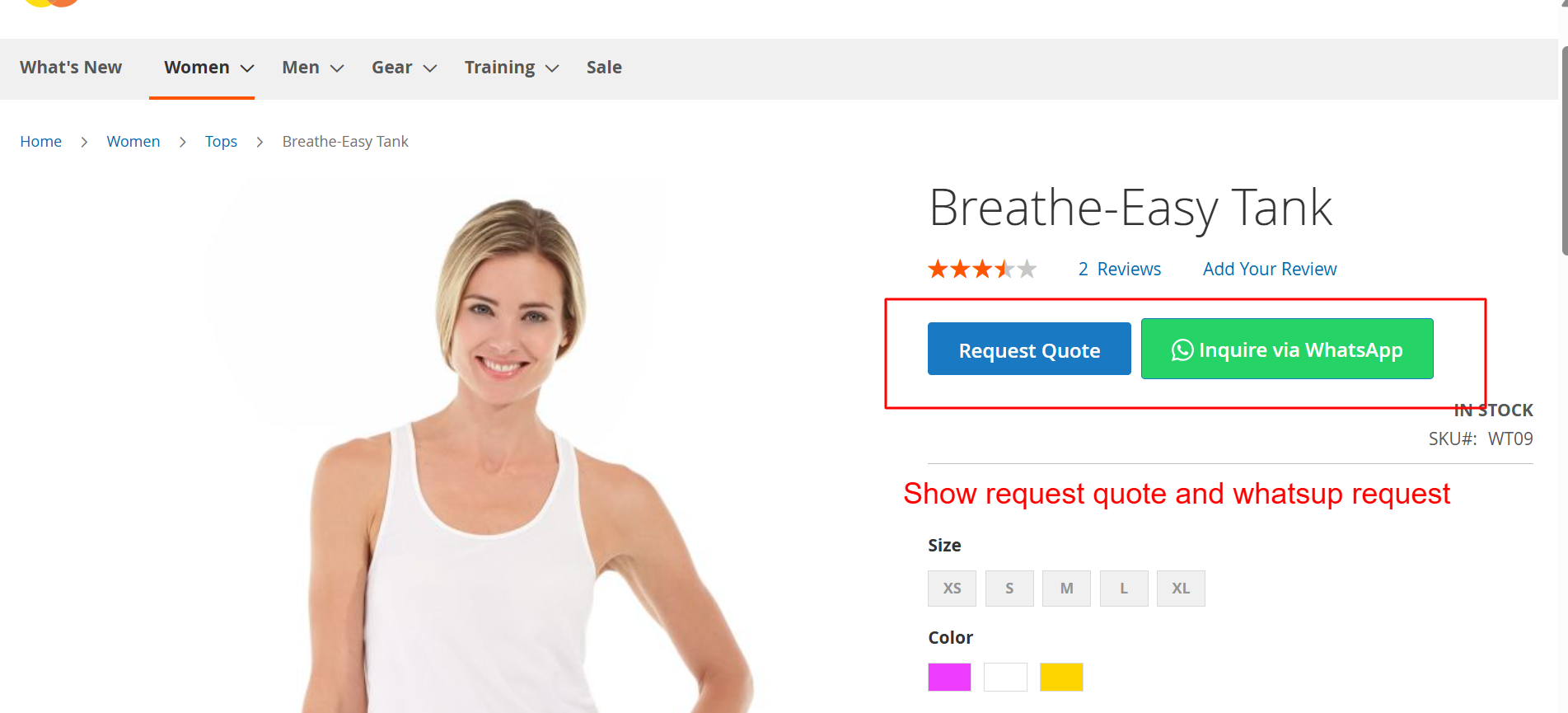
This interface illustrates dual modes of user engagement through quote requests and instant messaging via WhatsApp. By implementing Ewebecommerce_HidePrice, vendors can effectively manage inquiries and nurture customer relationships in a competitive market.