Core Features
Core Features
Discover the primary functionalities of Ewebecommerce_HidePrice and how they enhance store operations.
- Price hiding for guest users
- Category and product-specific controls
- Rule-based visibility management
- WhatsApp inquiry support
- Request for Quote integration
- Customizable text display
- Flexible display and access settings
- Email notification for inquiries
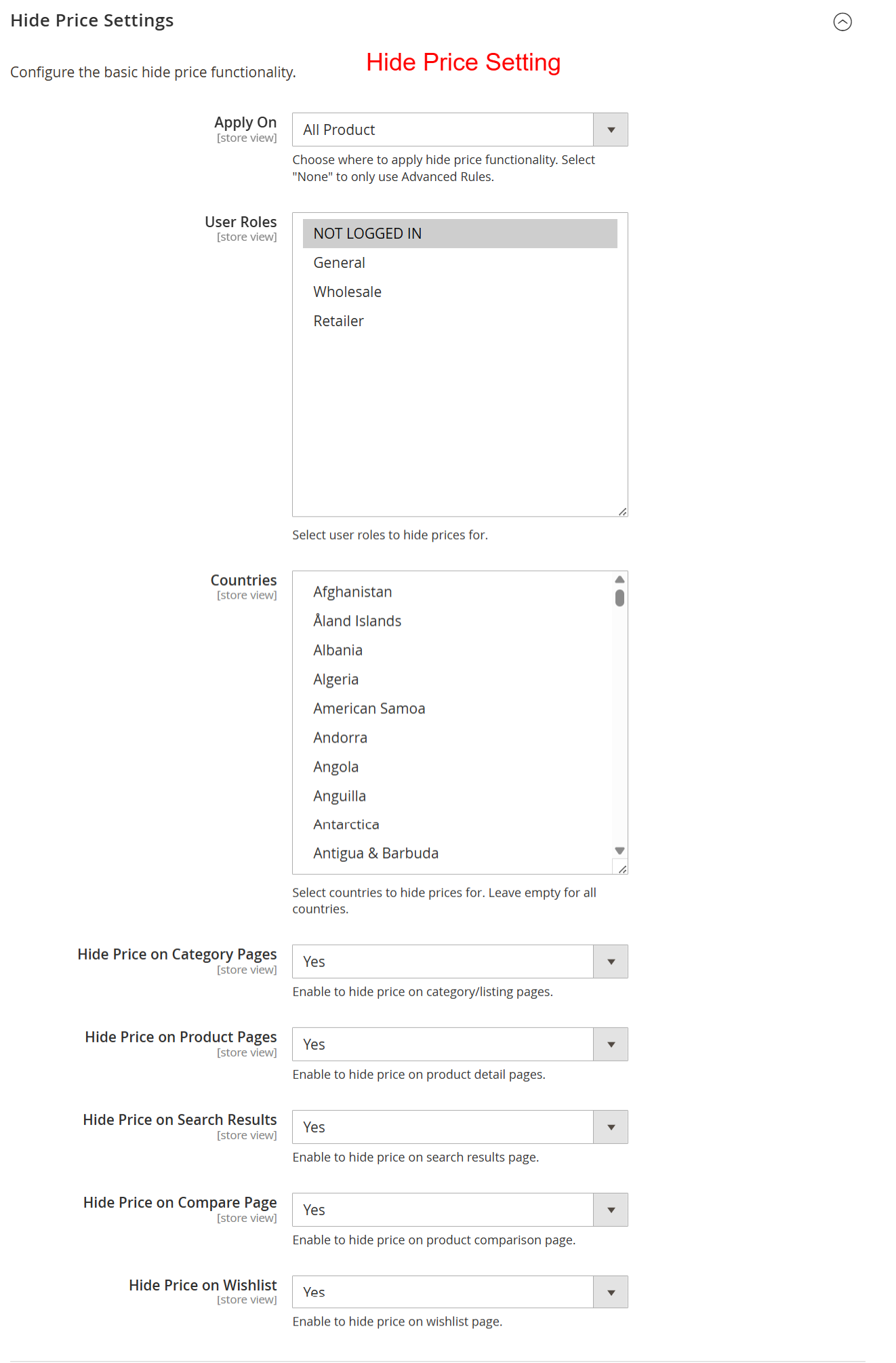
Here, administrators can define how and where the hide price feature applies by selecting specific products, user roles, and geographical locations. Enabling these settings ensures that only authorized users, such as logged-in users or selected regions, can see product prices, enhancing security and personalization.
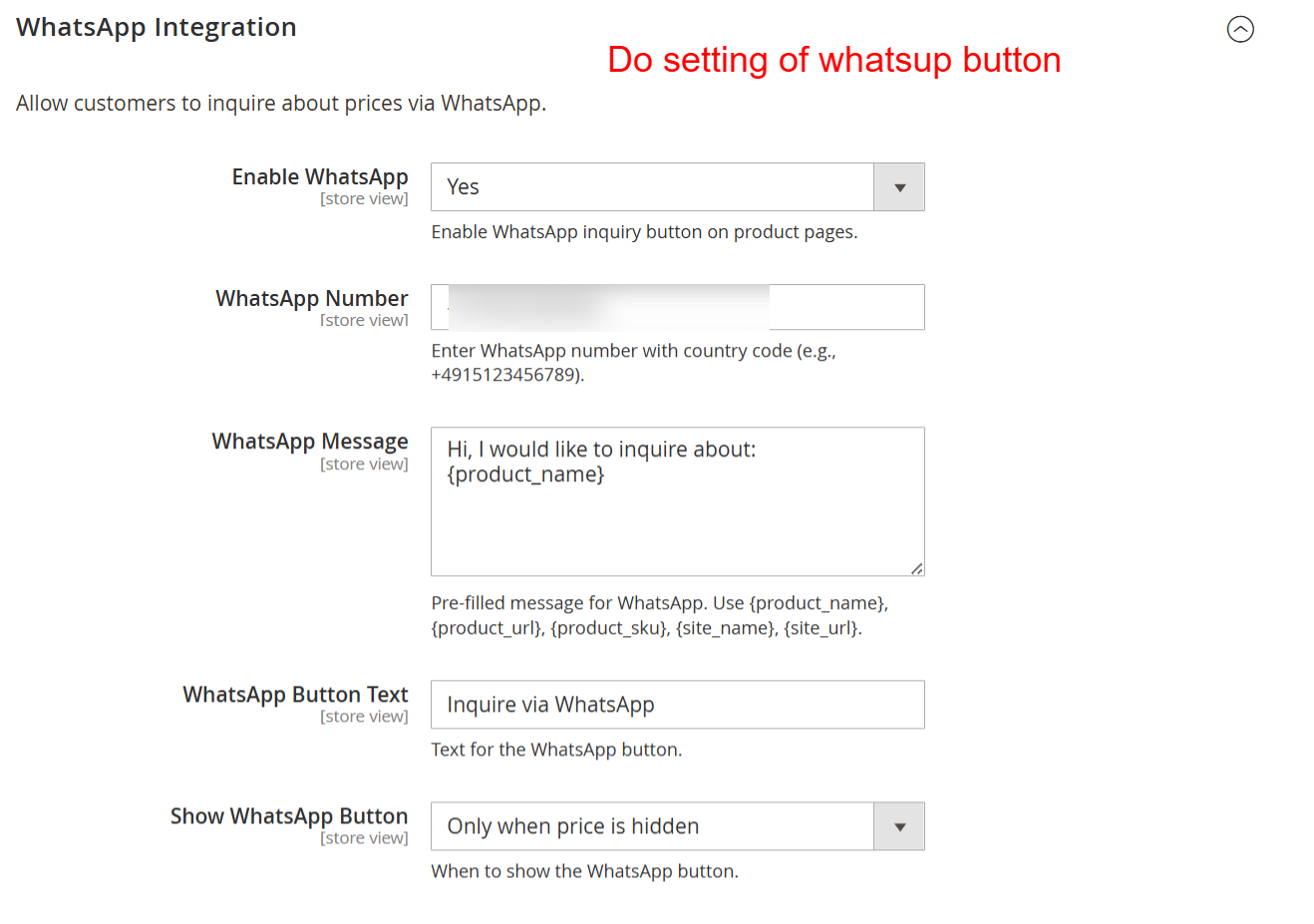
By setting up WhatsApp integration, stores can directly connect with customers through pre-configured inquiry messages. This feature is beneficial for offering instant communication, thereby enhancing customer service and facilitating quick responses to price inquiries, making it easier for stores to convert interest into sales.
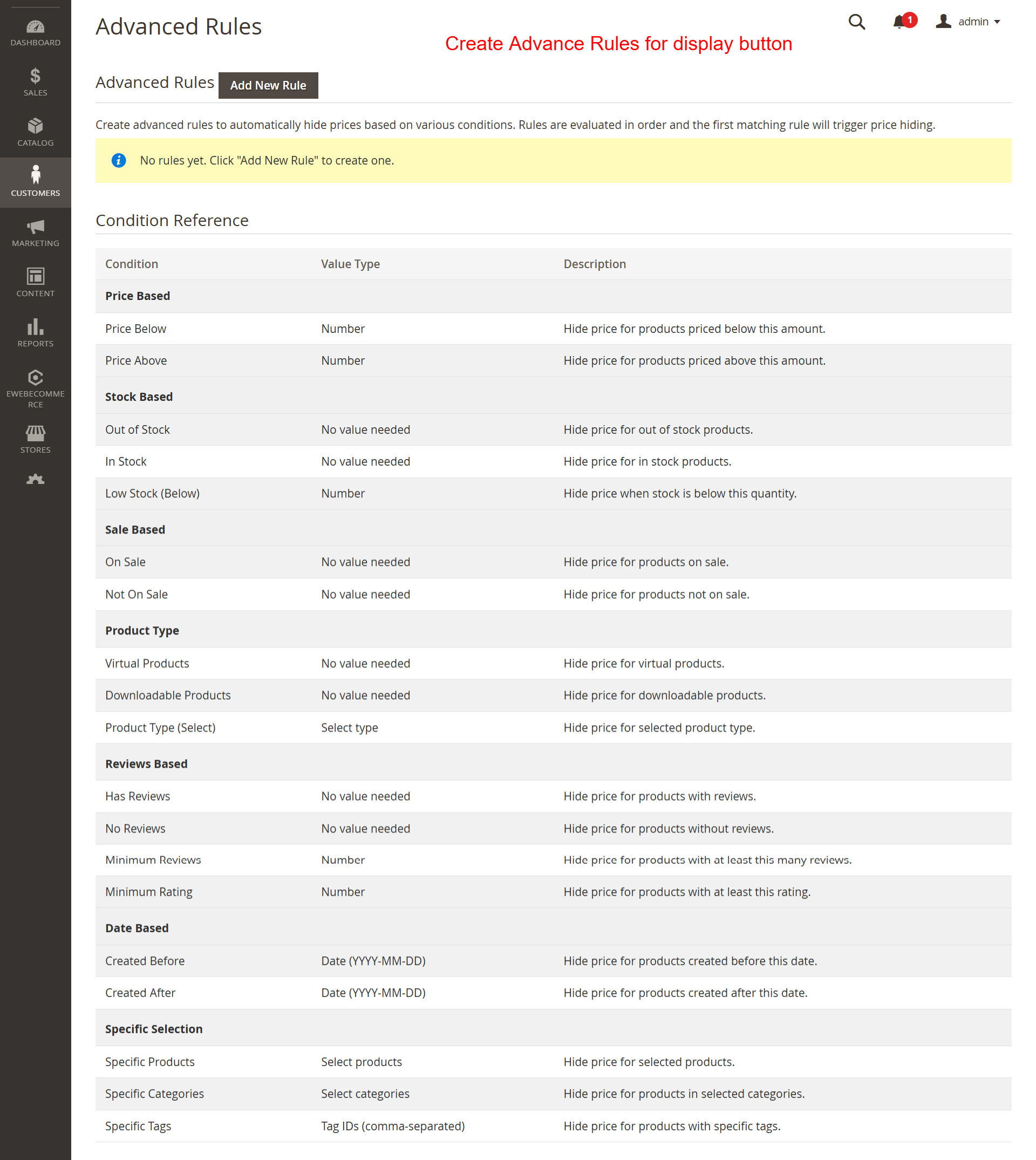
This page provides a comprehensive view of conditions available for advanced rules enabling price hiding. It allows admins to establish customized conditions like price thresholds or customer group settings, crucial for implementing more granular pricing strategies.
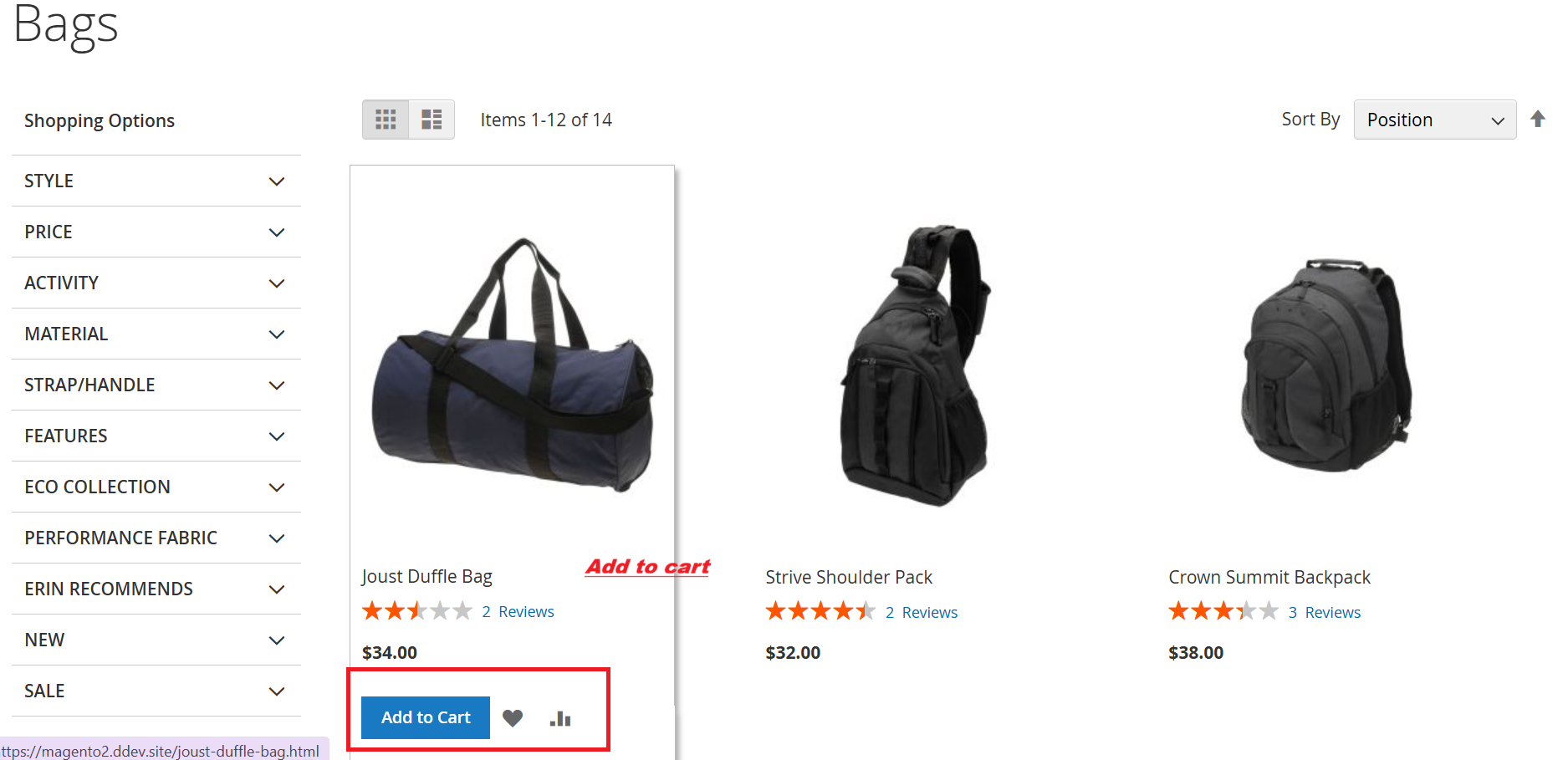
This screen displays a typical product listing page where customers can add items to their cart. The visible ‘Add to Cart’ button allows users to initiate purchases directly from the listing page. This straightforward access supports user-friendly shopping experiences by facilitating quick additions to the cart, which remains a primary function even with hidden pricing capabilities in the extension.