Customizing Notification Settings
5
Customizing Notification Settings
Configure how surcharge messages appear to customers under Settings > Notifications. This includes messages on cart and checkout pages and setting up admin notification preferences.
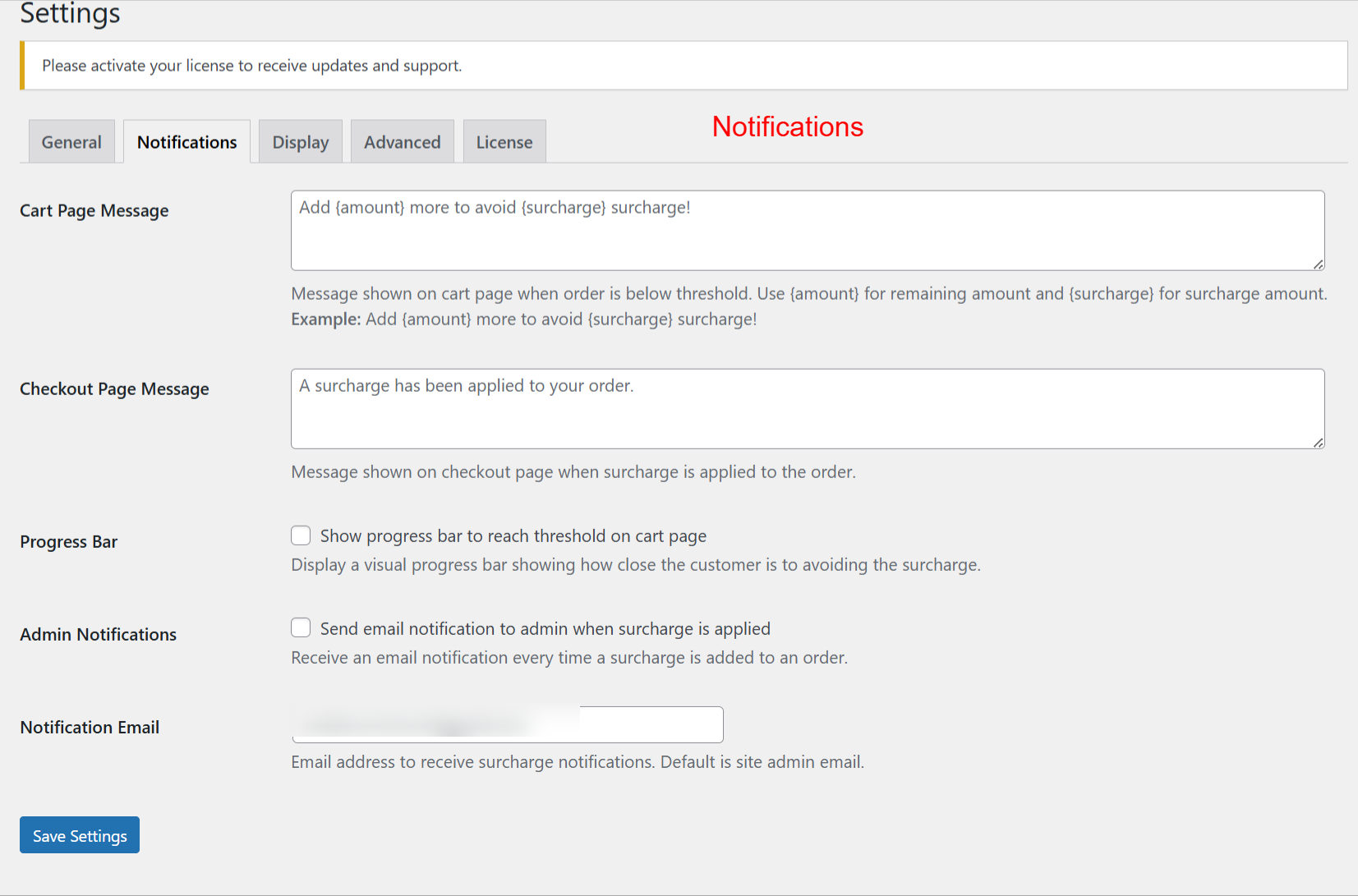
Administrators use this screen to customize messaging related to surcharges. Customizing the cart and checkout messages helps inform customers about surcharge conditions and adjustments. Enhanced communication through notifications can improve customer understanding of surcharges applied to their orders.