Price Hiding
Manage price visibility across your WooCommerce site.
- Hide prices globally, by product, or category
- Hide for specific user roles (guest, customer, etc.)
- Hide for specific countries using geolocation
- Display custom text instead of prices
- Hide ‘Add to Cart’ and sale badges
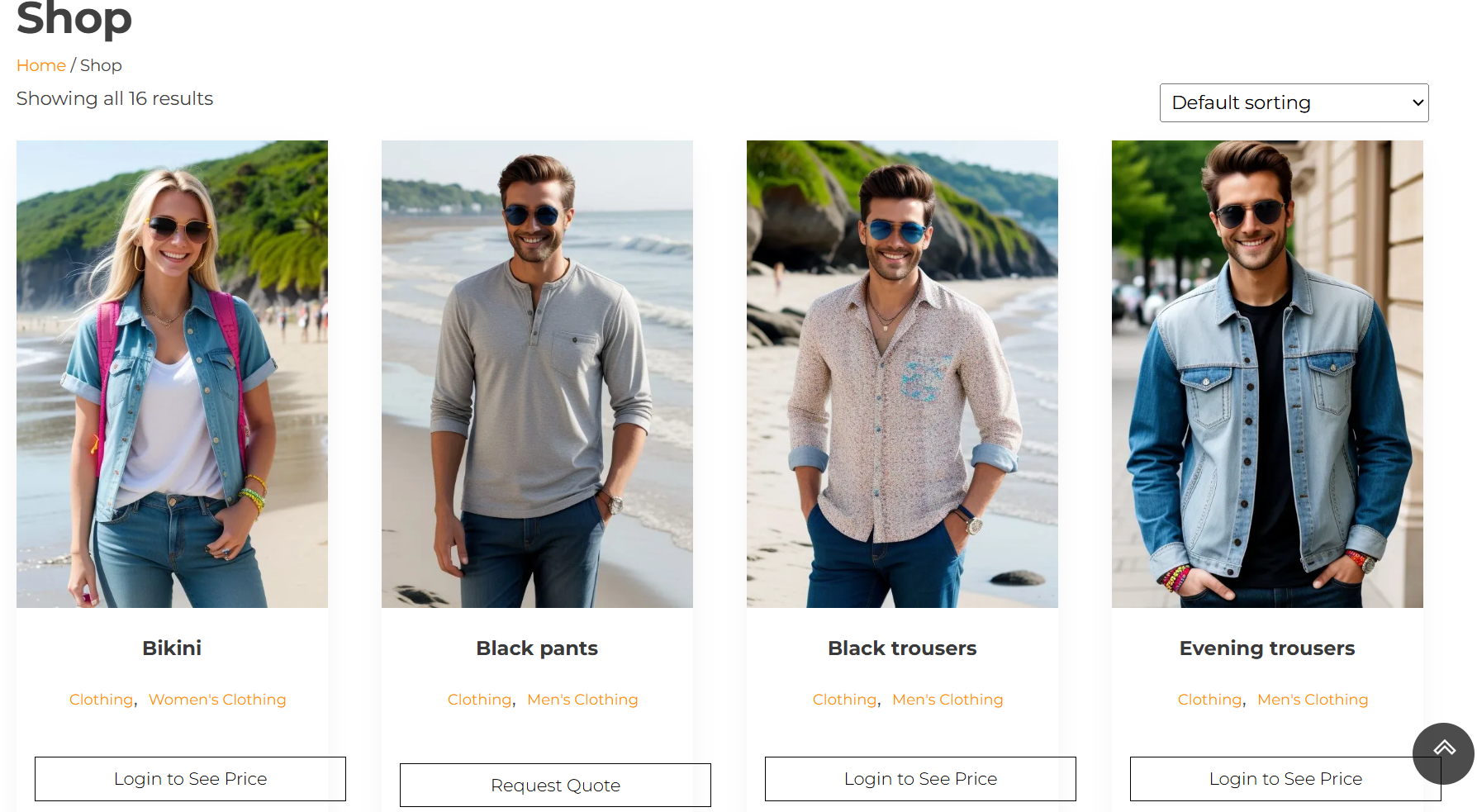
This front-end shop display hides the product prices from unlogged users, encouraging them to log in for price visibility or to request a quote. Such functionality helps retailers customize their pricing strategy and collect potential customer information through the login and quote request actions.
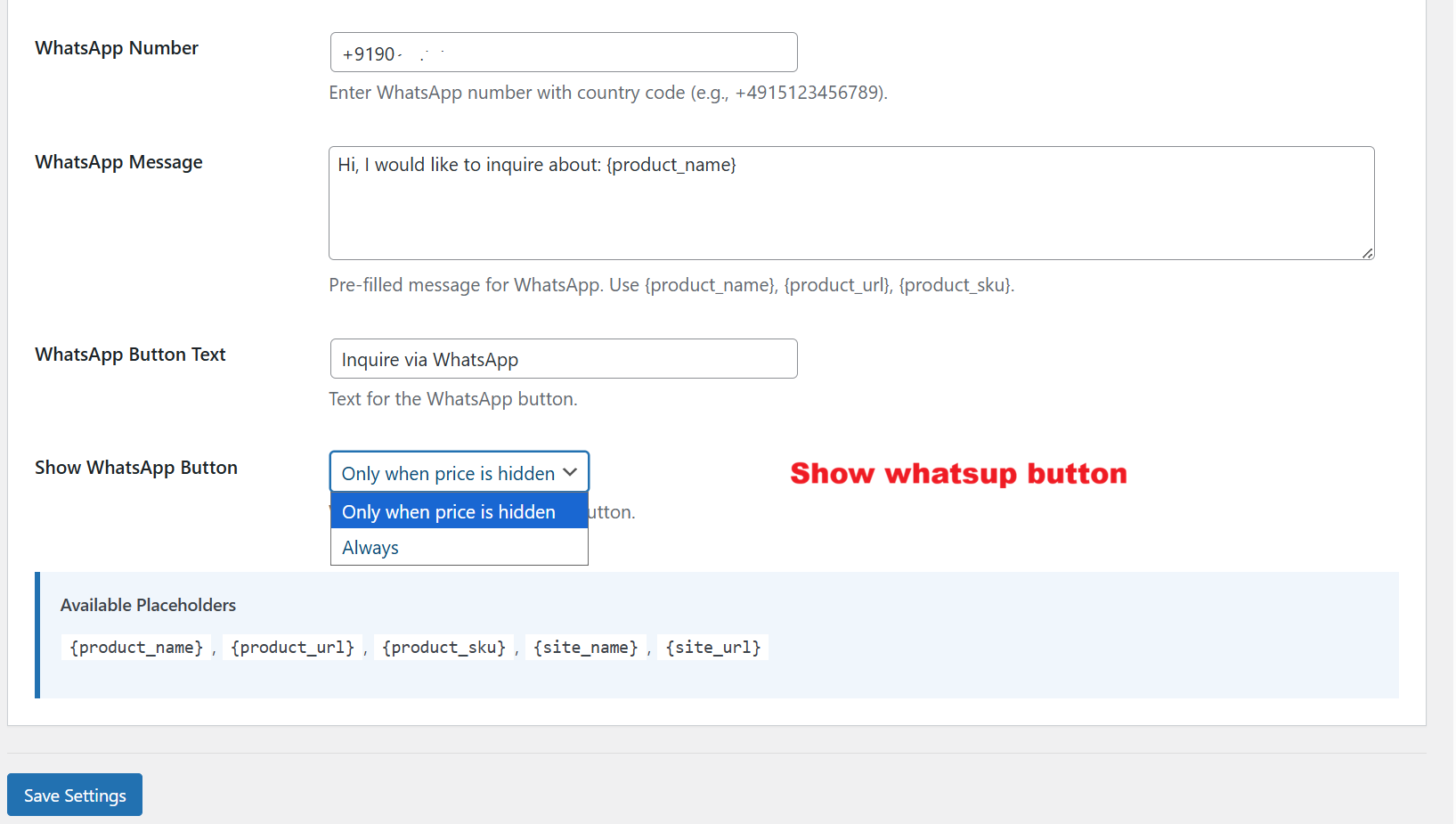
Admins can specify when the WhatsApp button is visible to customers. This allows the business to control interactions based on pricing visibility, ensuring that inquiry options are strategically offered to maximize customer engagement and streamline communication in accordance with pricing policies.