Template Management
Manage existing email templates and create new ones using a visual builder.
- View and manage all email templates
- Create with drag-and-drop builder
- Utilize 28 prebuilt templates
- Generate with AI or manual options
- Adjustments for branding and styling
- Preview and test live email design
- Custom header and footer HTML
- Manage templates by type
- Store-specific template variations
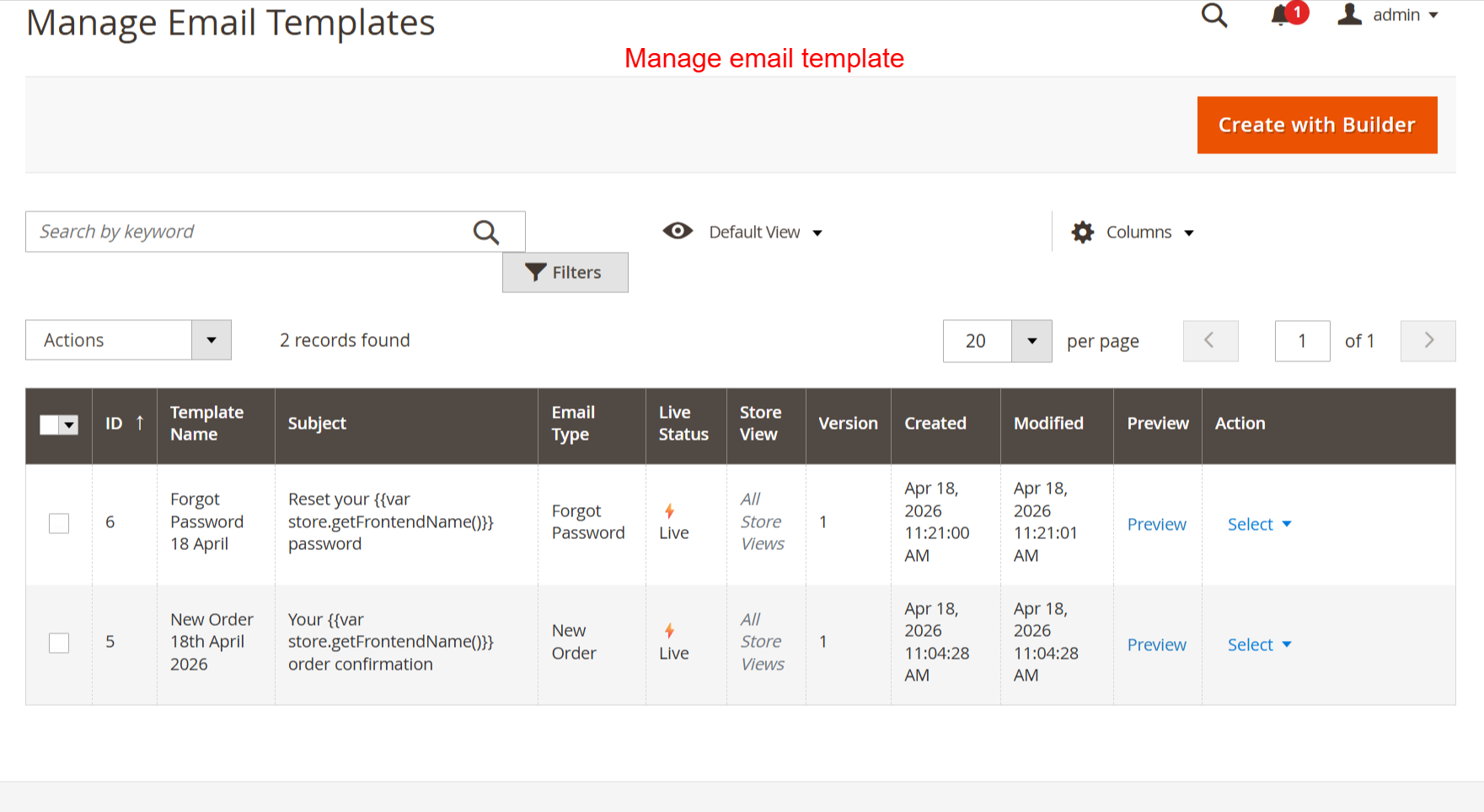
In this view, manage your email templates, review details, or create new ones using the builder tool. It’s essential for organizing and maintaining control over active email campaigns to ensure strategic communication output.
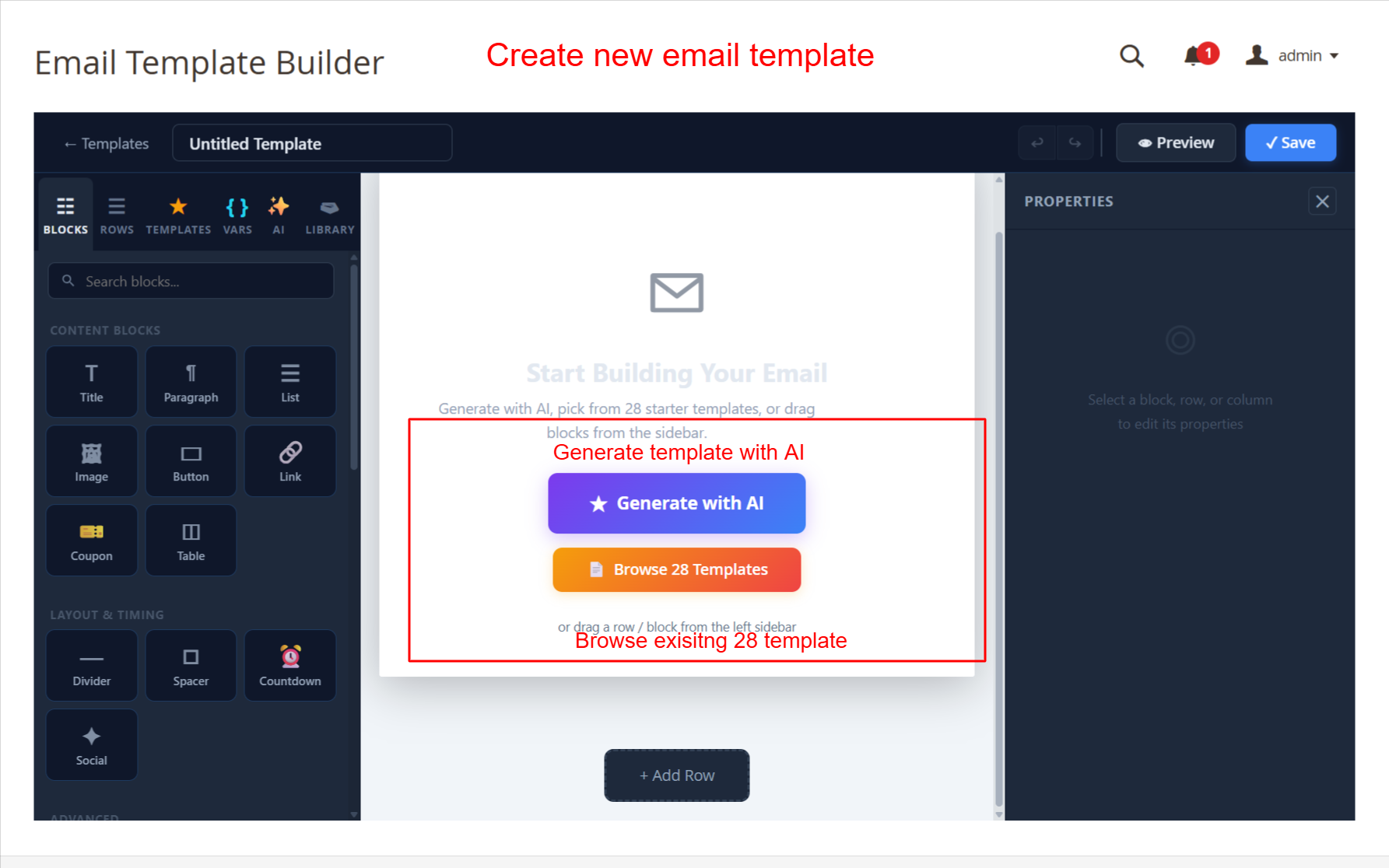
This screen allows admins to start building a new email template using the AI-powered generator or by choosing from 28 prebuilt templates. The drag-and-drop interface makes it simple to add various content blocks such as images and buttons, allowing for a highly customizable and responsive email design. This functionality is key for creating visually appealing emails that can enhance customer engagement.