Configuration and Customization
Configure AI Email Designer settings and customize template designs.
- Configure general and advanced settings
- Set provider API credentials
- Brand auto-detection for logos/colors
- Manual color and logo overrides
- Email-safe font family selection
- Enable/disable A/B testing
- Design and behavioral customizations
- Custom CSS and HTML usage
- Dynamic template personalization
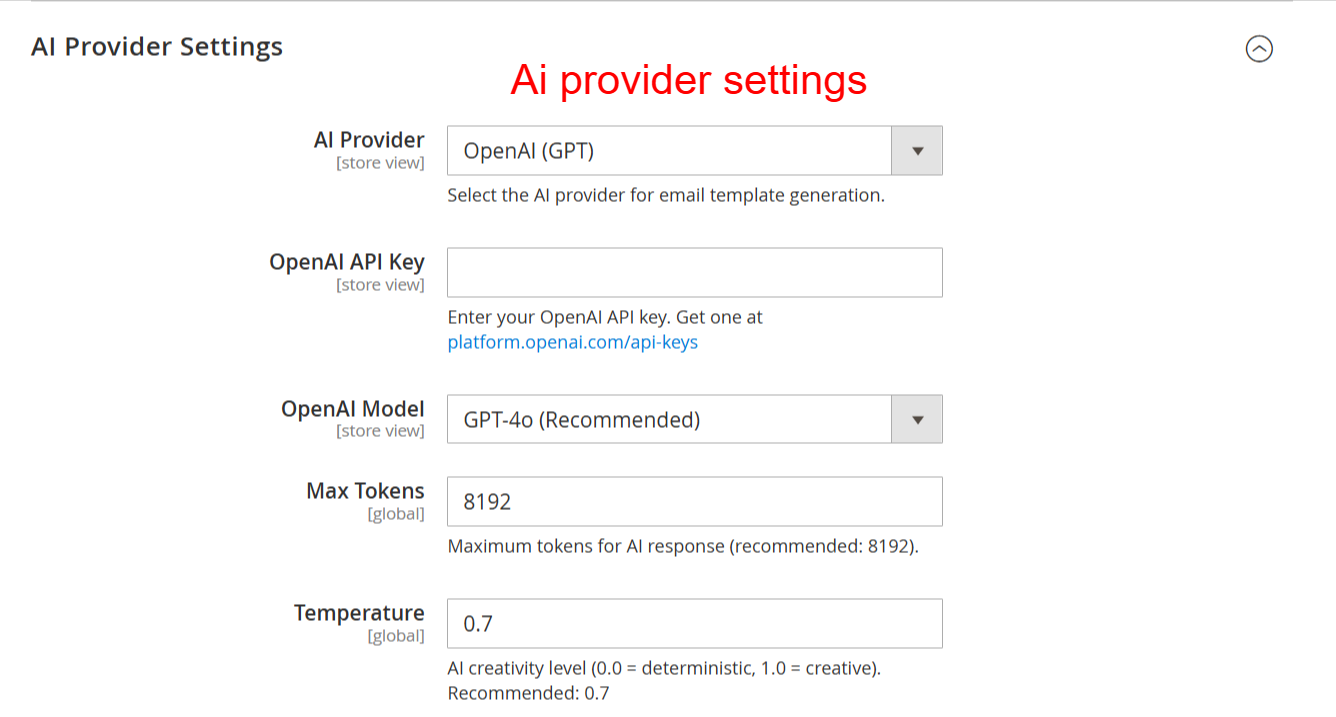
Configure your AI provider settings to connect the email designer with the chosen AI model. Enter your API key and customize model parameters like tokens and temperature to optimize email generation outputs.
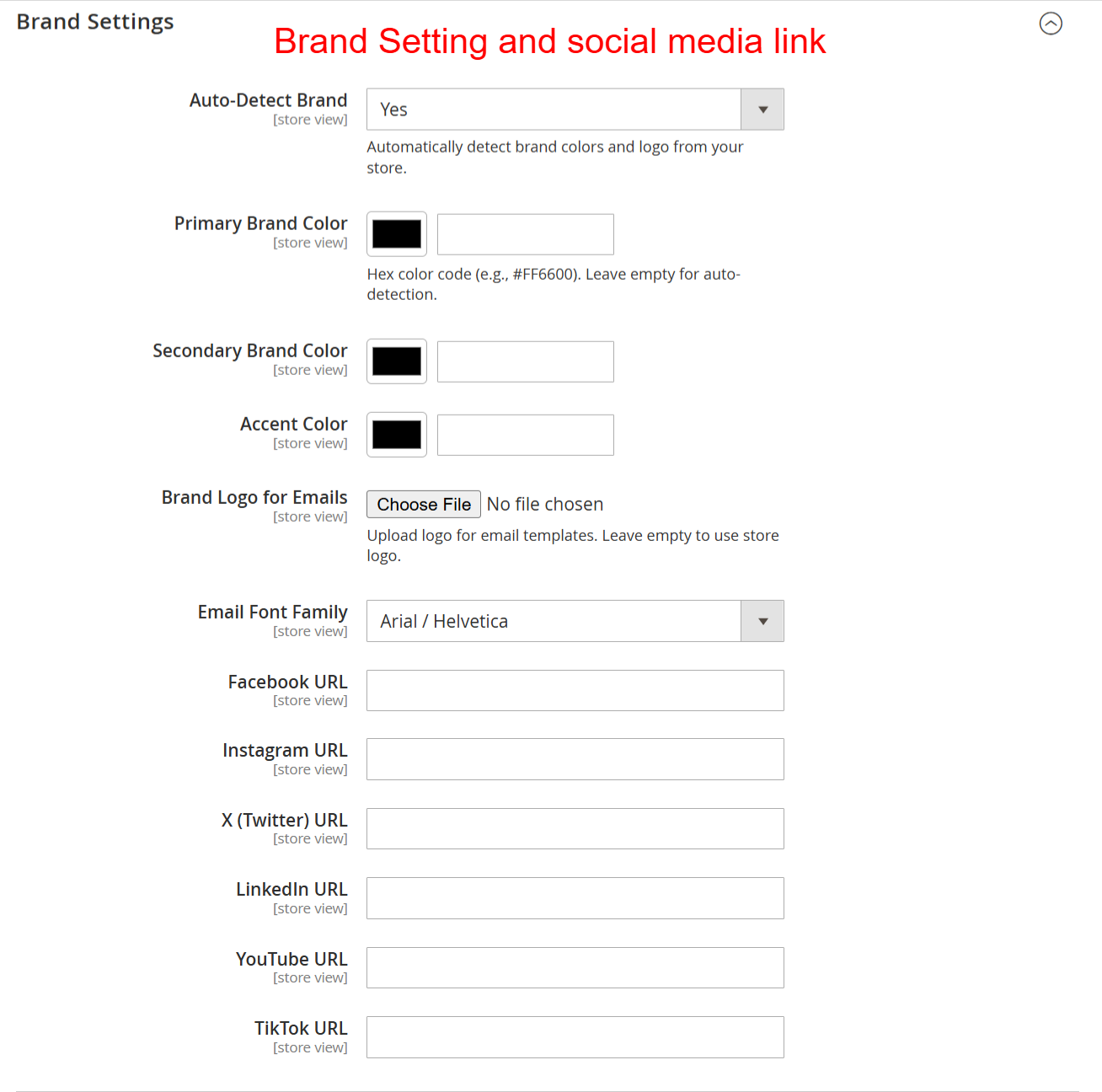
Set up your brand identity by specifying colors, fonts, and logos to ensure emails are consistently branded. Provide social media links to enhance connectivity and engagement through your email communications.