4. User Journey
Viewing Surcharges in Cart
Customers can view surcharges directly on the cart page, including progress towards meeting minimum order thresholds. This feature provides clarity and encourages customers to adjust their order to avoid surcharges.
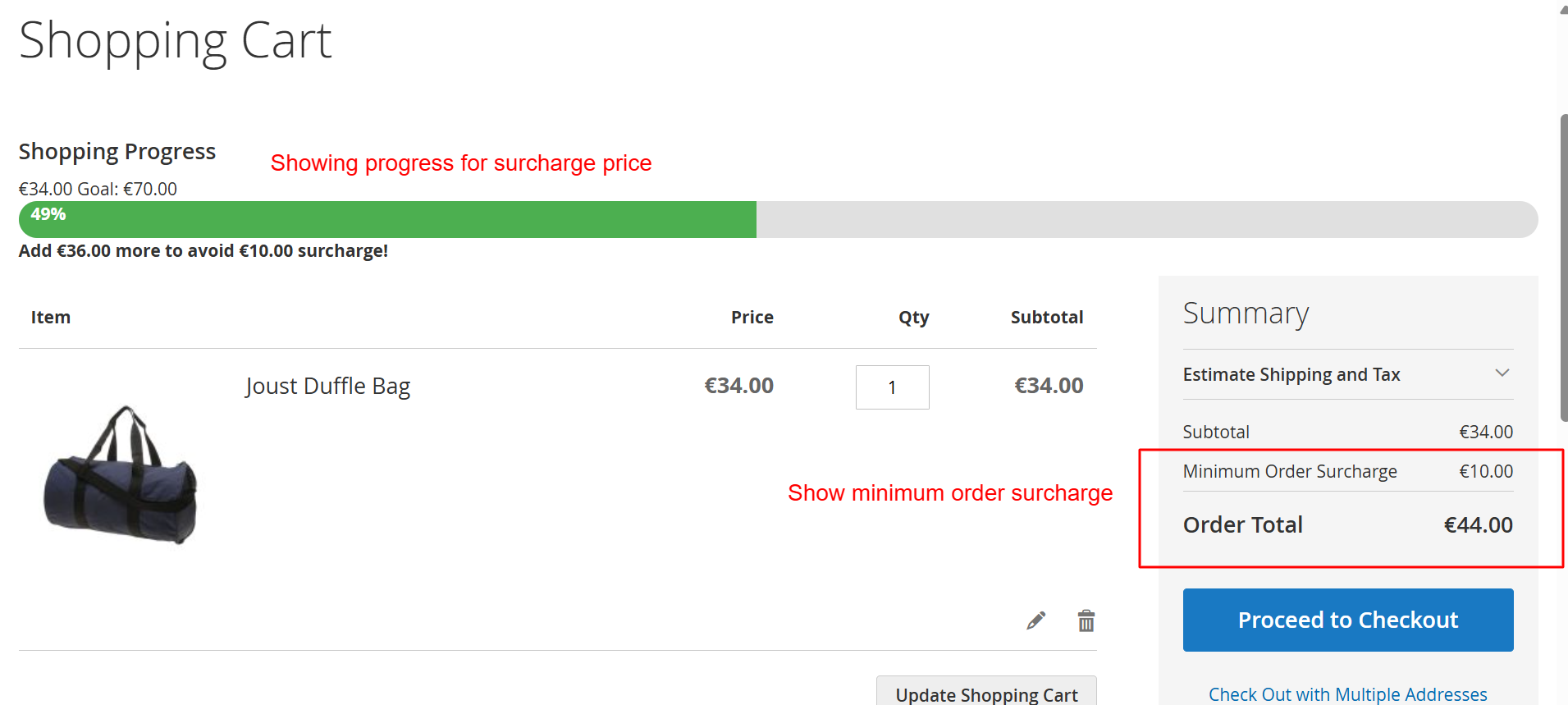
Customers using the Luma theme are guided visually on meeting minimum order thresholds to avoid surcharges. This screen shows real-time updates in the cart, helping them understand how close they are to achieving the goal, thus promoting higher order values and customer engagement.
Checkout with Surcharge Summary
During the checkout process, the order summary will clearly itemize any surcharges applied, ensuring customers are aware of additional fees before completing their purchase.
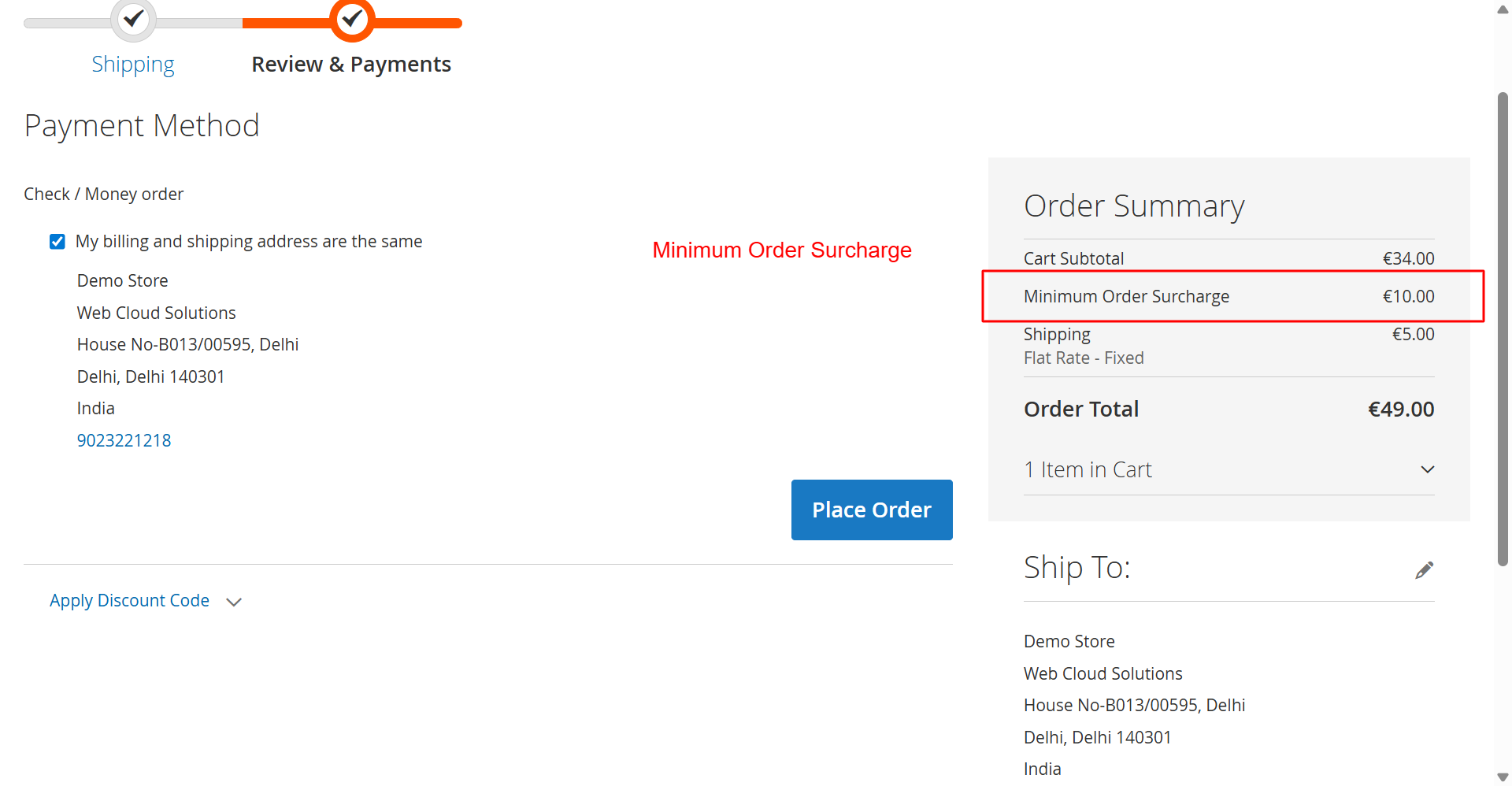
While reviewing the order, customers see any applicable surcharges clearly itemized in their order summary. This transparency during checkout reinforces trust and aids in maintaining clear communication about additional fees, thus minimizing cart abandonment rates.
Hyva Theme Surcharge Display
The Hyva theme enhances user experience with visual indicators showing surcharge conditions directly from the shopping cart, motivating customers to increase their order value.
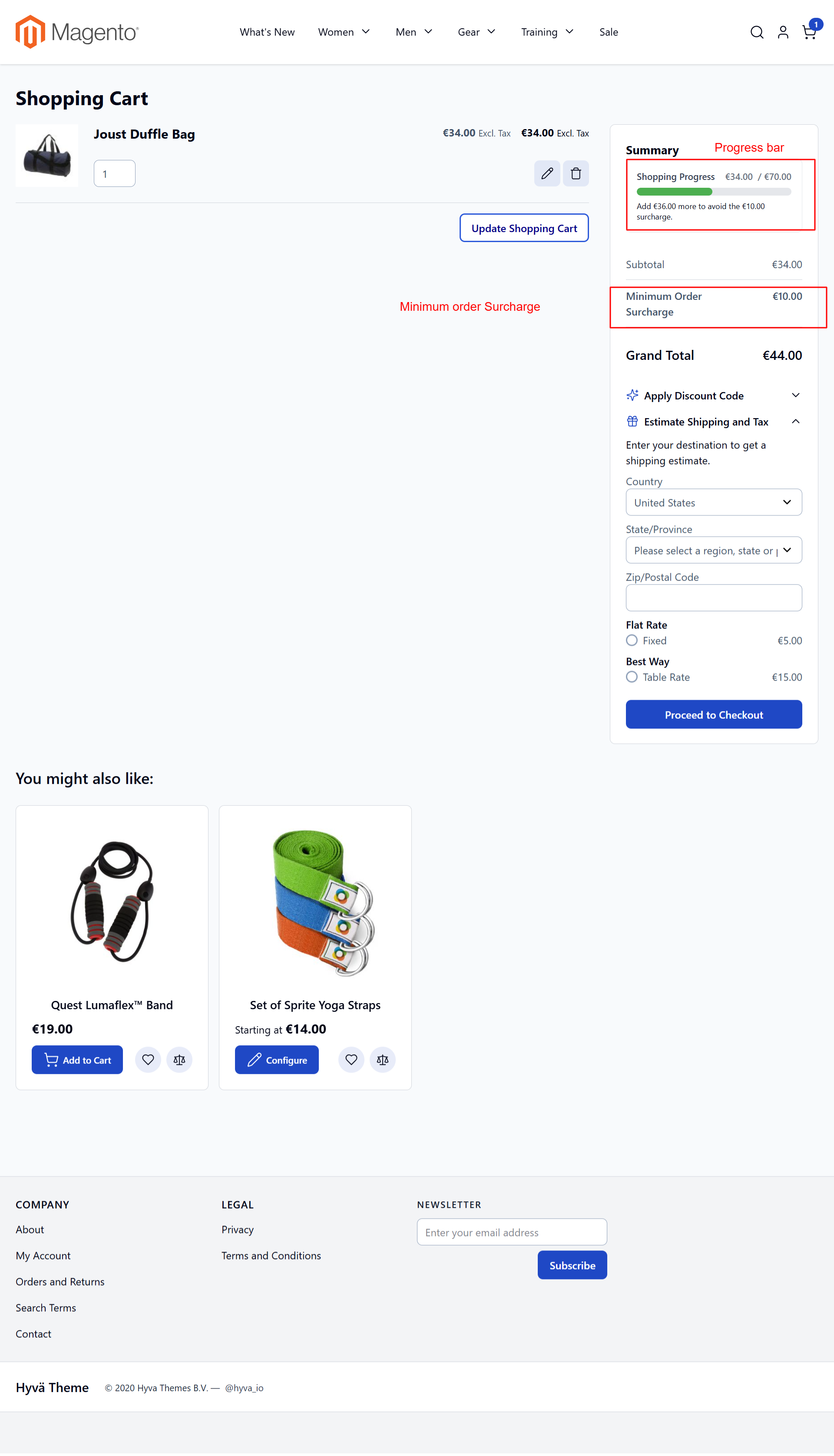
In the Hyva theme, shoppers can identify surcharge conditions directly from their shopping cart, enhanced by an interactive progress bar that encourages additional purchases. This feature supports user purchase satisfaction and increased order values by motivating customers to adjust cart contents appropriately.
Minicart Overview
Customers can quickly review surcharge details in the minicart, providing transparent cost breakdowns and aiding in rapid purchase decisions.
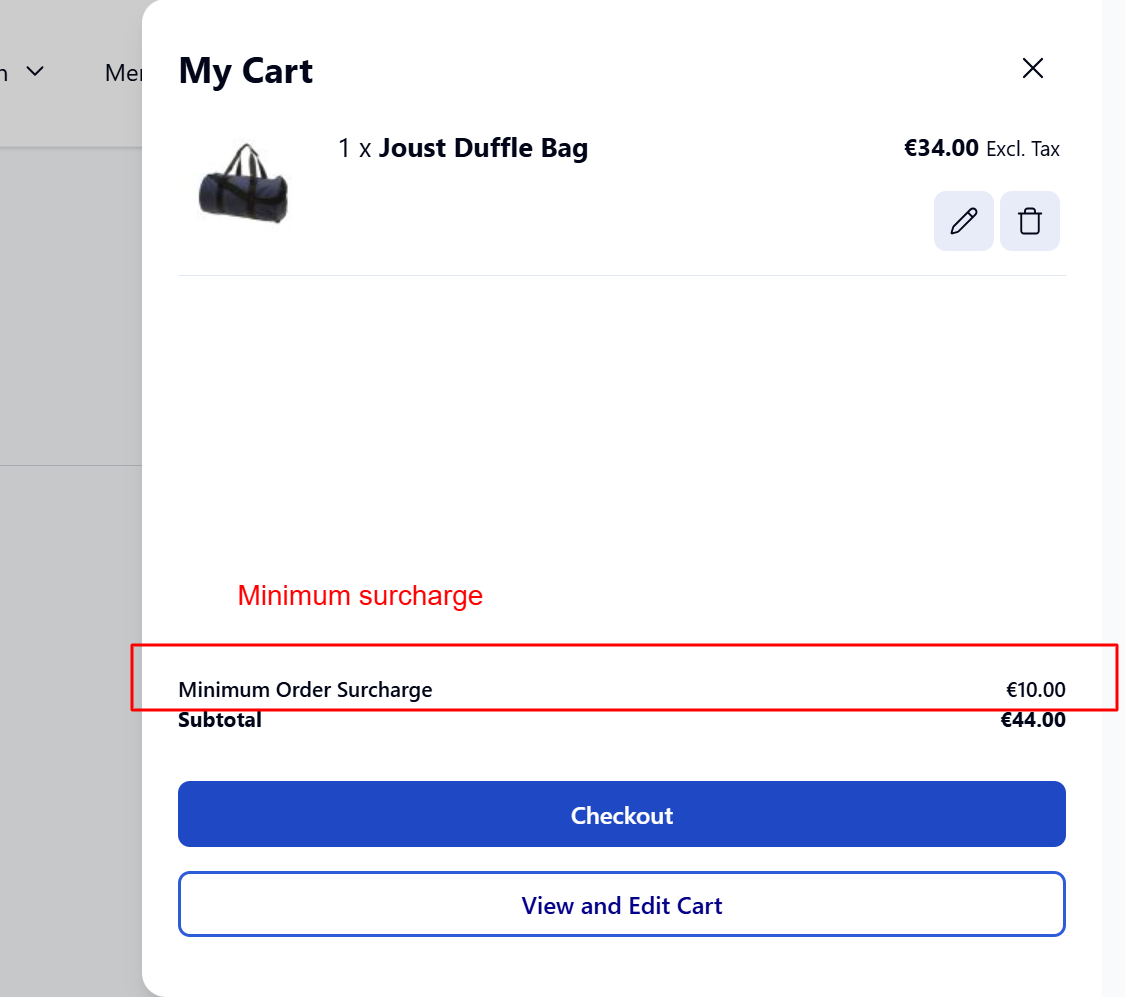
Shoppers see a summary of surcharges in the Hyvä Theme’s minicart feature, providing a quick glance at additional charges. This interface aids swift decision-making and increases transparency, contributing to an improved shopping experience.
Invoice Review with Surcharge
Admins can review invoice details, ensuring surcharges are applied correctly and reflected in the total charges before an invoice is sent to the customer.
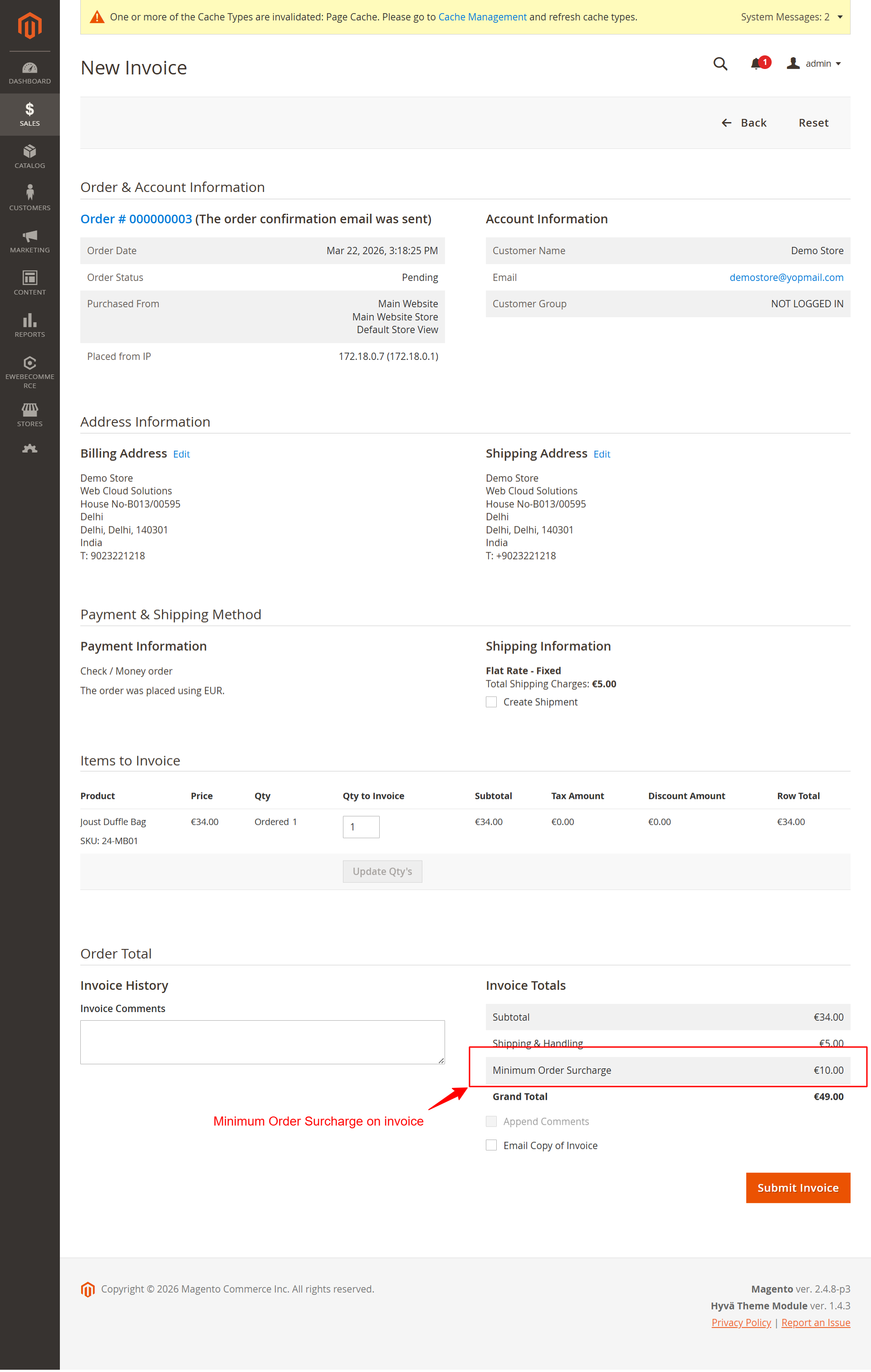
This screen allows the admin to review detailed information about a customer’s invoice, including the recently added ‘Minimum Order Surcharge’. Users can verify the surcharge is applied correctly, ensuring compliance with the store’s pricing rules. It is critical to confirm that all charges are accurate before submitting the invoice.