Display & Notifications
Optimize user interaction by customizing visibility.
- Configure where surcharge info is displayed
- Include surcharges in invoices and emails
- Enable cart page progress bar
- Customize progress bar color for brand alignment
- Design notification messages with dynamic placeholders
- Utilize cart abandonment recovery strategies
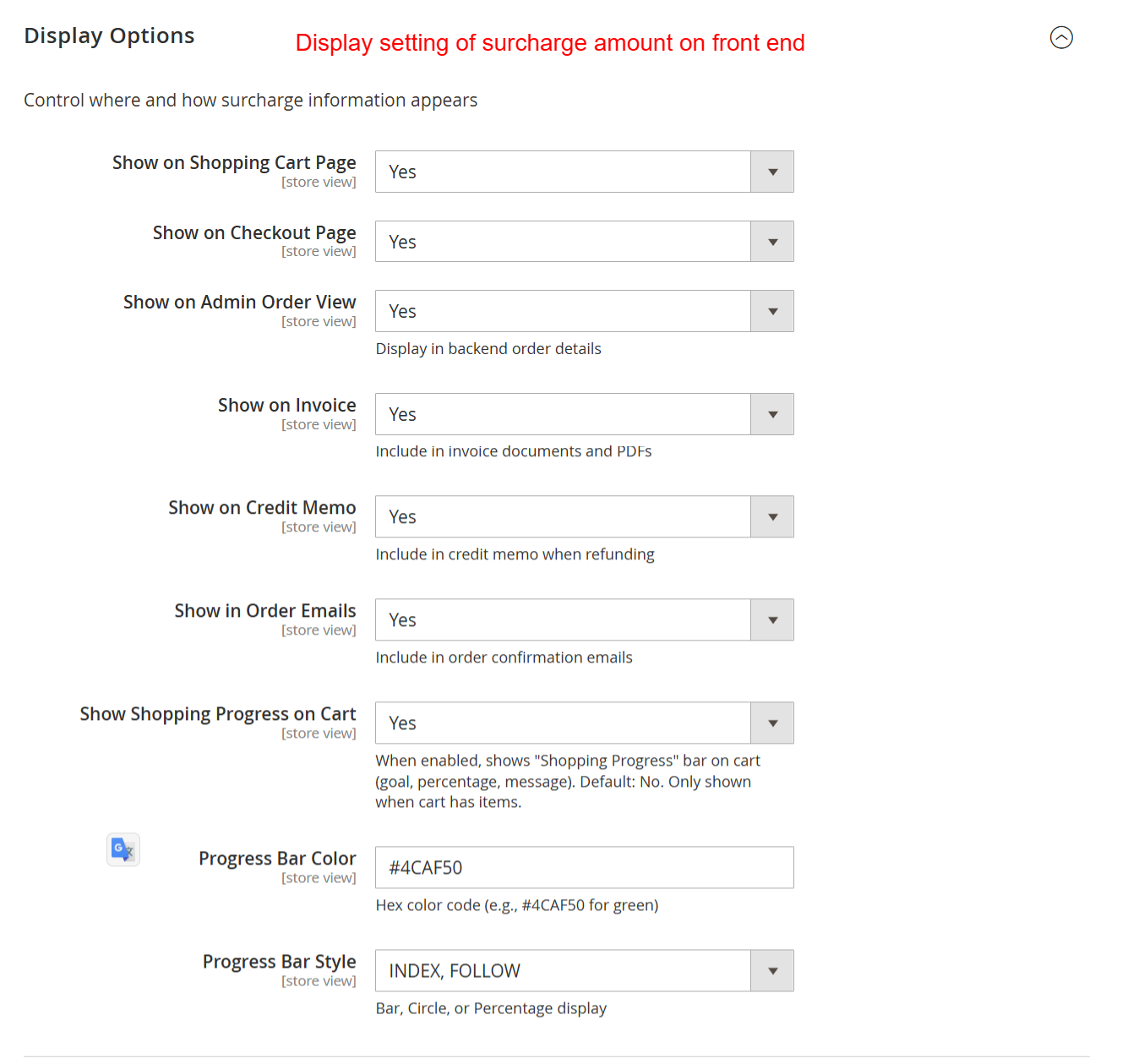
Control how surcharge information displays across various customer touchpoints like shopping carts and invoices. Ensuring visibility enhances transparency with customers, helping them understand any additional costs associated with their orders.
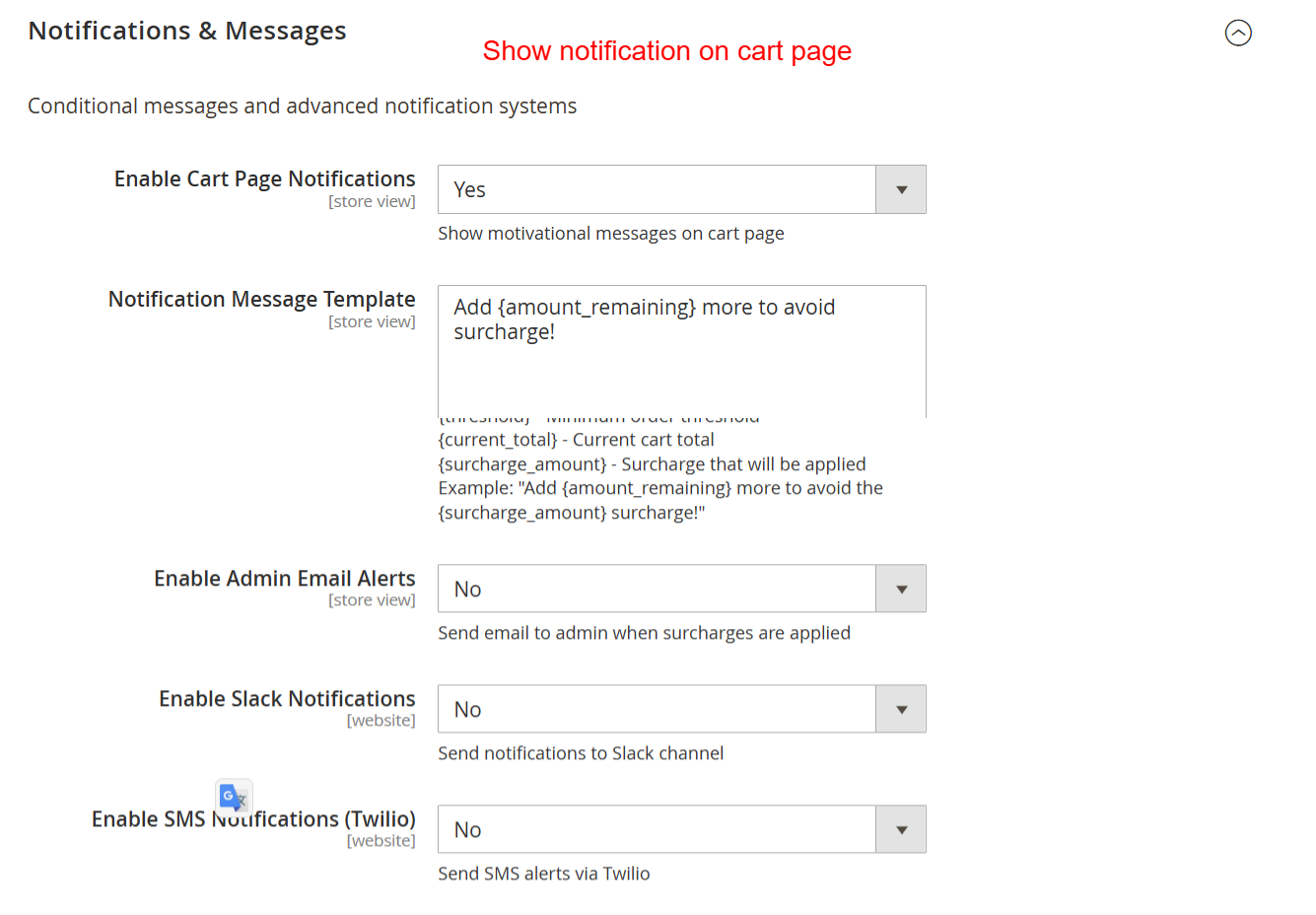
Configure notification settings to alert customers about surcharges directly on the cart page and using customized messages. This allows administrators to maintain clear communication about additional costs, improving the buying experience and reducing cart abandonment.