User Journey
Select Country Code and Enter Phone Number
Customers selecting a country code will find a user-friendly dropdown with flags, making it simple to find and select the correct country code. This ensures accuracy in phone number entry.
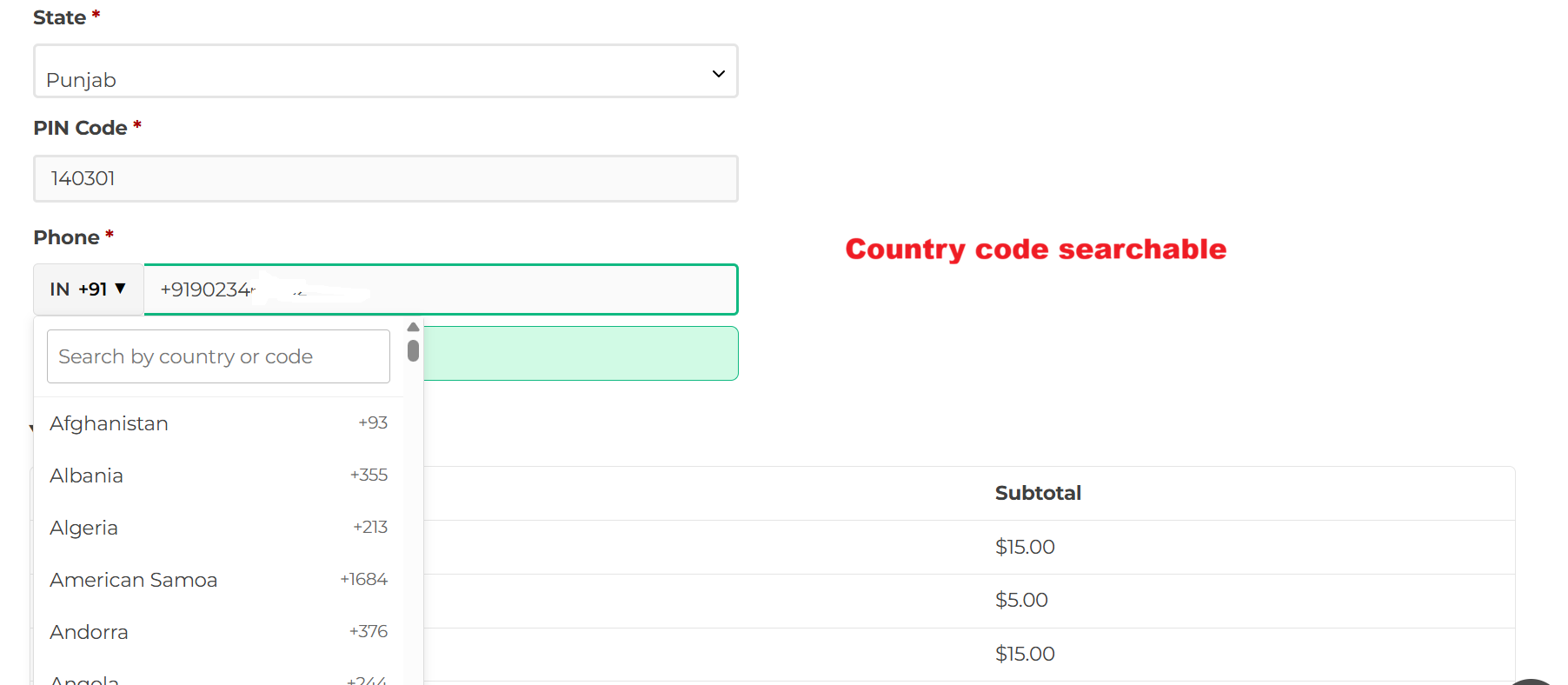
Customers enter their phone number during checkout, utilizing a searchable drop-down list of country codes. This functionality enhances user experience by making it easier to select the correct country code, ensuring accurate data entry.
Phone Number Validation
Upon entering their phone number, customers receive instant validation feedback. A success message confirms that the number is valid, ensuring the format aligns with country-specific standards.
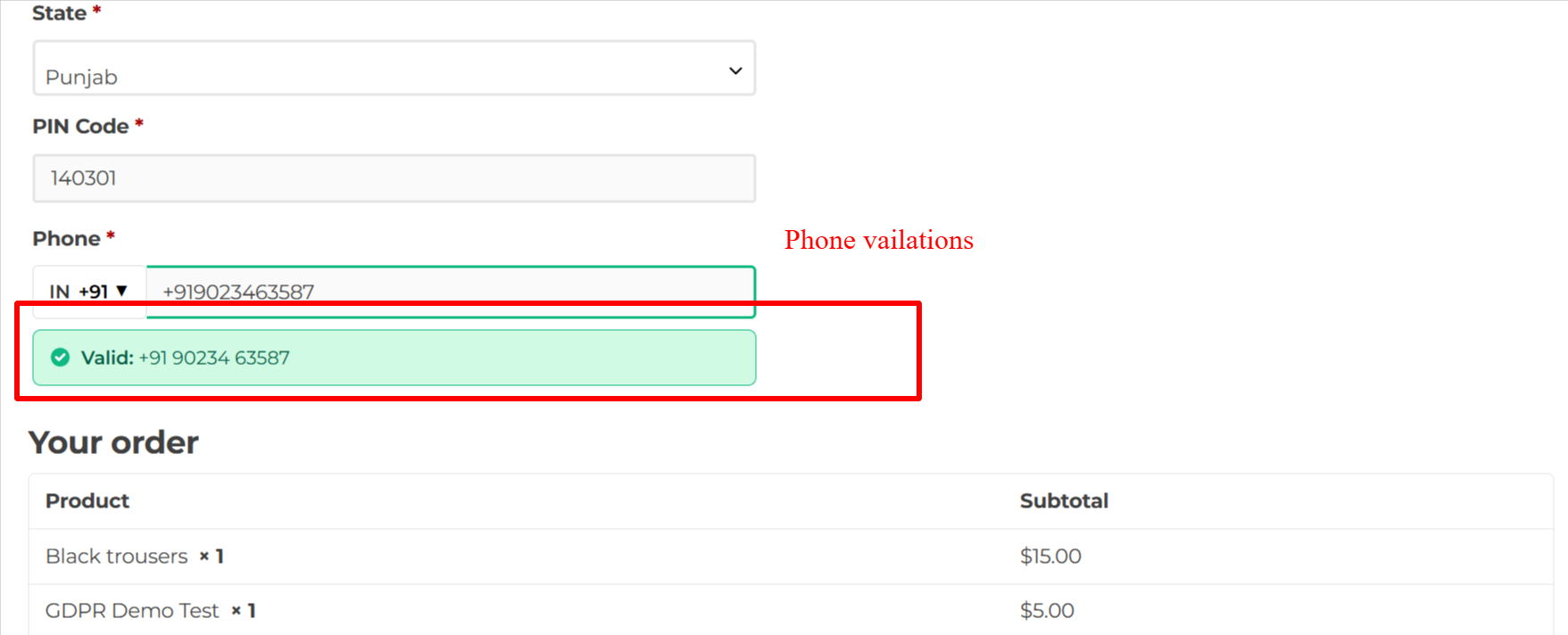
When a customer enters a valid phone number, the system provides immediate feedback confirming the entry. This reassures the customer that their contact details are correctly formatted, improving accuracy and satisfaction.
Correct Invalid Phone Numbers
If a phone number is deemed incorrect, an error message proposes corrections, helping the customer enter valid data before completing their purchase.
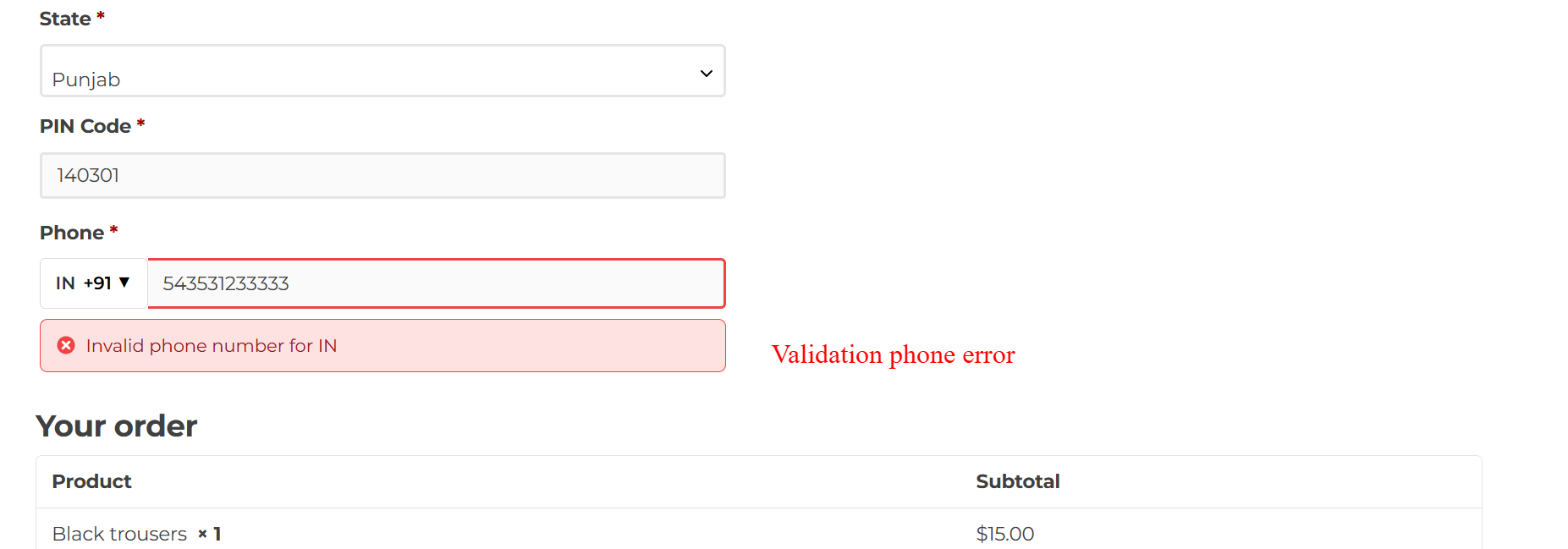
If the phone number entered by a customer is incorrect, an error message prompts immediate correction. This helps ensure data integrity by preventing the submission of inaccurate contact information at checkout.