Admin Configuration and Control
Comprehensive admin tools for configuring phone code settings.
- Set Default Country
- Enable Auto-Detection
- Configure Validation Standards
- Custom Fraud Detection Rules
- Full Admin Menu Integration
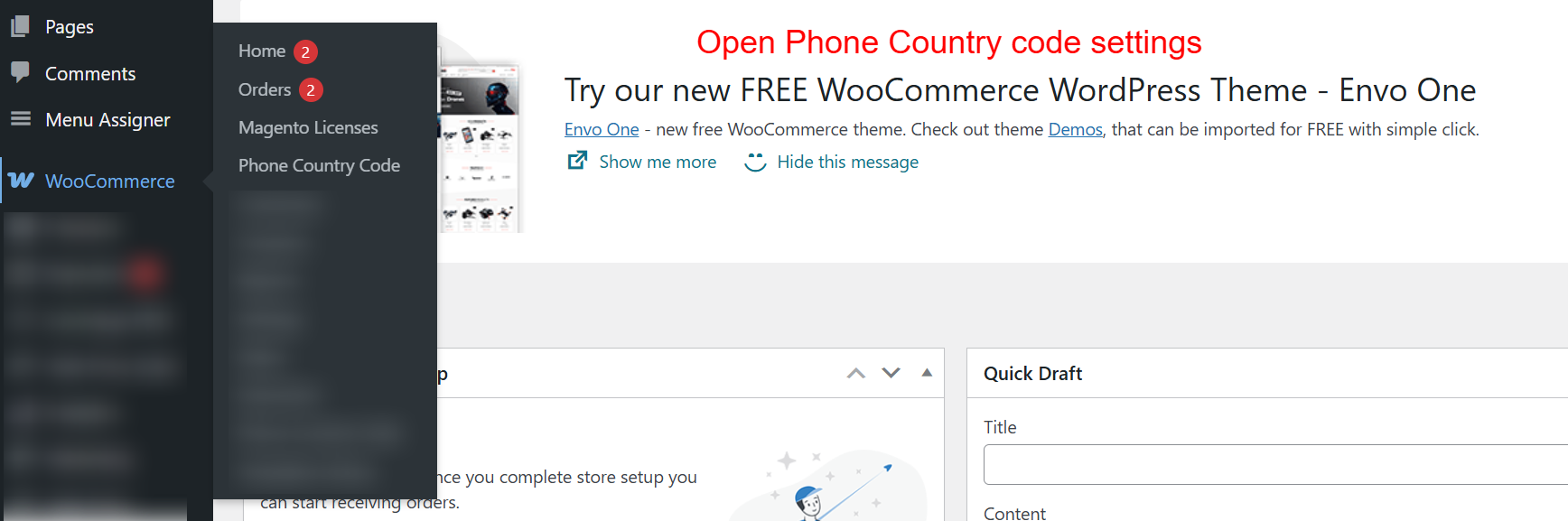
This screen allows the admin to access the Phone Country Code settings within the WooCommerce menu. Navigating here is the next step after activating the plugin, enabling the admin to configure how country codes appear during the checkout process.
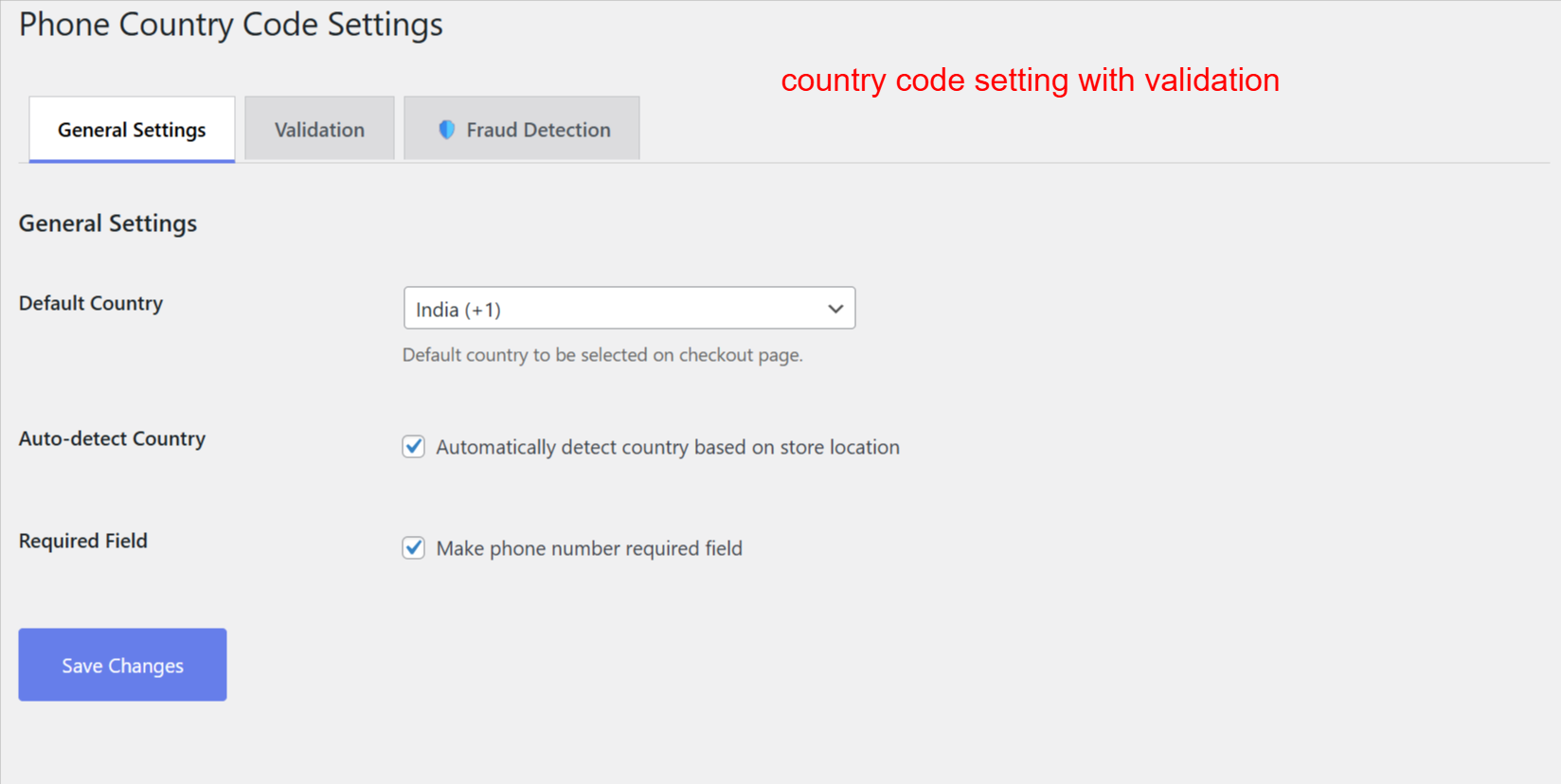
Admins set the default country for phone numbers and can allow automatic detection based on store location. These settings refine the customer’s checkout experience, ensuring the correct country code is readily available, enhancing the order process efficiency.
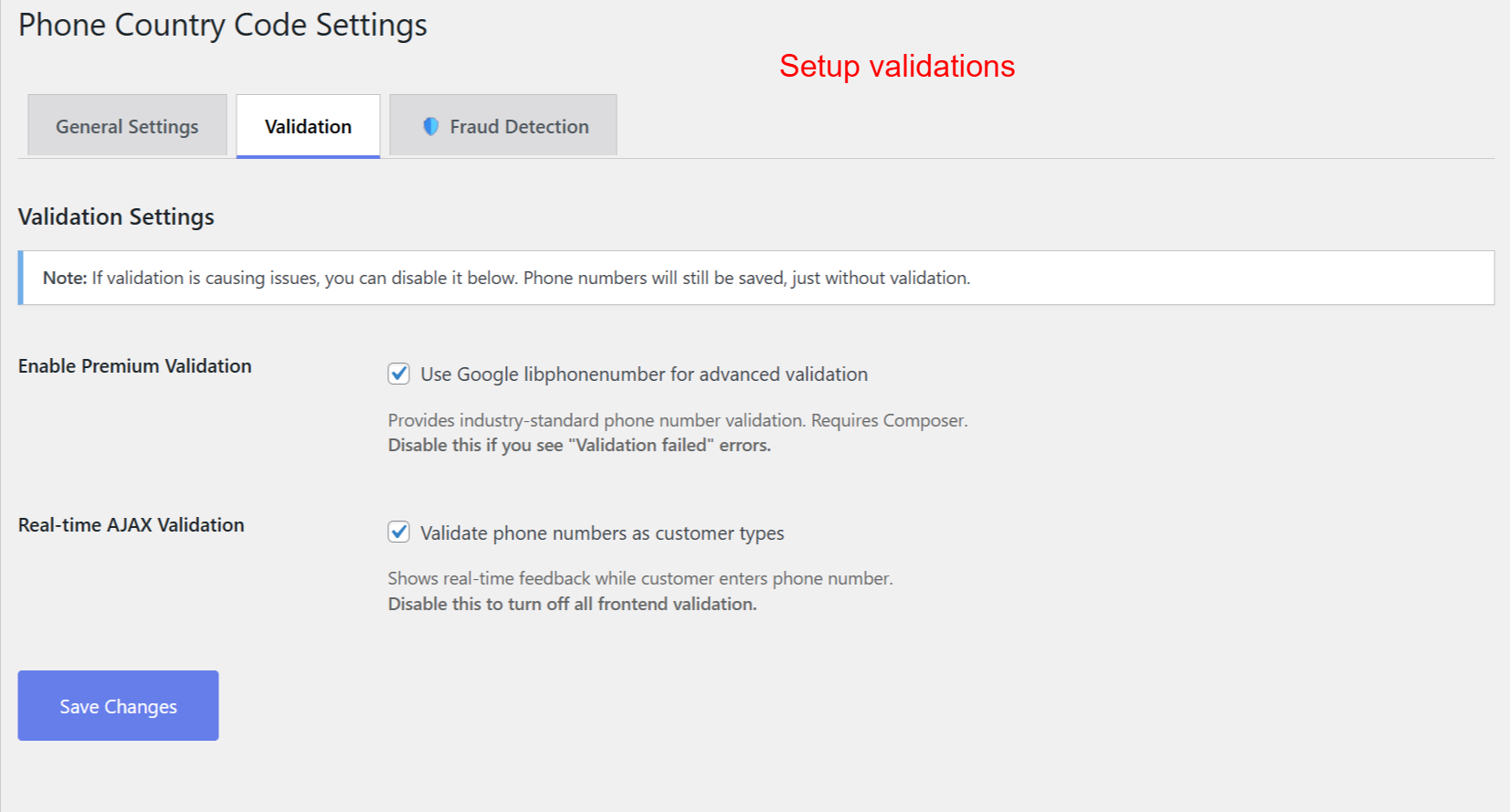
Admins enhance phone number accuracy by enabling advanced validation tools. This ensures phone numbers are formatted and validated in real-time, reducing errors and increasing the quality of customer data collected at checkout.
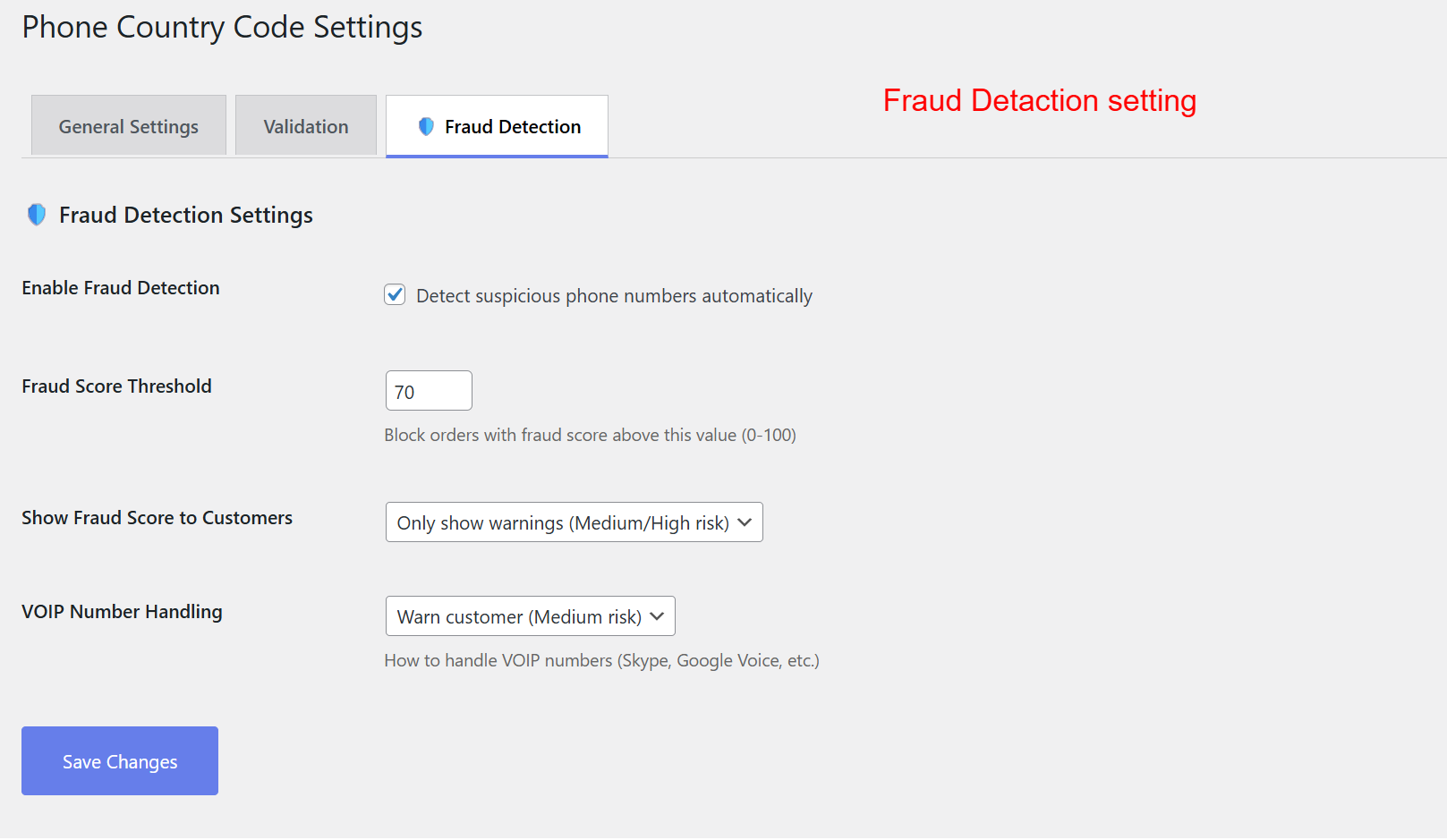
This page allows admins to configure settings that help identify and prevent fraudulent orders. By setting a fraud score threshold, they can control when the system flags suspicious phone numbers, thus safeguarding against potential fraud without inconveniencing genuine customers.