User Journey
4 User Journey
Valid Phone Number Entry
During checkout, customers receive real-time feedback while entering their phone number and optional WhatsApp number, confirming accuracy before purchase. This validation ensures data accuracy and prevents submission errors.
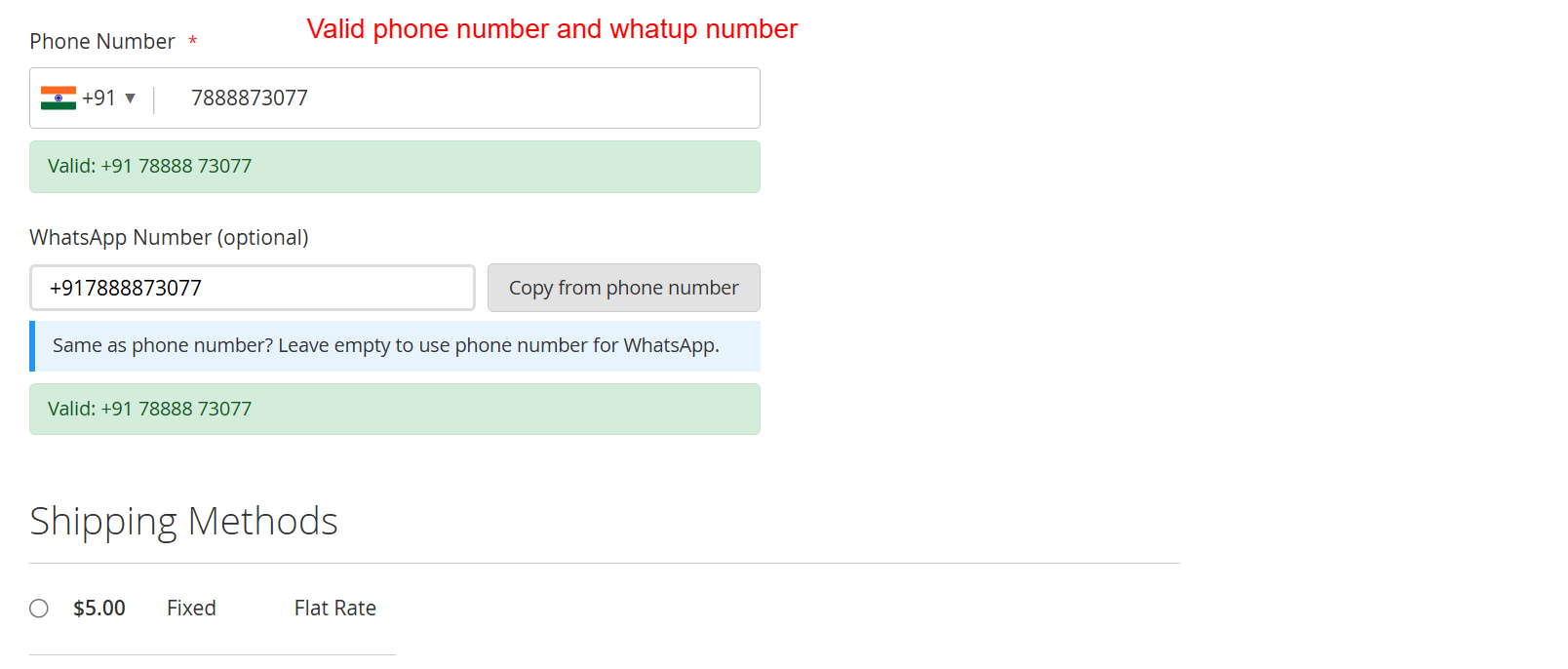
This screen shows the successful entry of a validated phone number and optional WhatsApp number with real-time feedback, ensuring data accuracy before purchase completion. It’s pivotal in confirming the user inputs are correct, minimizing errors.
Handling Phone Validation Errors
If an entered phone number is invalid, the system immediately alerts the customer, prompting correction. This reduces the likelihood of checkout errors and customer frustration, ensuring only valid data proceeds further.
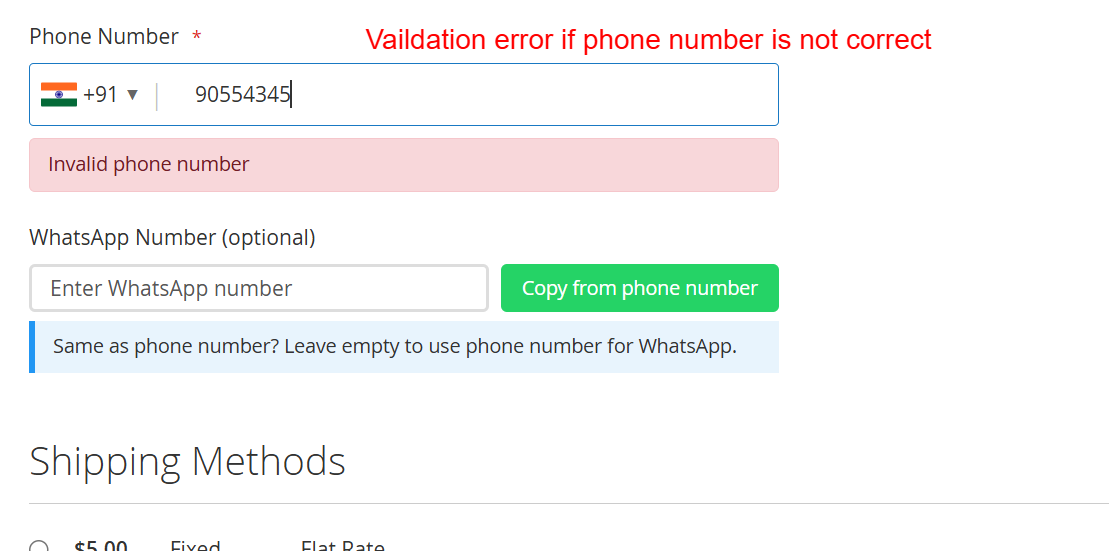
Displays error handling during phone number entry, highlighting when an invalid number is detected. Users receive immediate feedback to correct their inputs, which is essential for maintaining a smooth checkout process and ensuring valid data submission.
Editing Customer Address
Customers can update their address book with new or modified phone numbers, complete with country selectors, ensuring consistent formatting. The integration of WhatsApp numbers adds efficiency in maintaining accurate contact details.
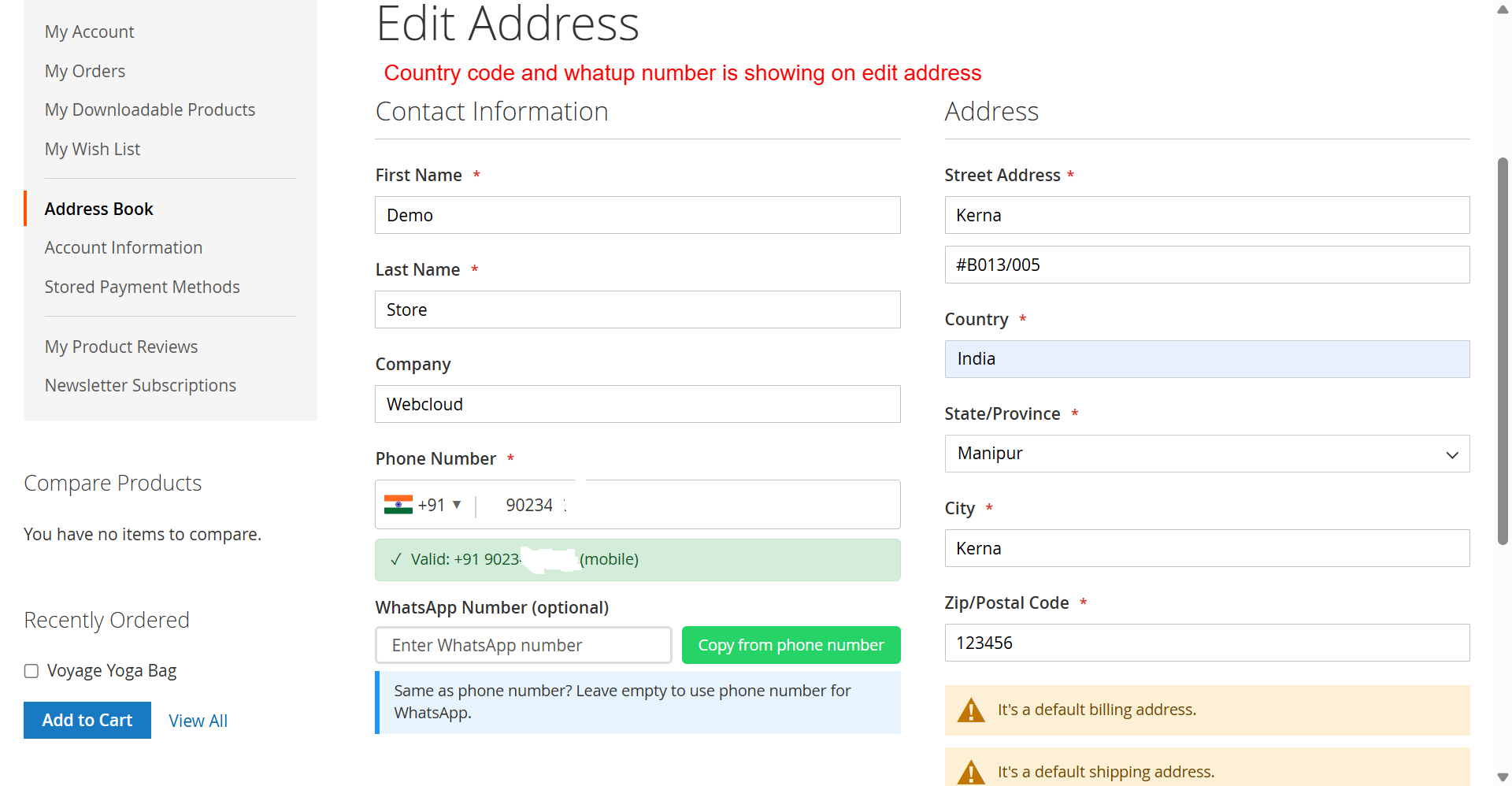
Customers edit their address details including phone and WhatsApp numbers on this screen. The integration of the country code selector ensures numbers are formatted correctly, enhancing validation and communication capabilities for further transactions.
View Address Book
In the customer account section, users have a comprehensive view of their addresses and registered contact numbers, including named WhatsApp contacts for seamless communication in future transactions.
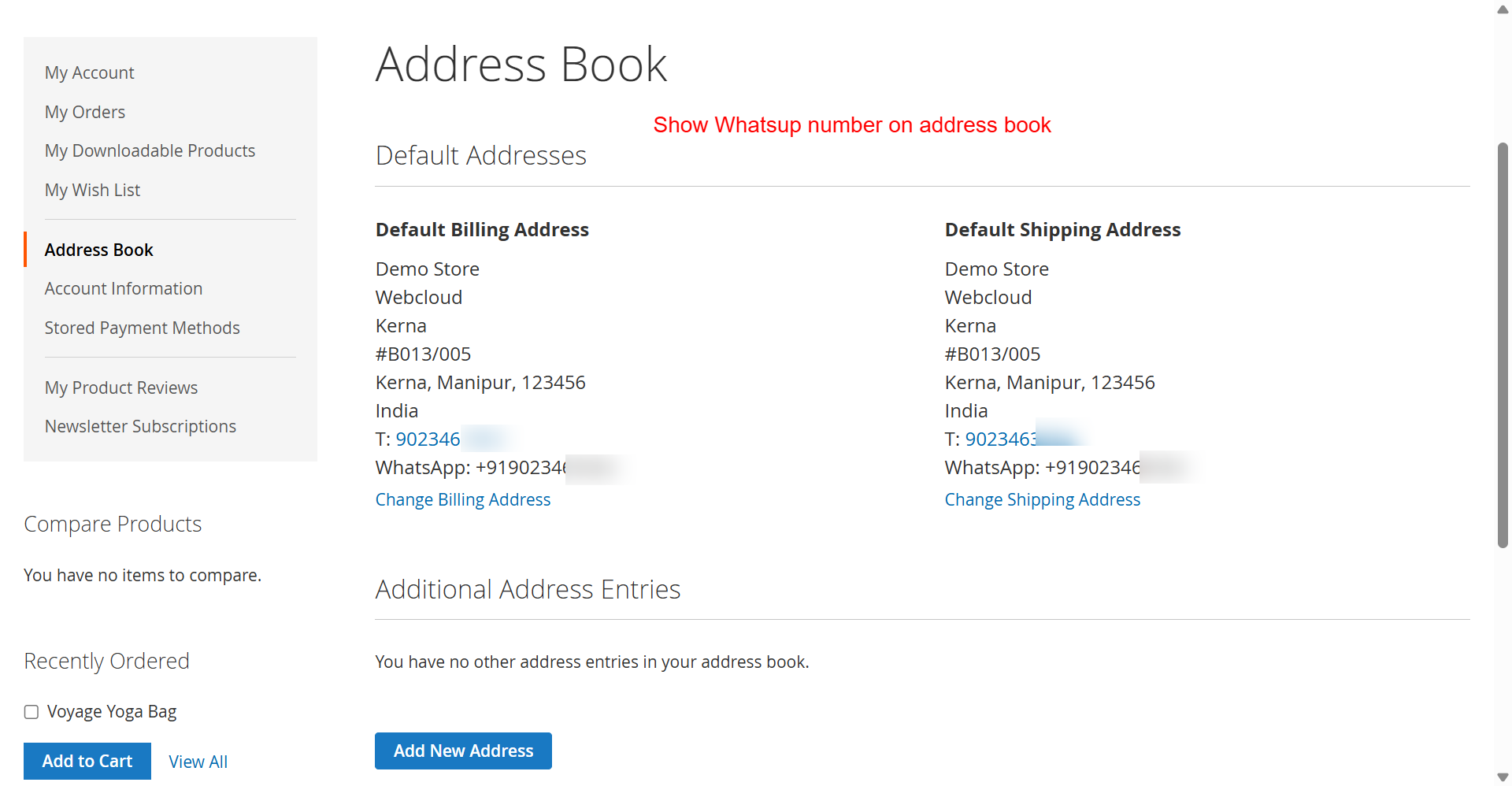
Customers can view and manage their default billing and shipping addresses, now with the added convenience of displaying associated WhatsApp numbers. This integration assists users in ensuring their contact information is current and widely accessible, enhancing communication possibilities.