User Journey
Cart Page Surcharge Display
Customers shopping at your online store can view the surcharge applied in their cart totals. This upfront display helps manage customer expectations by clearly marking orders that fall below the threshold with a surcharge.
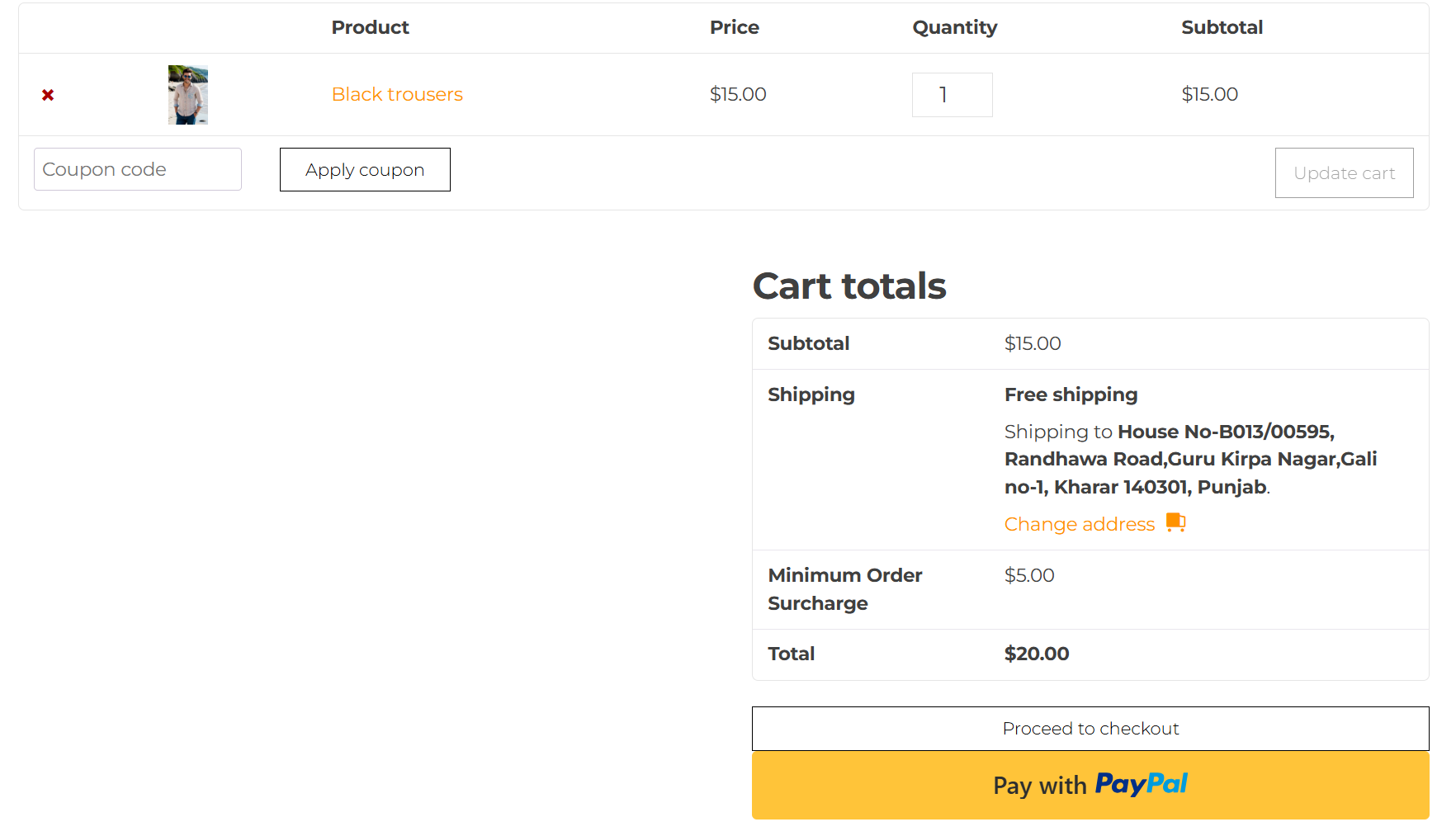
Customers can see the surcharge applied directly in their cart totals. This transparency helps customers understand why an additional fee is being applied, as orders valued below the threshold are clearly marked with a surcharge.
Checkout Page Order Review
On the checkout page, customers have the opportunity to review their complete order details. This includes the minimum order surcharge, ensuring all costs are transparent before finalizing the purchase.
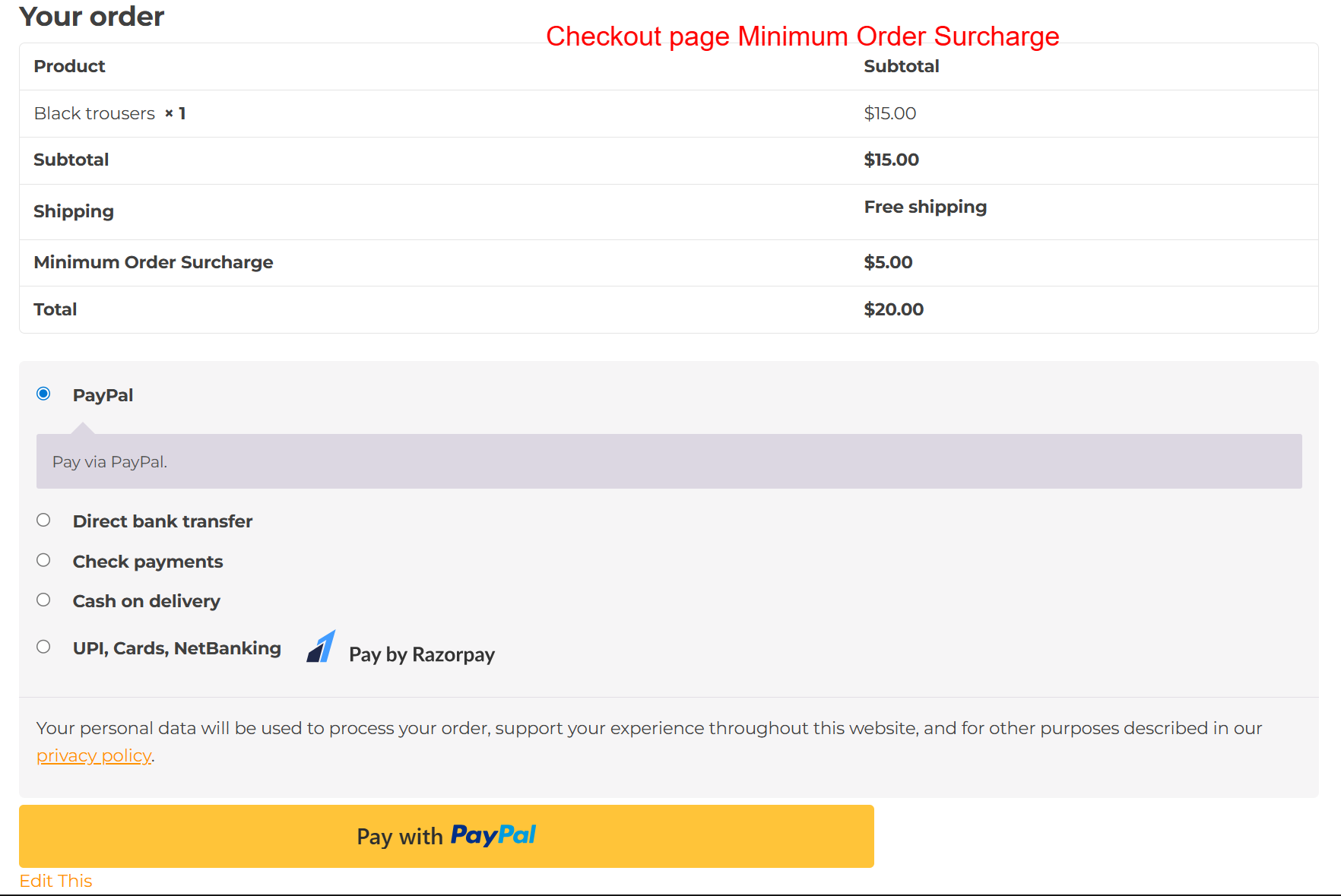
During checkout, customers review their order details, including the minimum order surcharge. This screen is important to ensure customers acknowledge all components of their payment, maintaining transparency and reducing potential disputes over additional charges.