Configuration Walkthrough
Activate the Plugin
Navigate to WordPress Dashboard -> Plugins. Locate ‘Minimum Order Surcharge for WooCommerce’ in your plugin list. Click Activate to enable the plugin’s functionality.
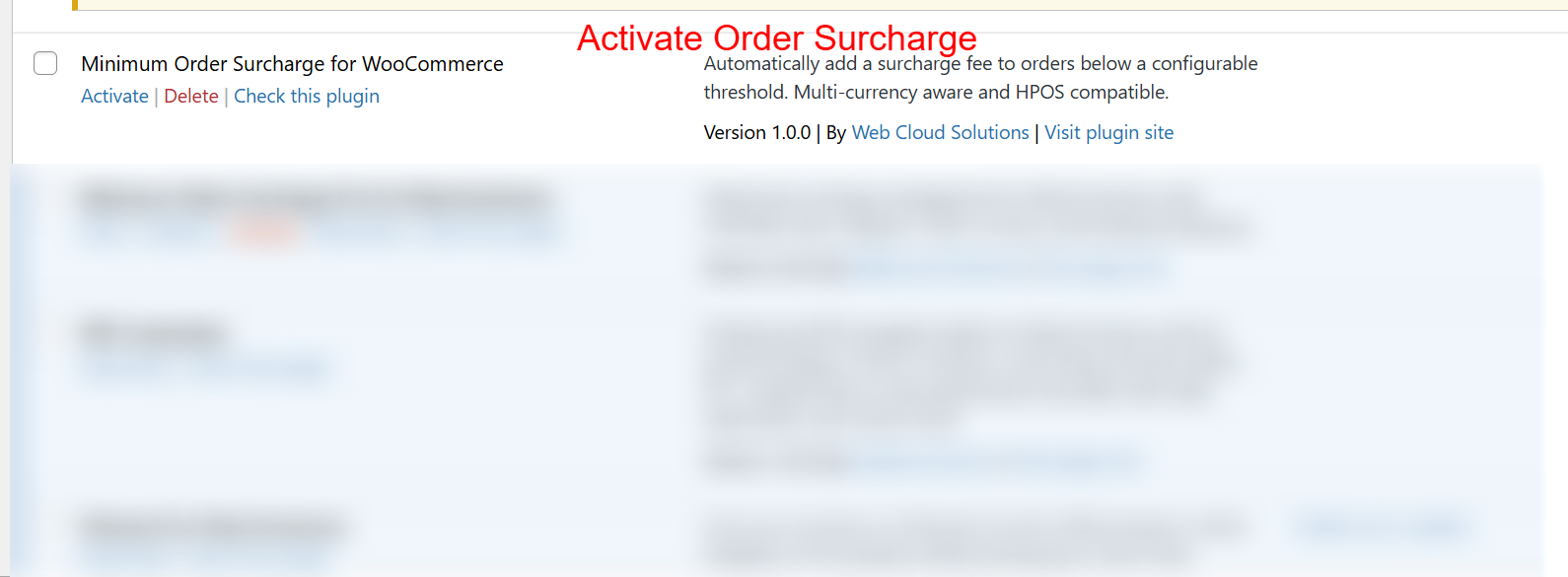
To begin using the Minimum Order Surcharge plugin, navigate to your WordPress admin area and locate the plugin in the list. Click ‘Activate’ to enable the functionality. Activating the plugin is crucial as it allows store owners to automatically apply surcharges to orders that do not meet the predefined minimum order threshold.
Configure General Settings
After activation, go to WooCommerce -> Min Order Surcharge. Enable the plugin by checking the appropriate box. Set the Minimum Order Threshold and define the Surcharge Amount. Customize the Surcharge Label to ensure clarity during checkout.
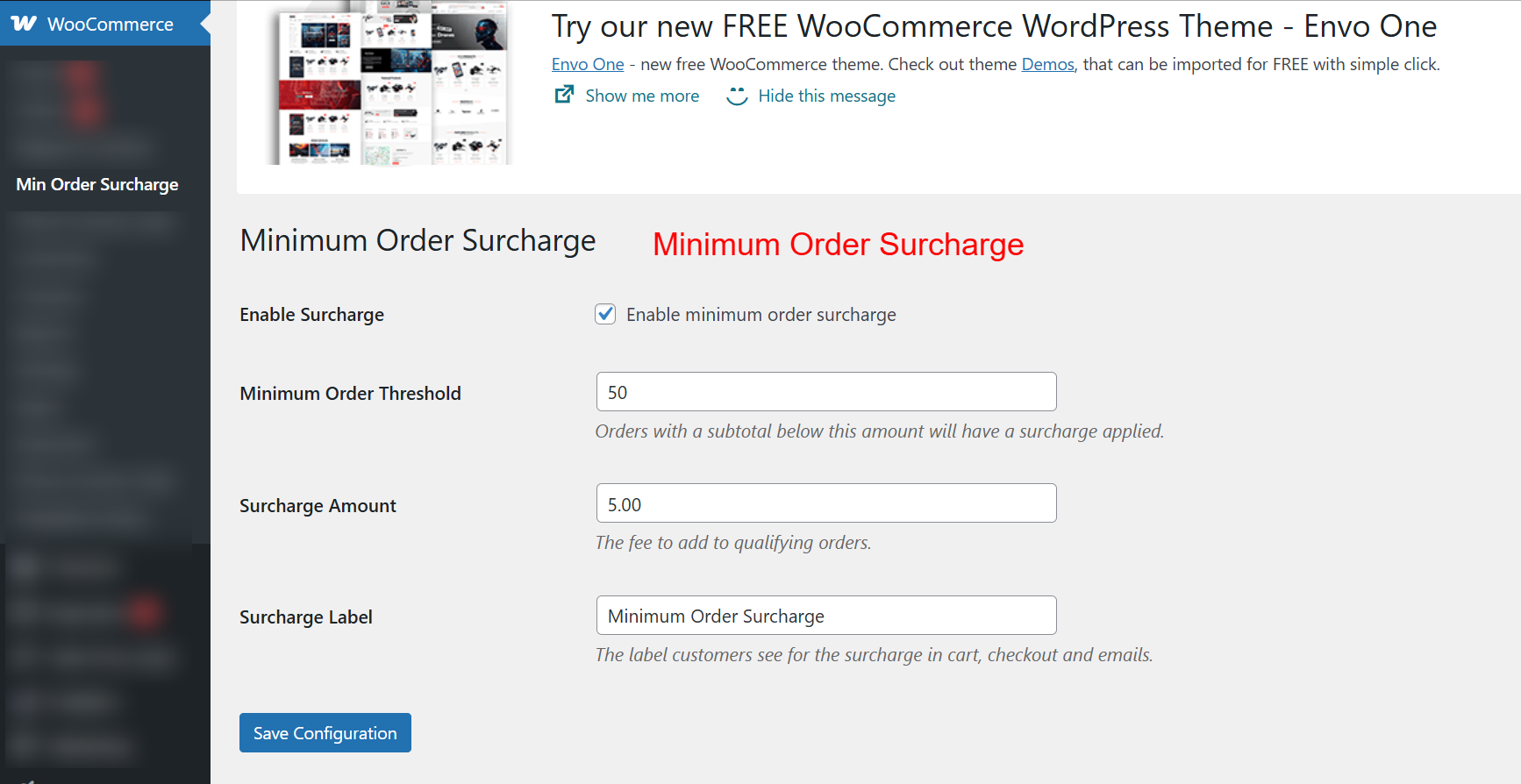
Once the plugin is activated, configure its settings to suit your store’s needs. Enable the surcharge by checking the respective box, and set the minimum order threshold. Orders under this threshold will incur a surcharge, defined in the Surcharge Amount field. Customize the label to ensure clarity for customers during checkout.