User Journey
Create a New Customer Account
Users initiate account creation on the frontend by providing necessary personal information like name, email, and password. This process includes completing custom registration fields supported by captcha verification for enhanced security.
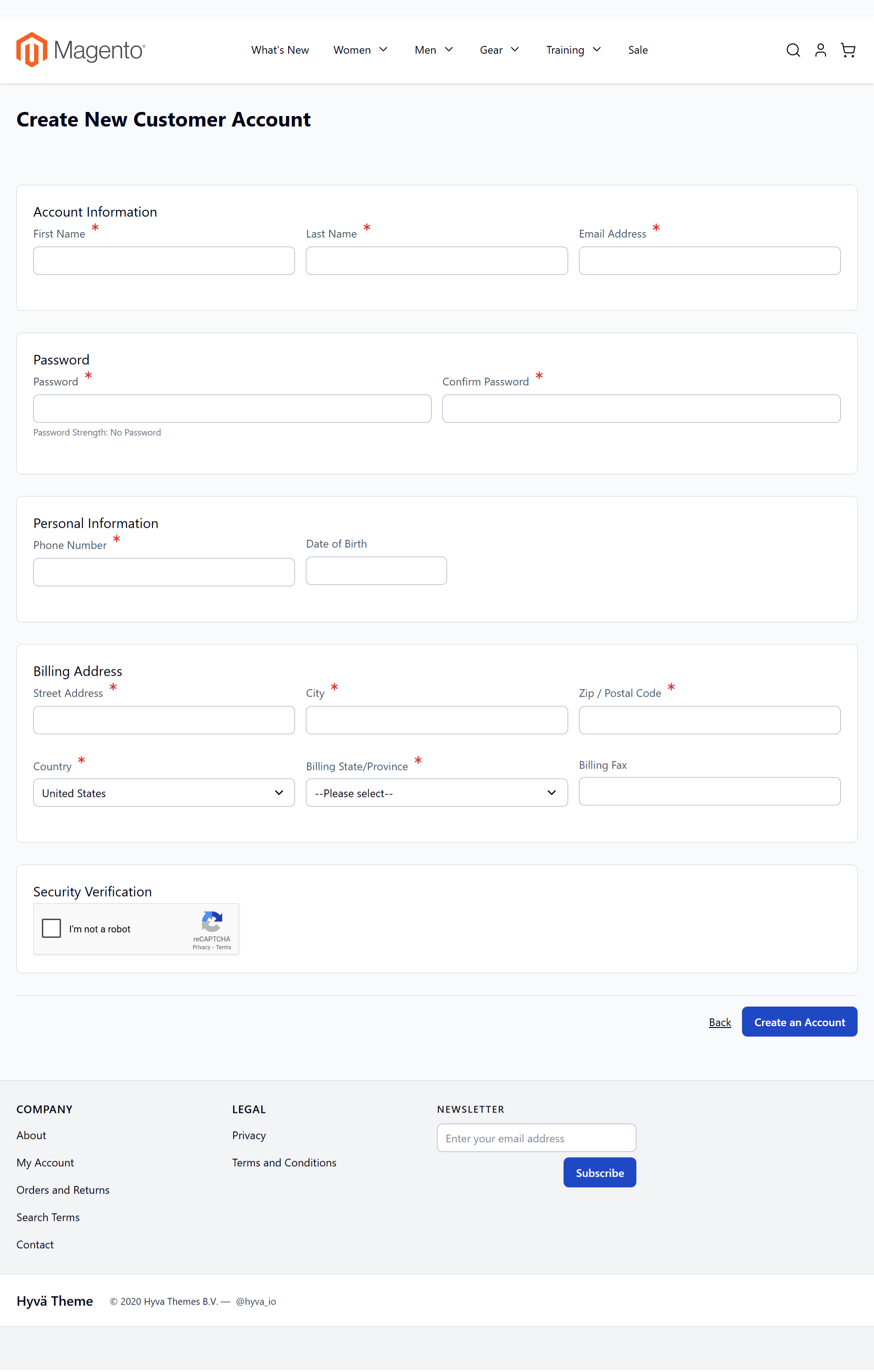
On this screen, users can create a new customer account by filling in personal information such as name, email, and password, along with billing details. The extension allows for custom registration fields, enhancing account security with a captcha. This feature supports complex registration scenarios by using custom fields to gather specific customer data.
Register B2B Account
For B2B customer registration, submit detailed company information through the dedicated registration form. Capture critical business data such as Company Name, Business Registration Number, and Industry to validate B2B roles accurately.
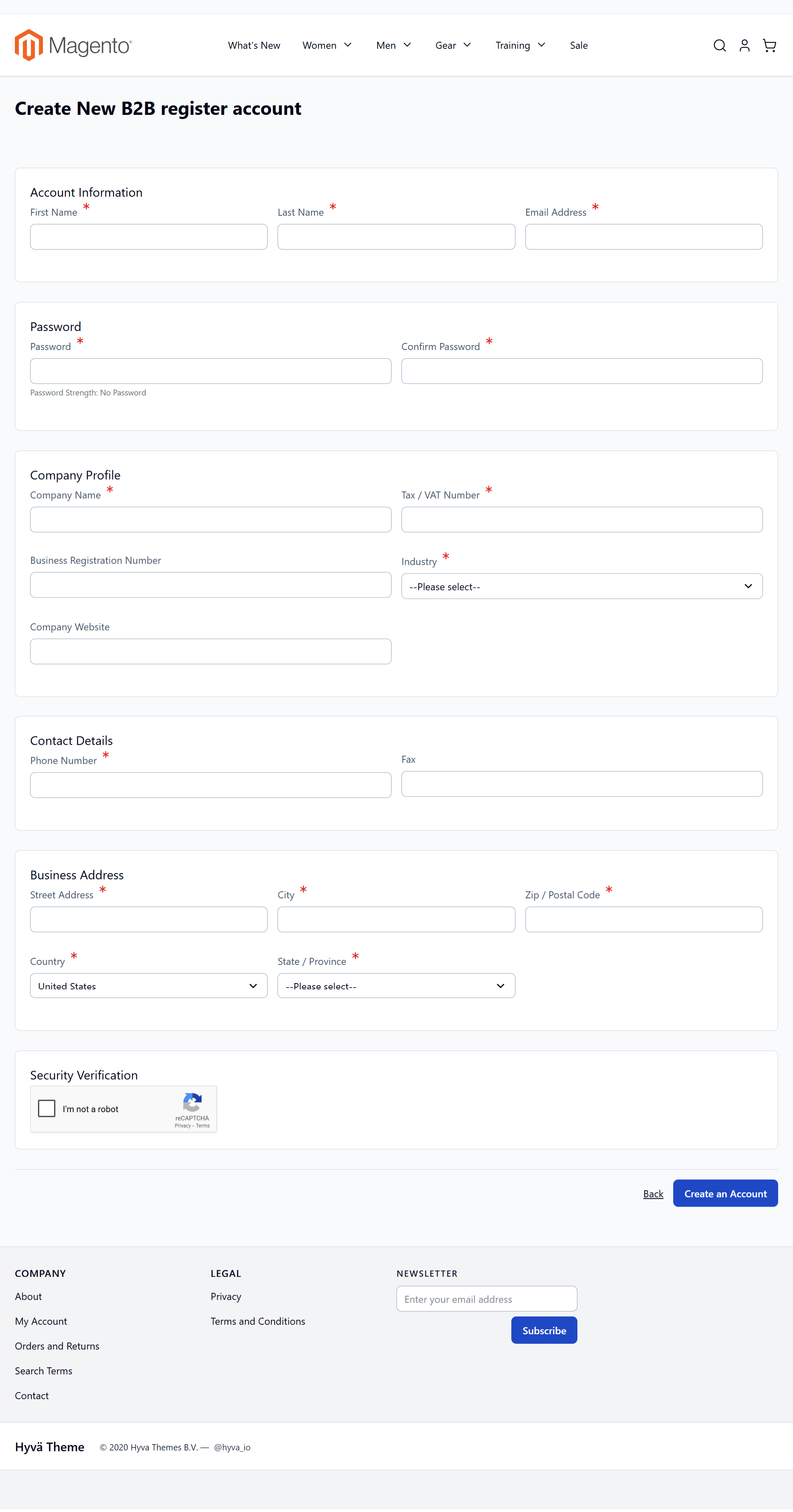
This comprehensive registration form gathers essential business information from new customers. Completing these forms allows businesses to authenticate B2B accounts accurately, ensuring robust customer data collection for strategic engagements.
Navigate Customer Login
Access the login page to sign into existing accounts or begin new registration processes. Options to create B2B accounts are highlighted, ensuring business clients enjoy a streamlined experience.
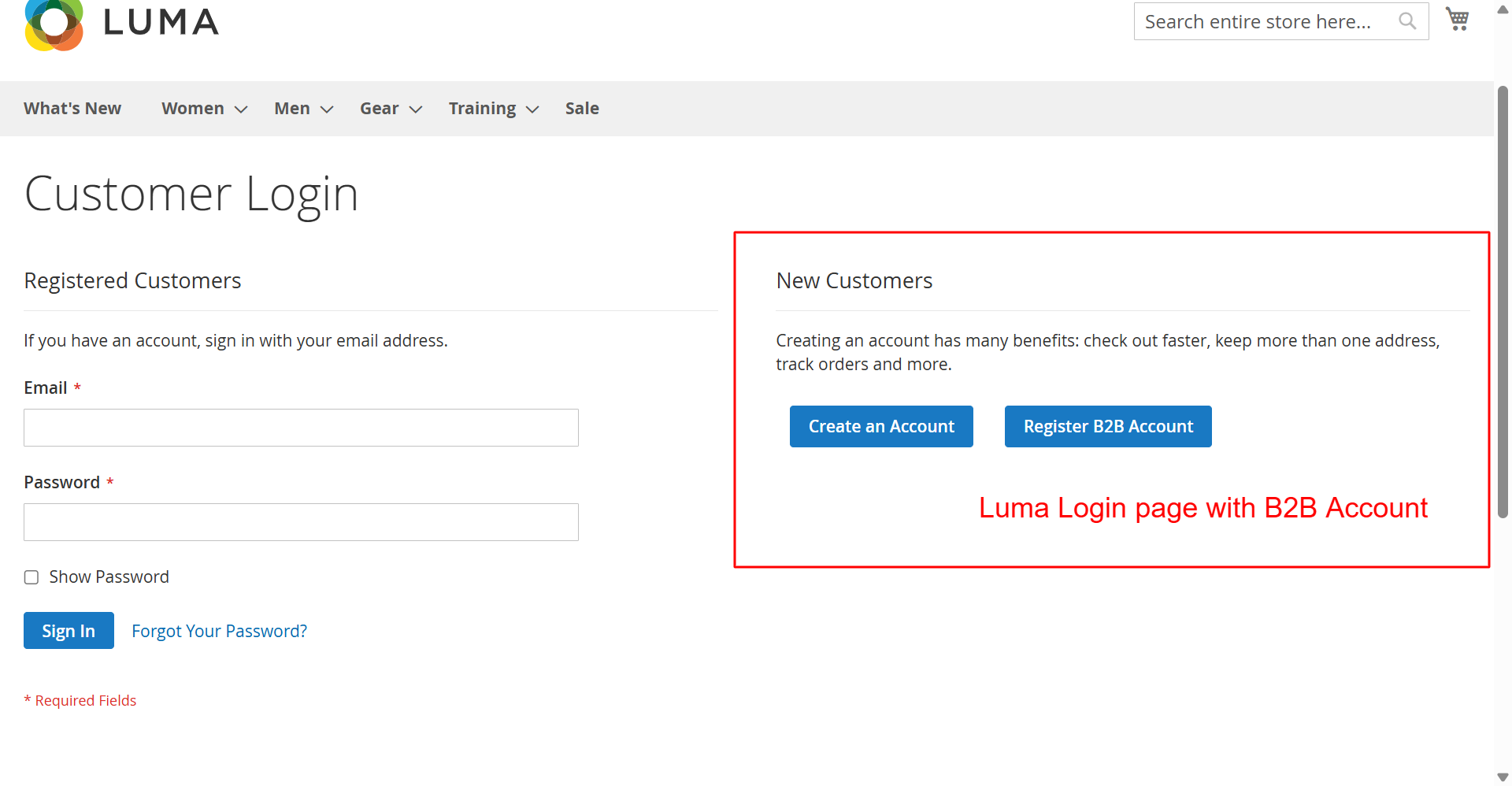
This page offers customers a straightforward login process or the opportunity to register a B2B account. Highlighting B2B registration helps capture business customers, expanding potential user base and enhancing service offerings.
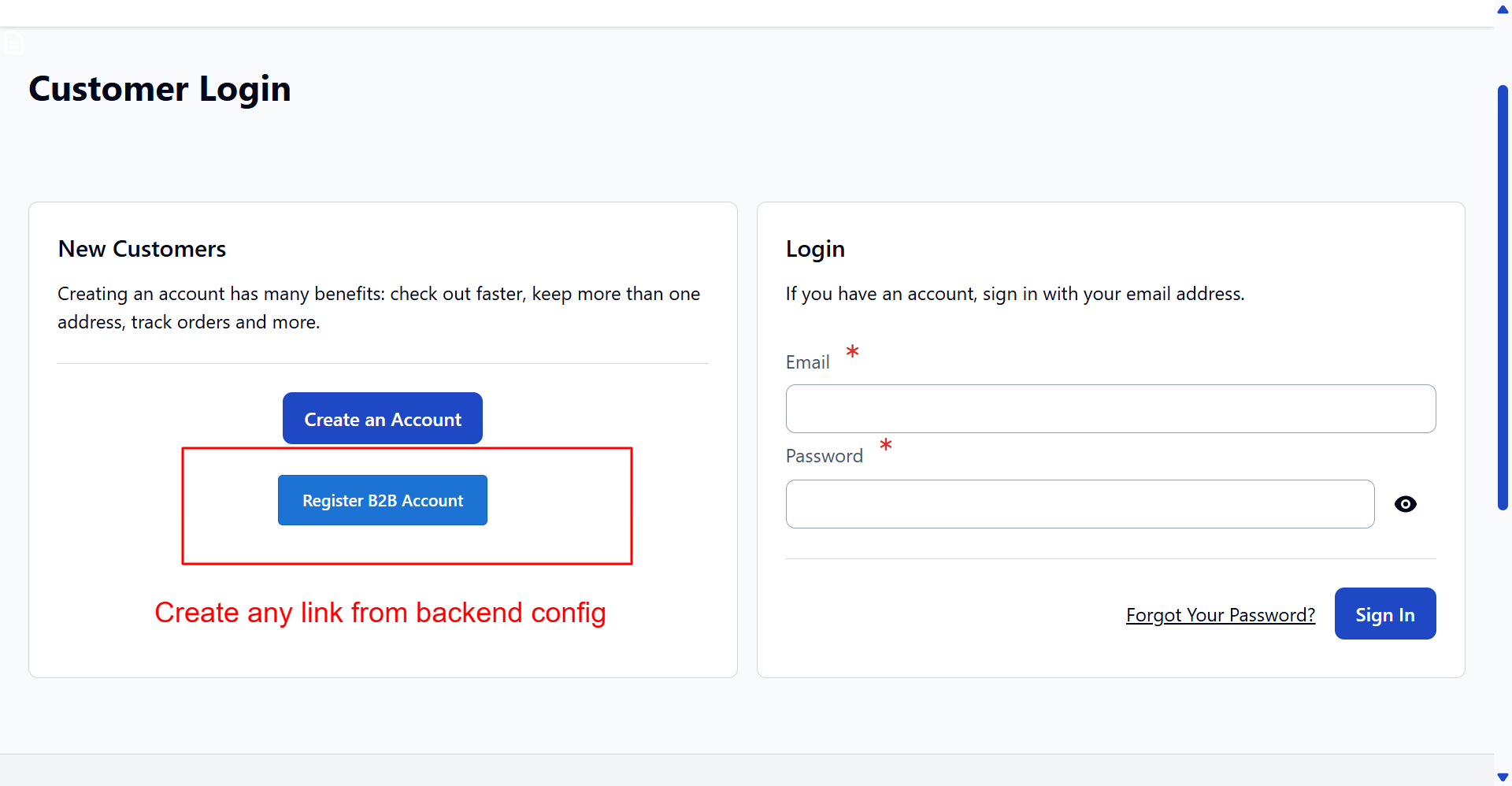
The Hyva theme login page provides a modern user experience with clear account options. Including B2B registration links directly aligns with business growth strategies by targeting organizational clients effectively.
Respond to Registration Errors
Upon an unsuccessful login attempt, users receive immediate feedback. This feedback system forms part of a proactive approach to user registration and access management, ensuring they are accurately informed on account status.
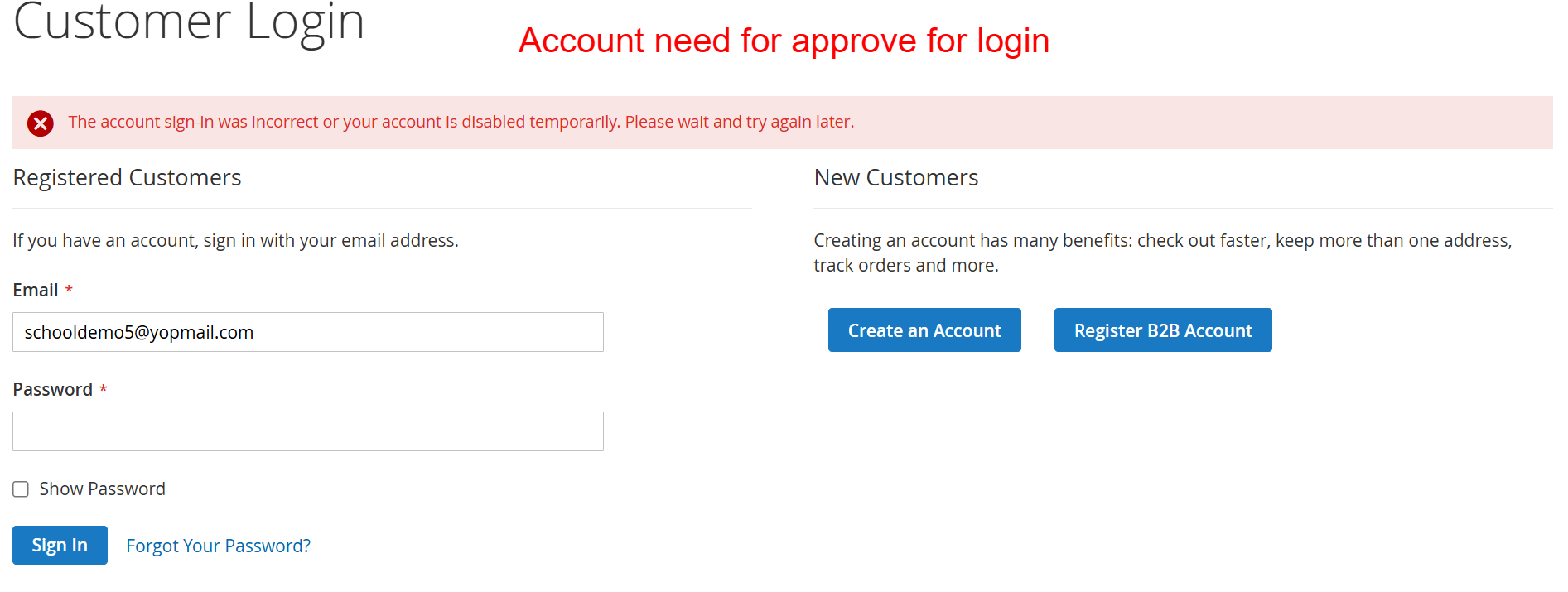
This screen informs users that their login attempt was unsuccessful, possibly due to a temporary account disablement. It is crucial for users whose accounts require admin approval before activation, a feature facilitated by the extension to manage user access proactively.
Access and Manage Account Information
Users can navigate to their account dashboard to review and update personal and business-related data. Enhanced with custom fields, the dashboard supports efficient management of user profiles and account details.
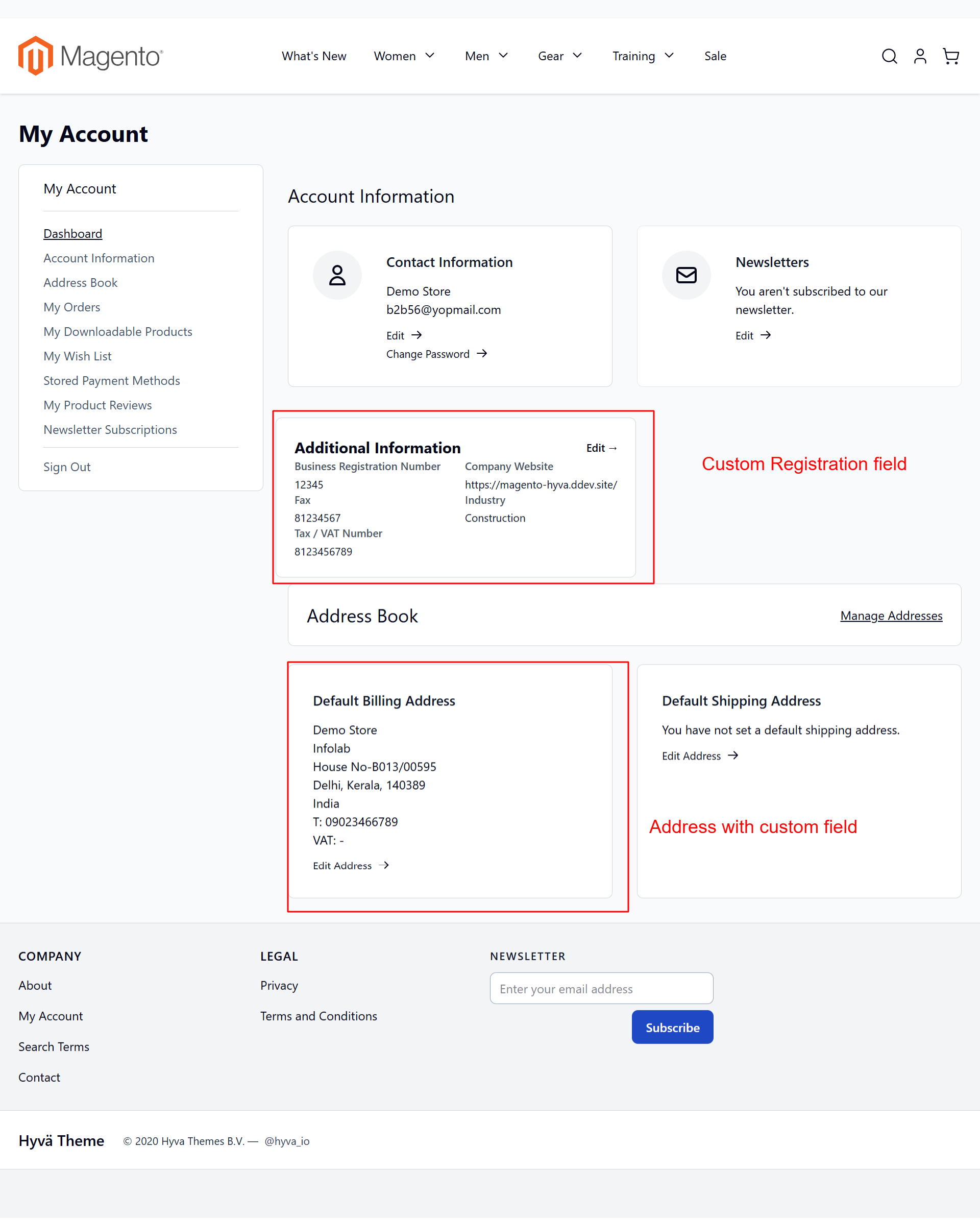
In the My Account Dashboard, users can access and manage their full profile, including custom fields enabled by the extension. The Hyva theme compatibility ensures a seamless user experience, facilitating easy navigation through personal and business data.