User Journey
Selecting Country Code on Checkout
Customers encounter an easy-to-use phone input field enhanced by country code and flag display, simplifying the submission of global contact details.
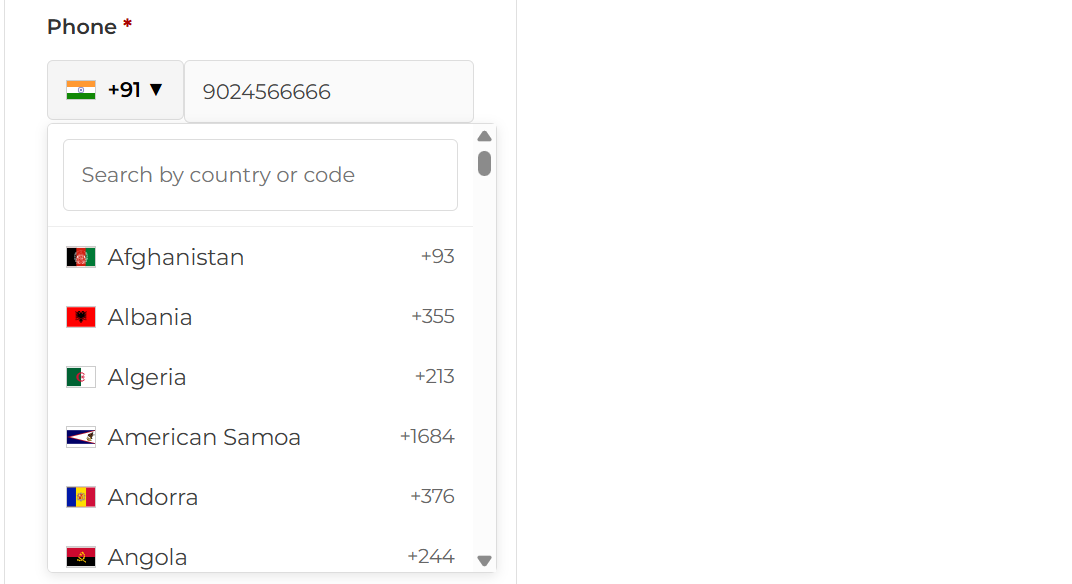
The checkout page displaying a phone number field with a dropdown list of country codes and flags, enabling users to select their country code.
Autocomplete Search for Country Codes
Users easily find and select their country code through efficient autocomplete search. This feature minimizes entry errors and improves data accuracy.
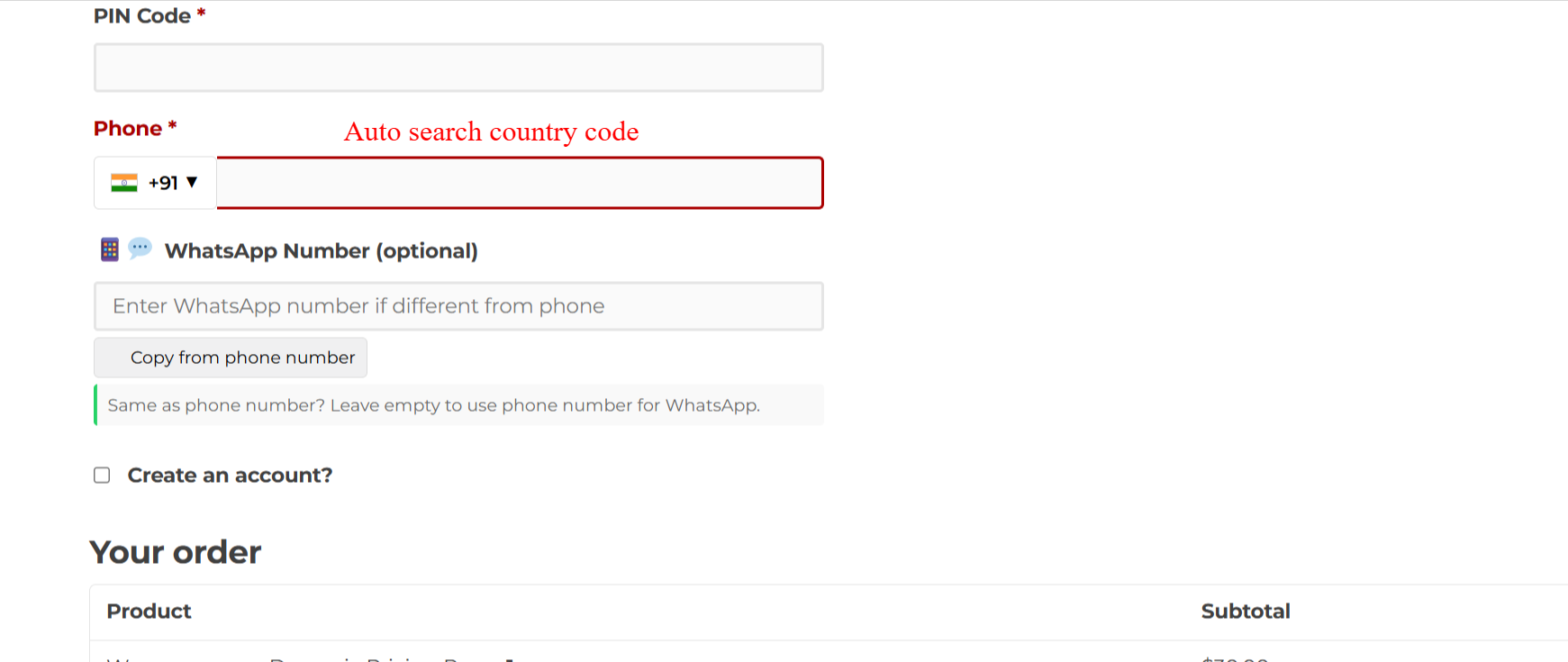
The checkout page displays a phone number field with an autocomplete country code selector and an optional WhatsApp number field.
Visualizing Valid Contact Inputs
Real-time validation confirms accuracy with immediate feedback on phone number legitimacy. Errors are promptly corrected for effective post-order communication.
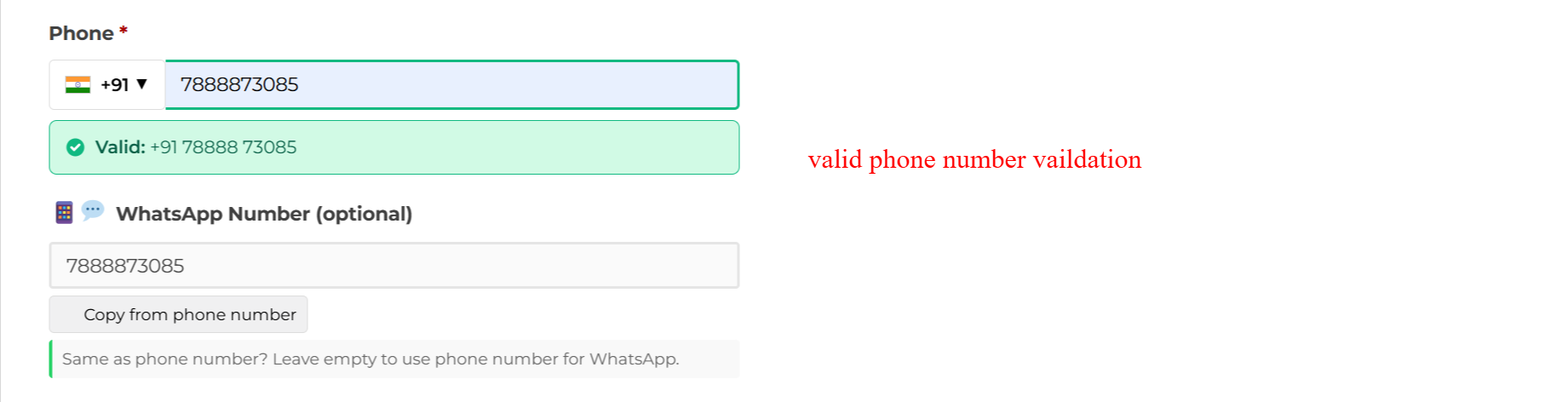
The checkout form shows a validated phone number and an optional WhatsApp number field, featuring a ‘Valid’ confirmation for phone input.
Entering WhatsApp Contact Information
Provide a dedicated field for WhatsApp numbers, facilitating enhanced communication paths, including a ‘Copy from phone number’ functionality to streamline input.
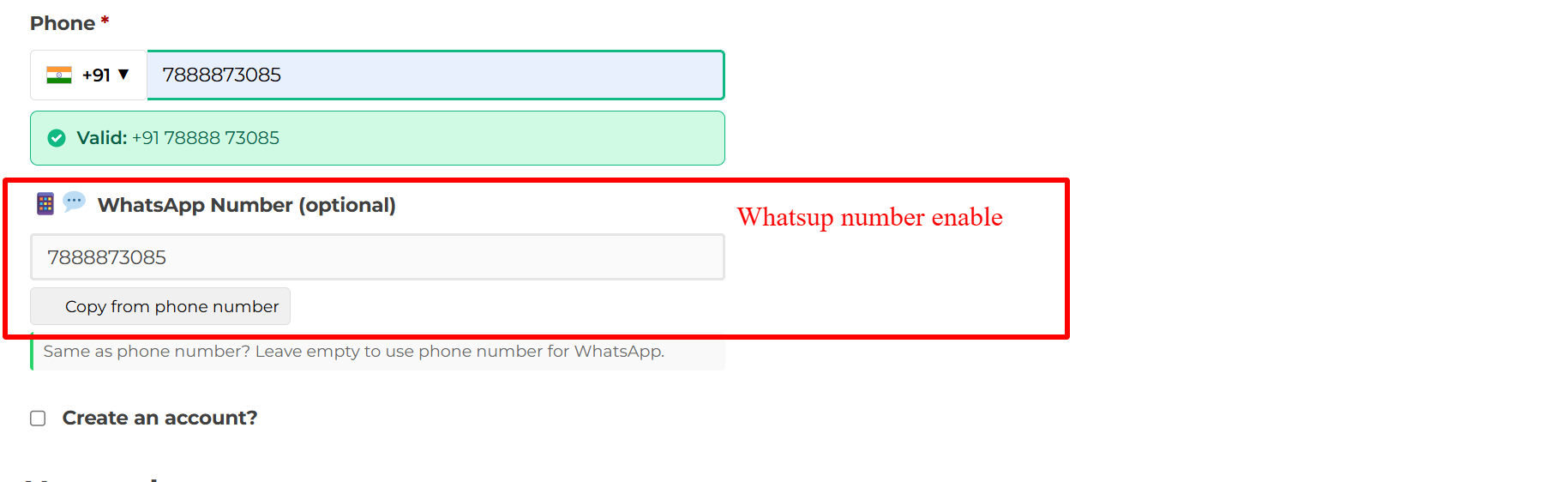
The checkout page allows users to enter a separate WhatsApp number with a ‘Copy from phone number’ button.
Managing Contact Details in Dashboard
Customers view and manage their contact numbers, including phone and WhatsApp, ensuring up-to-date details for seamless transaction interactions.
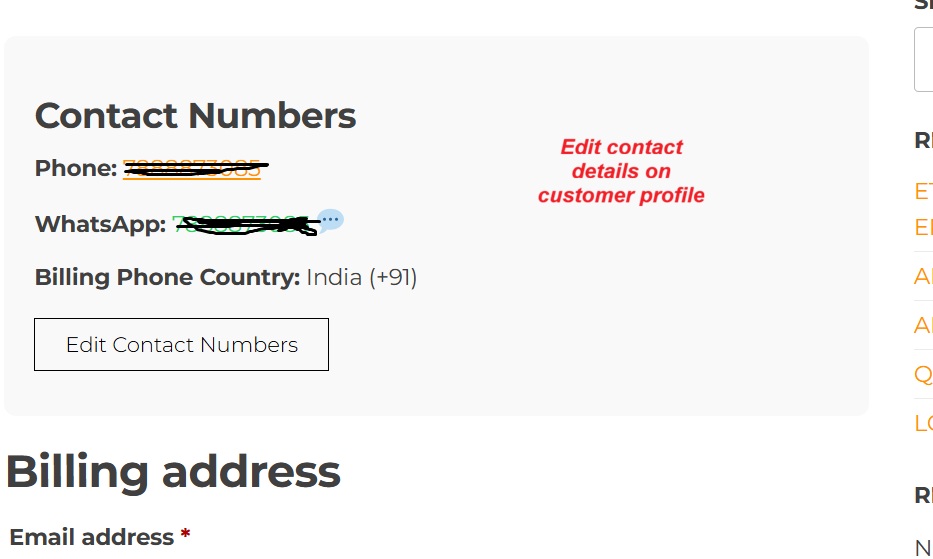
The account dashboard displays the user’s phone and WhatsApp numbers with an option to edit them.