User Journey
Access Settings and Forms
After plugin activation, navigate to the Registration Field Suite settings from the admin menu. Use the interface to create and manage registration forms, ensuring a tailored and efficient registration setup.
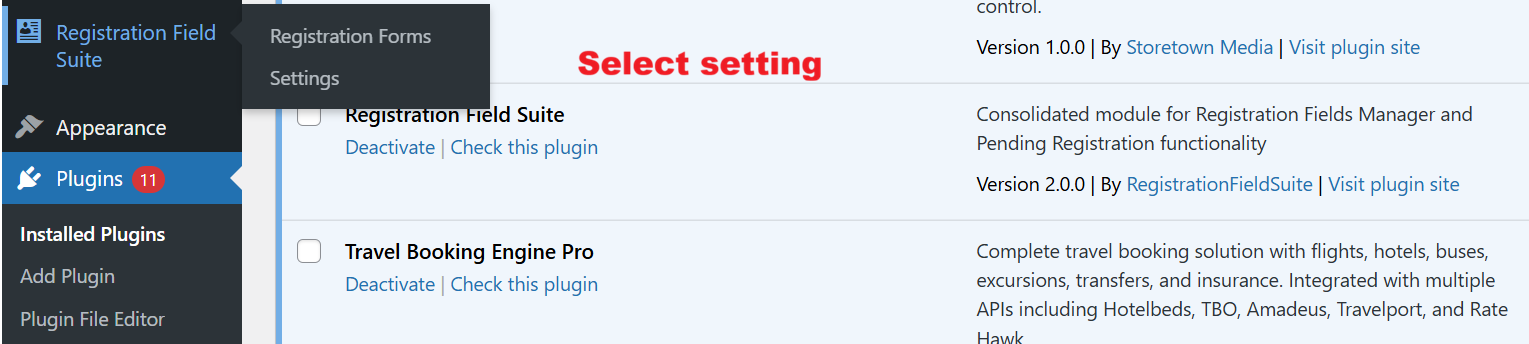
Once the Registration Field Suite is activated, navigate to its settings area to start managing registration forms and configuring general settings. Selecting ‘Settings’ opens up pathways to enable custom registration options, crucial for tailoring user registration experiences.
Create New Registration Form
The ‘Create New Registration Form’ option allows administrators to define identifiers and views for tailored forms. This flexibility supports diverse registration requirements, enhancing the plugin’s applicability for various business models.
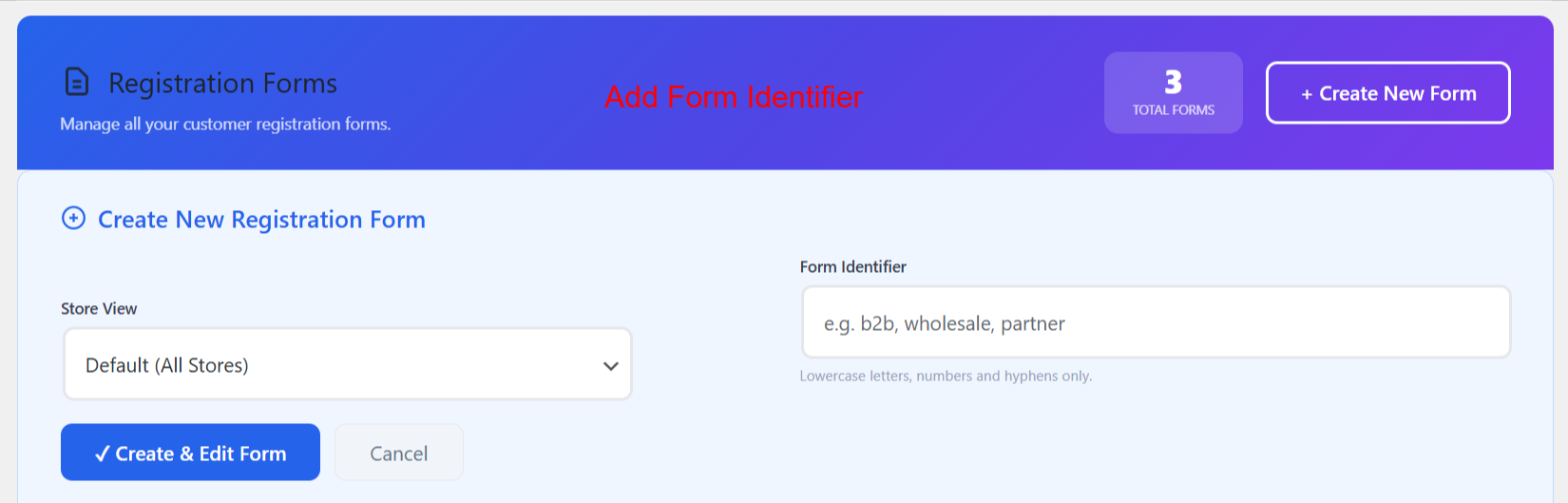
Here, admins can initiate the creation of a new customer registration form. By specifying a form identifier and selecting a store view, they can customize forms for different purposes. This screen is pivotal for expanding registration capabilities to suit varied business needs.
Customize and Generate via AI
Leverage the AI Form Generator to describe desired form structures and create fields automatically. This rapid prototyping capability harnesses AI technology to simplify complex form setups, enhancing efficiency.
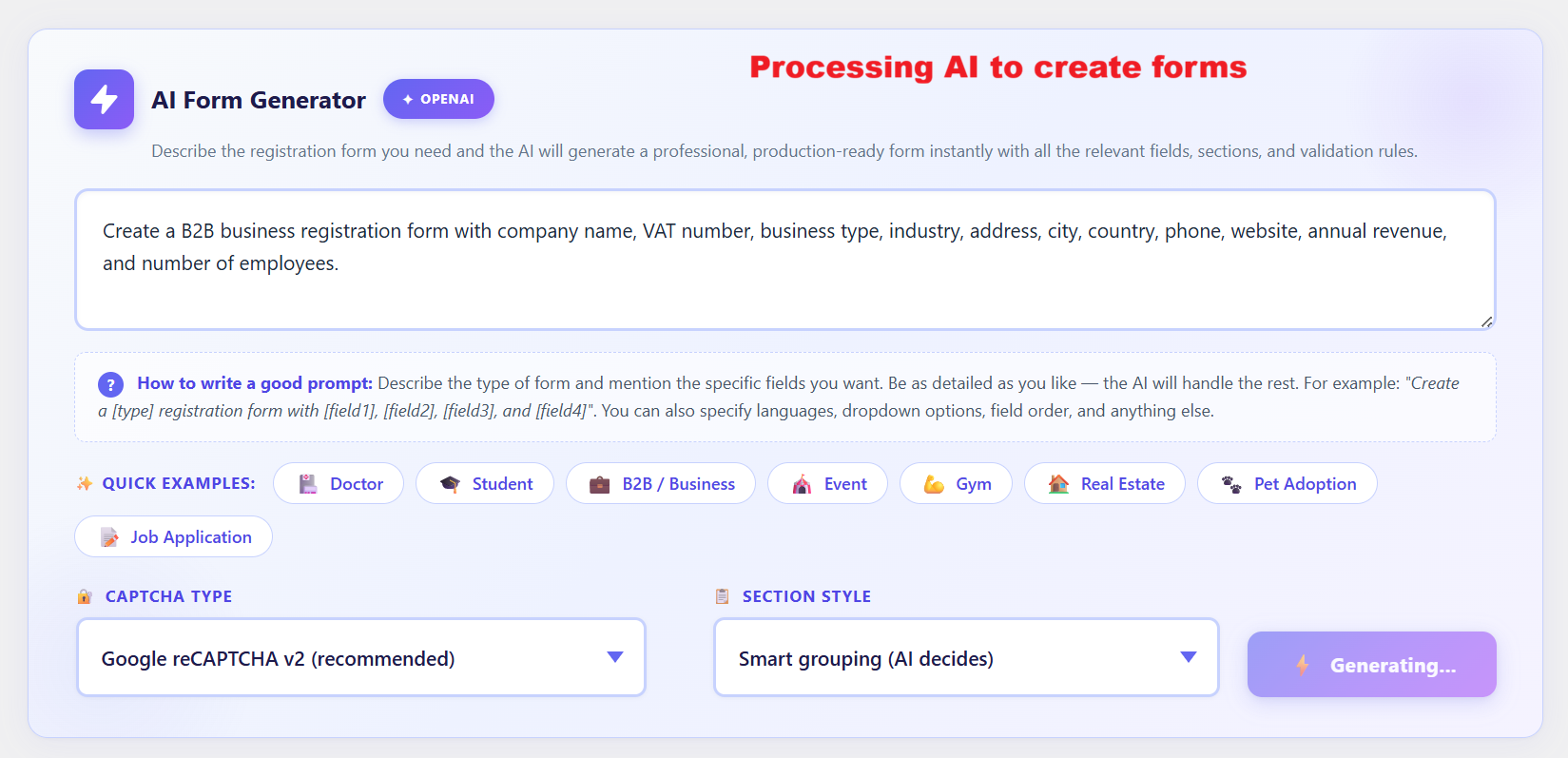
The AI Form Generator simplifies form creation by processing input descriptions to generate appropriate fields and sections automatically. This tool is especially useful for users who need a quick setup of complex forms without manually specifying each detail, thus enhancing efficiency and accuracy in form registration processes.
Review and Finalize Forms
Once a form is generated, use the interface to review, refine, and save your registration form. Ensure all sections accurately capture necessary data before activating the form for user interactions.
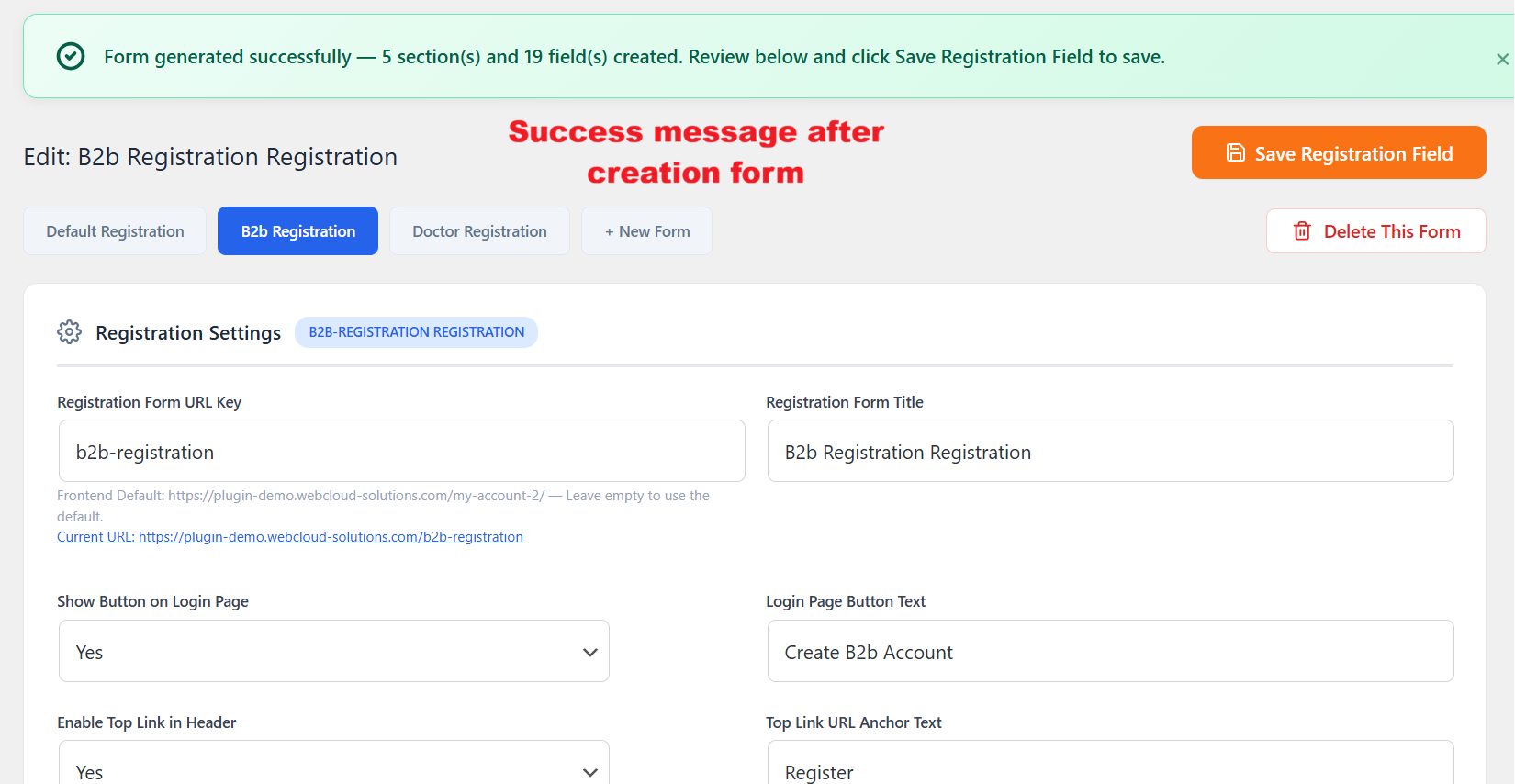
After generating a form via the AI tool, this confirmation screen lets administrators know that the form has been successfully created and is ready for review. Users can then tweak individual details before finalizing the form, ensuring it meets all necessary criteria before deployment.
Process Registration Approvals
Post-form submission, review pending registrations in the user list. Approve or decline users efficiently using in-line actions to manage account status smoothly, supporting streamlined user onboarding.
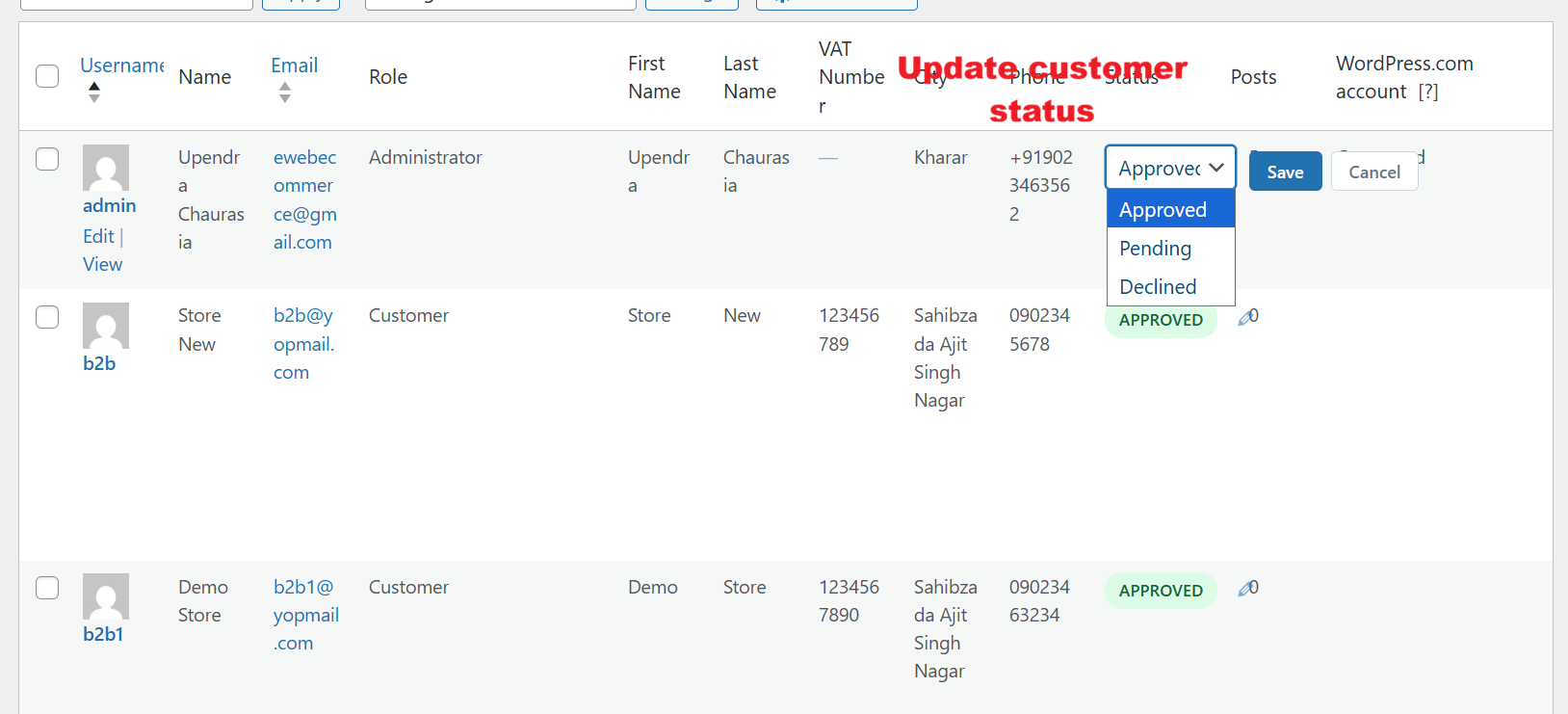
Administrators can quickly update a customer’s registration status using the dropdown menu. This feature is vital for maintaining control over user permissions and account activations within the Registration Field Suite v2.0.0.